
1. はじめに
This manual provides essential instructions for the safe and efficient operation of your ICOM BC-152 charger. Please read this manual thoroughly before using the charger to ensure proper setup, operation, and maintenance. Keep this manual for future reference.
2. 安全情報
Always observe the following safety precautions to prevent injury, damage to the charger, or damage to the device being charged.
- Use only with compatible ICOM battery packs. Using incompatible batteries may cause fire, explosion, or injury.
- 充電器を雨、湿気、極端な温度にさらさないでください。
- 充電器を分解したり改造したりしないでください。修理は必ず資格のある専門家にご依頼ください。
- 電源コンセントの電圧を確認してくださいtage matches the charger's specifications.
- 充電器を熱源や直射日光から遠ざけてください。
- 使用していないときや清掃する前には、充電器を電源コンセントから抜いてください。
3. セットアップ
3.1 開梱
Carefully remove the ICOM BC-152 charger from its packaging. Verify that all components are present:
- ICOM BC-152 Charger Unit
- ACアダプター(付属している場合)
- 取扱説明書(本書)
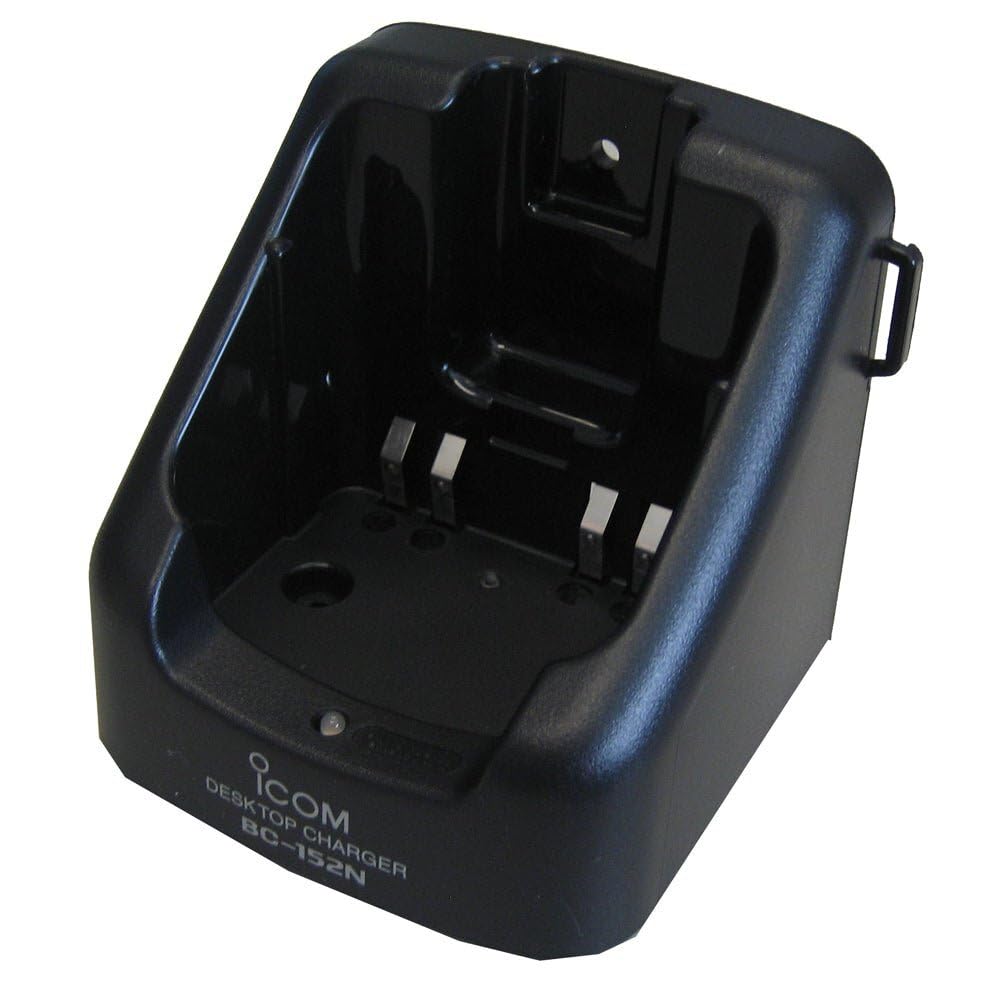
Figure 1: The ICOM BC-152 charger unit. This image shows the compact black charger with a single slot for a battery pack.
3.2 電源の接続
- Connect the AC adapter cable to the DC input jack on the rear of the BC-152 charger unit.
- AC アダプターを標準の壁のコンセントに差し込みます。
- 充電器は使用できるようになりました。
4. 操作手順
4.1 バッテリーパックの充電
Follow these steps to charge a compatible ICOM battery pack:
- セクション 3.2 で説明されているように、充電器が電源に接続されていることを確認します。
- Carefully insert the battery pack into the charging slot of the BC-152 charger. Ensure it is seated firmly.
- Observe the charging indicator light.
4.2 表示灯
The BC-152 charger features an LED indicator to show the charging status:
- 赤(実線): バッテリーは現在充電中です。
- 緑(実線): Charging is complete. The battery pack is fully charged.
- 赤色点滅: Charging error or battery fault. Remove the battery and re-insert. If the error persists, consult the troubleshooting section.
- 光なし: Charger is not connected to power, or no battery is inserted.
Charging time may vary depending on the battery's capacity and its current charge level. Typically, a fully depleted battery will take approximately 2-4 hours to charge.
5. メンテナンス
5.1 クリーニング
最適なパフォーマンスと外観を維持するには:
- 清掃する前に必ず充電器を電源コンセントから抜いてください。
- 充電器の外側を拭くときは、柔らかく乾いた布を使用してください。
- 研磨剤入りの洗剤、溶剤、または刺激の強い化学薬品は使用しないでください。
- Ensure no moisture enters the charging slot or power input.
5.2 ストレージ
When not in use for extended periods, store the charger in a cool, dry place, away from direct sunlight and extreme temperatures. Disconnect it from the power supply.
6。 トラブルシューティング
If you encounter issues with your BC-152 charger, refer to the table below for common problems and solutions.
| 問題 | 考えられる原因 | 解決 |
|---|---|---|
| 充電器の表示ライトが消えています。 | No power supply or battery not inserted. | Check AC adapter connection. Ensure battery is correctly inserted. |
| インジケーターライトが赤く点滅します。 | Battery fault or charging error. | Remove and re-insert the battery. Try a different compatible battery if available. |
| バッテリーが充電されません。 | Faulty battery, charger, or power supply. | Verify power connection. Test with a known good battery. If problem persists, contact support. |
7. 仕様
| ブランド | ICOM |
| モデル | BC-152 |
| 入力ボリュームtage | 12-16V DC (via AC adapter) |
| 出力巻tage | 8.4V直流 |
| 充電電流 | 約450mA |
| 寸法(幅×高さ×奥行き) | Approx. 80 × 50 × 90 mm (3.1 × 2.0 × 3.5 inches) |
| 重さ | 0.18ポンド(約82g) |
| 色 | 黒 |
注意:仕様は改良のため予告なく変更することがあります。
8. 保証情報
ICOM products are manufactured with high-quality components and are subject to rigorous quality control. This product is covered by a limited warranty against defects in materials and workmanship. The specific terms and duration of the warranty may vary by region. Please refer to the warranty card included with your purchase or visit the official ICOM web詳細な保証情報については、サイトをご覧ください。
この保証は、誤用、事故、不正な改造、不適切な取り付けによって生じた損傷には適用されません。
9. カスタマーサポート
If you have any questions, require technical assistance, or need to report a problem that cannot be resolved using the troubleshooting guide, please contact ICOM customer support.
ICOM America Inc.
Visit ICOM America's Contact Page
Please have your product model (BC-152) and serial number ready when contacting support.