
導入
This manual provides instructions for the proper use, setup, and maintenance of your Beats by Dr. Dre In-Ear Headphones, Model OMEL-MR-PN-6694832. Please read this manual thoroughly before using the product to ensure optimal performance and longevity.
製品終了view
The Beats by Dr. Dre In-Ear Headphones are designed for high-quality audio delivery and convenience. Key features include:
- Solid Metal Housing: Constructed with durable metal for enhanced resilience.
- Grid-Iron Tough Build: Engineered for robustness and durability.
- 内蔵マイク: Facilitates hands-free calls. Note that inline remote or microphone functionality may be limited with Apple devices.
- Tangle-Free Cables: Designed to prevent tangling for ease of use and storage.
- 軽量で折りたたみ可能なデザイン: Offers portability and comfort during extended wear.
- 音量コントロール: Integrated controls for easy audio adjustments.
- Android Phone Control Support: Optimized for use with Android devices.
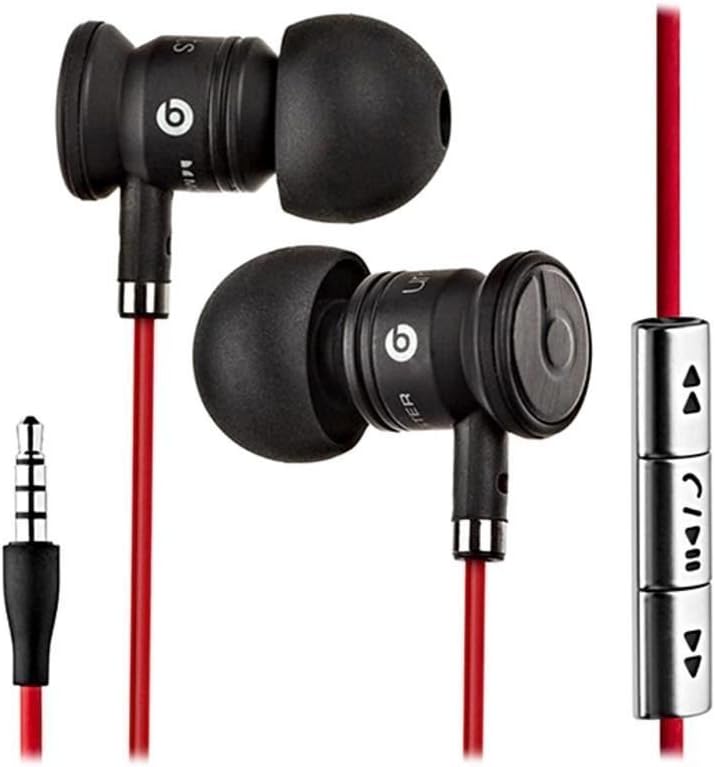
Image: The Beats by Dr. Dre In-Ear Headphones, featuring black earbuds, a red tangle-free cable, and an inline remote with control buttons.
設定
- イヤーチップを選択: Choose the ear tips that provide the most comfortable and secure fit for your ears. The headphones come with various sizes to ensure optimal sound isolation and comfort.

Image: The Beats by Dr. Dre In-Ear Headphones displayed with a selection of different sized ear tips and a branded carrying pouch.
- デバイスに接続します: Insert the 3.5mm audio jack into the headphone port of your audio device (smartphone, tablet, MP3 player, etc.).
- イヤホンの位置: Gently insert the earbuds into your ears, ensuring a snug fit. The cable should hang comfortably.
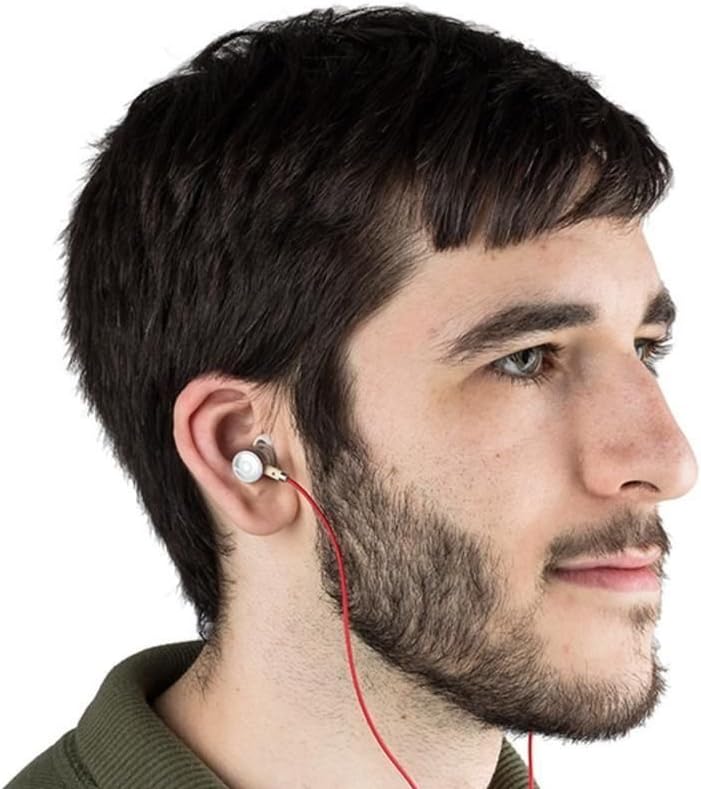
Image: A person wearing the Beats by Dr. Dre In-Ear Headphones, demonstrating proper earbud placement.
操作手順
オーディオ再生
- 再生/一時停止: Press the center button on the inline remote once.
- 次のトラック: 中央のボタンを素早く2回押します。
- 前のトラック: 中央のボタンをすばやく3回押します。
- ボリュームアップ: Press the '+' button on the inline remote.
- ボリュームダウン: Press the '-' button on the inline remote.
通話管理
- 通話の応答/終了: 着信中または通話中に中央のボタンを 1 回押します。
- 拒否の呼び出し: 着信中に中央のボタンを約 2 秒間押し続けます。
注記: Functionality of the inline remote and microphone may be limited or vary when used with Apple devices compared to Android devices.
メンテナンス
- クリーニング: Regularly wipe the earbuds and cable with a soft, dry, lint-free cloth. Do not use harsh chemicals or abrasive materials.
- 耳かけのお手入れ: イヤーチップは定期的に取り外し、中性洗剤と水で洗ってください。再び装着する前に、完全に乾いていることを確認してください。
- ストレージ: When not in use, store your headphones in the provided carrying pouch to protect them from dust, dirt, and tangling.

Image: The black carrying pouch with the Beats by Dr. Dre logo, designed for headphone storage.
- 湿気を避ける: ヘッドホンを水や過度の湿気から遠ざけてください。
トラブルシューティング
- 音が出ない:
- - Ensure the 3.5mm jack is fully inserted into your device.
- - Check the volume level on both your device and using the inline remote.
- - Test the headphones with another audio device to rule out device issues.
- マイクが機能しない:
- - Verify that your device's microphone settings are correctly configured.
- - Remember that microphone functionality may be limited with Apple devices.
- - Ensure the microphone is not obstructed.
- リモコンの問題:
- - Confirm compatibility with your device. Full functionality is primarily supported on Android devices.
- - Ensure the connection is secure.
仕様
| 特徴 | 詳細 |
|---|---|
| ブランド | ビート |
| モデル番号 | OMEL-MR-PN-6694832 |
| 耳の位置 | 耳に装着 |
| フォームファクター | 耳に装着 |
| 接続技術 | 有線 |
| アイテム重量 | 0.3オンス |
| エンクロージャ材質 | 金属 |
| ケーブルの特徴 | もつれなし |
| 追加機能 | Foldable, Lightweight, Volume Control, Android Phone Control |
| コントロールタイプ | リモート |
公式製品ビデオ
ビデオ: 当局者がview of the Beats by Dr. Dre In-Ear Headphones, demonstrating key features and design elements. Note: The video narration incorrectly refers to the product as wireless; these headphones are wired as shown in the video and product images.
保証とサポート
For warranty information and customer support, please refer to the official Beats by Dr. Dre webご購入いただいたサイトをご覧いただくか、販売店にお問い合わせください。保証請求の際に購入証明書を保管してください。
さらに詳しいサポートが必要な場合は、 AmazonのBeatsストア.