1. はじめに
The BenQ GP20 is an Ultra-Lite LED 700 Lumen Projector designed for versatile use, offering high-definition projection in various environments. This compact projector features 720p HD resolution, built-in 3W speakers with SRS surround sound, and 3D-ready projection capabilities. It supports unparalleled multimedia connectivity, including wireless display functions and MHL for mobile devices.
This manual provides essential information for setting up, operating, and maintaining your BenQ GP20 projector to ensure optimal performance and longevity.
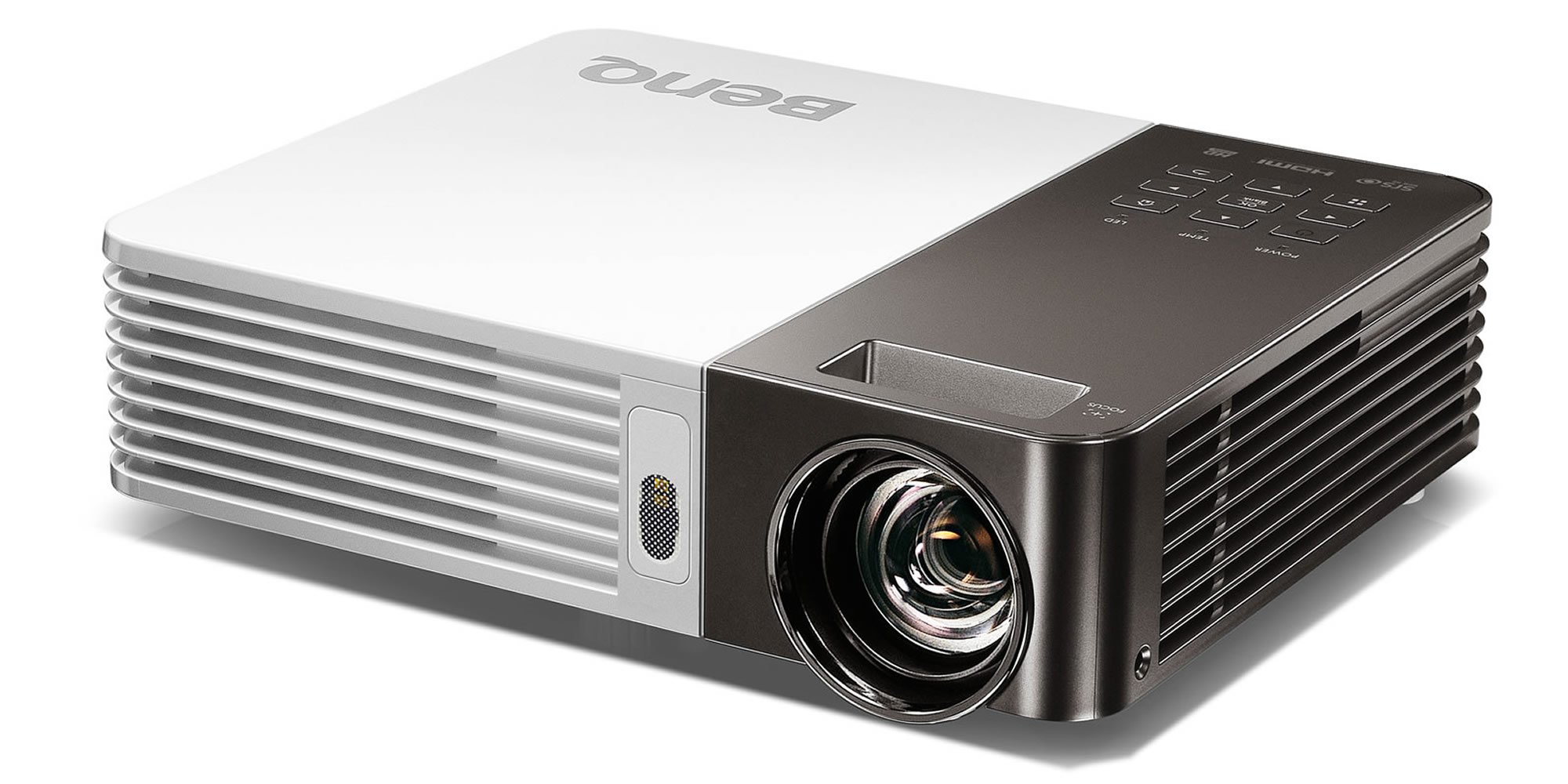
Image 1.1: The BenQ GP20 Wireless Ultra-Lite LED 700 Lumen Projector, showcasinコンパクトなデザインとレンズが魅力です。
2. 開梱とパッケージ内容
Upon opening the BenQ GP20 package, ensure all components are present and undamaged. The standard package includes the projector unit, a remote control, power cables, and a carrying case. Additional accessories such as a wireless dongle and various connection cables may also be included.

Image 2.1: The BenQ GP20 projector box, with various accessories including cables, remote, and carrying case laid out.
3. セットアップ手順
3.1 初期配置
Place the projector on a stable, flat surface. For optimal image quality, position the projector perpendicular to the projection surface (screen or wall). The short-throw projection technology allows for a large 40-inch picture from approximately one meter distance.
3.2電源接続
- 電源ケーブルをプロジェクターの電源入力ポートに接続します。
- 電源ケーブルのもう一方の端を適切な電源コンセントに差し込みます。
- プロジェクタまたはリモコンの電源ボタンを押して、デバイスの電源をオンにします。
3.3 画像調整
The GP20 features an automatic keystone correction function. This feature automatically adjusts misshaped images, graphics, and charts into a perfect square, eliminating the need for manual adjustments.
4. 操作手順
4.1ユーザーインターフェース
The GP20 user interface is designed for ease of use, featuring navigation elements similar to popular multimedia devices. This intuitive design minimizes the need for extensive manual consultation.
4.2 Content Source Selection
The projector can automatically detect and select content sources when devices like SD cards or USB drives are plugged in. Manual selection is also available through the on-screen menu.
4.3リモコン機能
Use the provided remote control to navigate menus, adjust settings, and control playback. Familiarize yourself with the buttons for power, source selection, volume, and menu navigation.
5. 接続性
5.1 Wireless Display
The GP20 supports wireless display functions, allowing connection via notebooks, PCs, or mobile devices. The EZ QPresenter 2.0 for PC offers wireless connectivity from your PC to the GP20, with options for extending to a secondary display or projecting streaming video. The iOS EZ QPresenter 2.0 app allows projection of PDF, MS Office, and iWorks documents directly from an iPhone or iPad, including Dropbox streaming.
5.2 MHL Connectivity
The projector features MHL (Mobile High-Definition Link) functionality, enabling you to mirror content from compatible Android devices to the big screen. Your device will also charge while connected via MHL.
5.3その他の接続
The GP20 offers various ports for multimedia connectivity, including USB. Refer to the port labels on the projector for specific connection types.
6. 高度な機能
6.1 LED Projection Technology
Utilizing RGB LEDs as the light source, the GP20 delivers vibrant, color-rich images with a 10000:1 contrast ratio and 100% NTSC color gamut. This technology ensures a long lifespan for the light source, up to 30,000 hours in Eco Mode, without a decrease in brightness.
6.2 Auto Blank Eye Protection
The Auto Blank feature is designed for eye protection, particularly around young children. It detects movements within 20 to 30 centimeters in front of the lens and automatically cuts off the projection light to prevent direct exposure.
6.3 3D-Ready Projection
The BenQ GP20 is 3D-ready, allowing for immersive 3D content viewing with compatible 3D glasses and source material.
7. メンテナンス
7.1 プロジェクターのクリーニング
- 外観: Use a soft, lint-free cloth to gently wipe the projector's exterior. Avoid abrasive cleaners or solvents.
- レンズ: Use a lens cleaning cloth or specialized lens paper with a small amount of lens cleaning solution. Do not touch the lens directly with your fingers.
- 換気: 過熱を防ぐために、通気口にほこりや障害物がないか確認してください。
7.2 ストレージ
When not in use, store the projector in its carrying case in a cool, dry place away from direct sunlight and extreme temperatures.
8。 トラブルシューティング
If you encounter issues with your BenQ GP20 projector, consider the following basic troubleshooting steps:
- 電源なし: Ensure the power cable is securely connected to both the projector and the electrical outlet. Check if the power outlet is functional.
- 画像無し: Verify that the correct input source is selected. Check all cable connections between the projector and the source device.
- ぼやけた画像: Allow the automatic keystone correction to function. Ensure the projection surface is flat and the projector is stable.
- 音声なし: Check the volume settings on both the projector and the source device. Ensure audio cables are correctly connected if not using HDMI.
- リモコンが動作しない: リモコンの電池を確認し、交換してください。リモコンとプロジェクターの赤外線受信機の間に障害物がないことを確認してください。
問題が解決しない場合は、BenQサポートにご相談ください。 webサイトをご覧いただくか、カスタマーサービスにお問い合わせください。
9. 仕様
| 特徴 | 仕様 |
|---|---|
| ブランド | ベンキュー |
| モデル番号 | GP20 |
| ディスプレイ解像度 | 1280×800 |
| 輝度 | 700ルーメン |
| 光源 | 導かれた |
| コントラスト比 | 10000:1 |
| 色域 | 100% NTSC |
| スピーカータイプ | Built-In (Two 3W Stereo Speakers with SRS HD) |
| 接続技術 | USB, Wireless Display, MHL-Enabled HDMI |
| 特集 | 3D-Ready, Auto Keystone, Auto Blank Eye Protection |
| アイテム重量 | 3.5ポンド |
| 製品寸法 | 2.4 x 8.6 x 6.9インチ |
| 電源 | リチウムイオン電池1個(付属) |
| エネルギー効率 | エネルギースター認定 |
10. 保証とサポート
For warranty information, please refer to the warranty card included with your product or visit the official BenQ website. For technical support, product registration, or service inquiries, please contact BenQ customer support through their official channels.