
1.製品オーバーview
The Jarvis Fully Standing Desk Frame (Model JRV1) is an electric adjustable height desk frame designed to convert any suitable desktop into a dynamic sit-stand workstation. This frame is built with sturdy alloy steel, offering stability and a robust lifting capacity. It features a dual-motor system for smooth and quiet height adjustments, controlled by a digital handset with programmable memory presets.
This manual provides essential information for the assembly, operation, and maintenance of your Jarvis desk frame. Please read it thoroughly before beginning assembly or operation to ensure safe and correct usage.
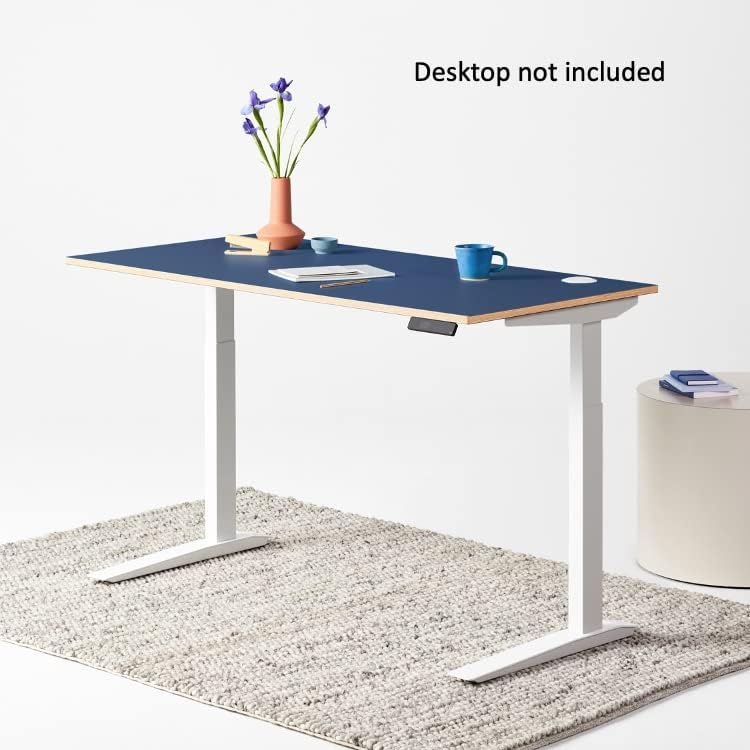
Figure 1: Jarvis Fully Standing Desk Frame with a blue desktop, shown at standing height.
2. セットアップと組み立て
Careful assembly is crucial for the proper function and longevity of your Jarvis desk frame. Ensure all components are present before starting. A Phillips head screwdriver is required; all other necessary tools are included.
2.1 開梱とコンポーネントの識別
Unpack all components and lay them out on a clean, soft surface to prevent scratches. Refer to the parts list provided in your packaging to identify each component.
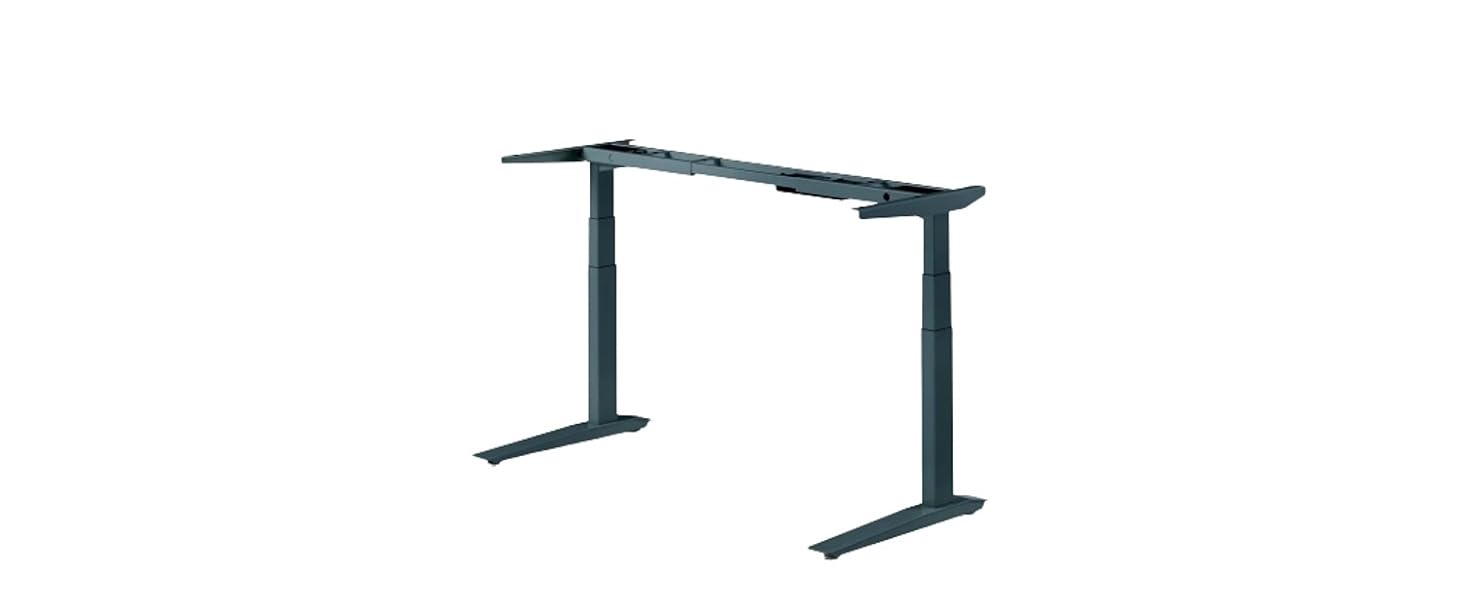
Figure 2: All components of the Jarvis desk frame laid out for assembly.
2.2組み立て手順
- Attach Lifting Columns to Frame Ends: Insert one lifting column into each frame end. Secure using the provided small machine screws. Ensure they are fully tightened.
- サイドブラケットを取り付ける: Select the appropriate left or right side bracket. Slide the two tabs on the side bracket into the frame end. Use two medium machine screws to secure the side bracket, but do not fully tighten until both screws are in place. Repeat for the other side.
- Attach Leg Assemblies to Desktop: Place the desktop upside down on a protected surface. Position the left leg assembly on the desktop to your right, with the frame end pointing towards the center of the top. Secure using the provided desktop machine screws. Repeat for the right leg assembly.
- Position Center Rails: Slide the center rails into the frame ends attached to the desktop. Ensure the midpoint mark on both center rails is centered between the two frame ends. Use the pre-installed set screws to lock the center rails down firmly.
- ハンドセットの接続: Secure the digital handset to the underside of the desktop using the two provided wood screws.
- Plug in Cords: Slide the control box onto the frame end. Connect the cables from both legs to the control box via the sockets labeled M1 and M2. Connect the handset to the control box via the socket labeled HS. Finally, connect the power cable via the power socket.
- ケーブル管理 Use the provided cable clips to tidy up all cables, securing them neatly along the frame.
- 脚をリフティングコラムに取り付ける: Loosely attach a foot to the bottom of each lifting column using four medium machine screws per foot. Insert all screws part way, then tighten them all completely.
- Final Screw Check: Double-check that all screws everywhere on the desk are tight. Then, triple-check.
- Flip Over the Desk: With the help of another person, carefully lift the desk and gently flip it onto its feet. Support both the top and the frame, being careful not to put weight on the handset.
- Adjust Leveling Glides: Adjust the pre-installed leveling glides on the feet as needed to ensure the desk is stable and level.
2.3 組み立てビデオ
Video 1: Detailed instructions for assembling the Jarvis Desk Frame. This video covers each step from unpacking to final setup.
3. 操作手順
The Jarvis desk frame features an intuitive digital handset for easy height adjustment and memory preset programming.
3.1 基本的な高さ調整
- 使用 上(^) 矢印ボタンで机を上げます。
- 使用 下(動詞) 矢印ボタンを押して机を下げます。
- The digital display will show the current height in inches or centimeters.

Figure 3: Jarvis digital handset for height adjustment and memory presets.
3.2 メモリプリセットのプログラミング
The handset allows you to store up to four preferred height settings.
- Adjust the desk to your desired height using the Up/Down arrow buttons.
- を押す 「M」 ボタンを押します。ディスプレイに「S-」と表示されます。
- 3秒以内に、数字ボタンのいずれかを押します(1、2、3、または4) to save the current height to that preset. The display will show the number you selected, confirming the setting is saved.
保存した高さを呼び出すには、対応する数字ボタン(1、2、3、または4)を押すだけです。デスクは自動的にその高さに移動します。
3.3 Handset Functions Video
Video 2: Demonstrates how to use the programmable memory handset functions, including setting and recalling height presets.
4. 機能と仕様
4.1 主な特徴
- 柔軟な設計: Compatible with various desktop surfaces (44" to 82" wide, 27" to 36" deep). Desktop not included.
- Dual Motor Electric Lift: Provides smooth, fast, and quiet height adjustments at 1.5" per second.
- Programmable Handset: Digital display with 4 customizable memory presets.
- 調整可能な高さの範囲: From 24.5" to 48" (fits users 5'10" to 6'9").
- Stable Steel Base: Sturdy alloy steel legs ensure industry-leading 350 lb lifting capacity and stability at all heights.
4.2 技術仕様
| 仕様 | 価値 |
|---|---|
| ブランド | ジャービス |
| モデル番号 | JRV1 |
| 材料 | 合金鋼 |
| 色 | 白いフレーム |
| 製品寸法(奥行き×幅×高さ) | 奥行き26.5インチ x 幅82インチ x 高さ49.25インチ |
| アイテム重量 | 65 ポンド |
| 最小高さ | 24.5インチ |
| 最大高さ | 48インチ |
| 最大重量の推奨 | 350 ポンド |
| 必要な組み立て | はい |
5. メンテナンス
To ensure the longevity and optimal performance of your Jarvis desk frame, follow these maintenance guidelines:
- クリーニング: フレームを柔らかくて乾いた布で拭きますamp 布で拭いてください。仕上げを傷める可能性のある研磨剤入りの洗剤や溶剤は使用しないでください。
- ケーブル管理 Periodically check that all cables are securely fastened and not interfering with the desk's movement. Re-secure any loose cables using the provided clips or similar cable management solutions.
- ネジの締め付け具合: 数か月ごとにすべての組み立てネジを点検し、安定性を維持するために必要に応じて締め付けます。
- 重量容量: Do not exceed the maximum weight recommendation of 350 pounds. Overloading can damage the motors and frame.
- 障害物チェック: Before adjusting the desk height, ensure there are no obstructions above or below the desktop that could impede movement.
6。 トラブルシューティング
If you encounter any issues with your Jarvis desk frame, refer to the following common troubleshooting tips:
- 机が動かない:
- すべての電源接続をチェックして、確実に差し込まれていることを確認してください。
- 電源コンセントが機能していることを確認します。
- Perform a reset/calibration (see Operating Instructions or consult the assembly video for calibration steps).
- 不均一な動きやぐらつき:
- Ensure the desk is on a flat, level surface.
- Adjust the leveling glides on the feet to stabilize the desk.
- Check all assembly screws for tightness and re-tighten if loose.
- エラーコードを表示します:
- Refer to the full user manual (available on the Jarvis website) for specific error code interpretations and solutions.
- Often, a simple power cycle (unplugging for 30 seconds and plugging back in) or a reset/calibration can resolve minor errors.
- Anti-Collision Feature Triggering:
- Ensure there are no physical obstructions in the desk's path during adjustment.
- The anti-collision sensitivity can be adjusted via the handset settings (refer to the "Programmable Memory Handset Functions" video for guidance).
これらの手順を試しても問題が解決しない場合は、カスタマー サポートにお問い合わせください。
7. 保証とサポート
The Jarvis Fully Standing Desk Frame comes with a 7年間保証 covering all frame, mechanical, and electrical components. This warranty ensures peace of mind regarding the quality and durability of your product.
For warranty claims, technical assistance, or any other inquiries, please contact Jarvis customer support:
- 電話: 888-508-3725
- メールアドレス: support@fully.com
- オンライン: 訪問する Jarvis Store on Amazon 追加のリソースと製品情報については、こちらをご覧ください。
When contacting support, please have your model number (JRV1) and purchase details ready.