
導入
The StarTech.com SDOCKU33HB is a USB 3.0 SATA Hard Drive Docking Station designed for quick and easy access to 2.5-inch or 3.5-inch SATA solid-state drives (SSDs) and hard disk drives (HDDs). It features a built-in USB Fast Charge hub and supports UASP (USB Attached SCSI Protocol) for enhanced performance with SATA 6Gbps drives. This manual provides instructions for setup, operation, and maintenance of your docking station.
製品終了view
Familiarize yourself with the components and features of your docking station.
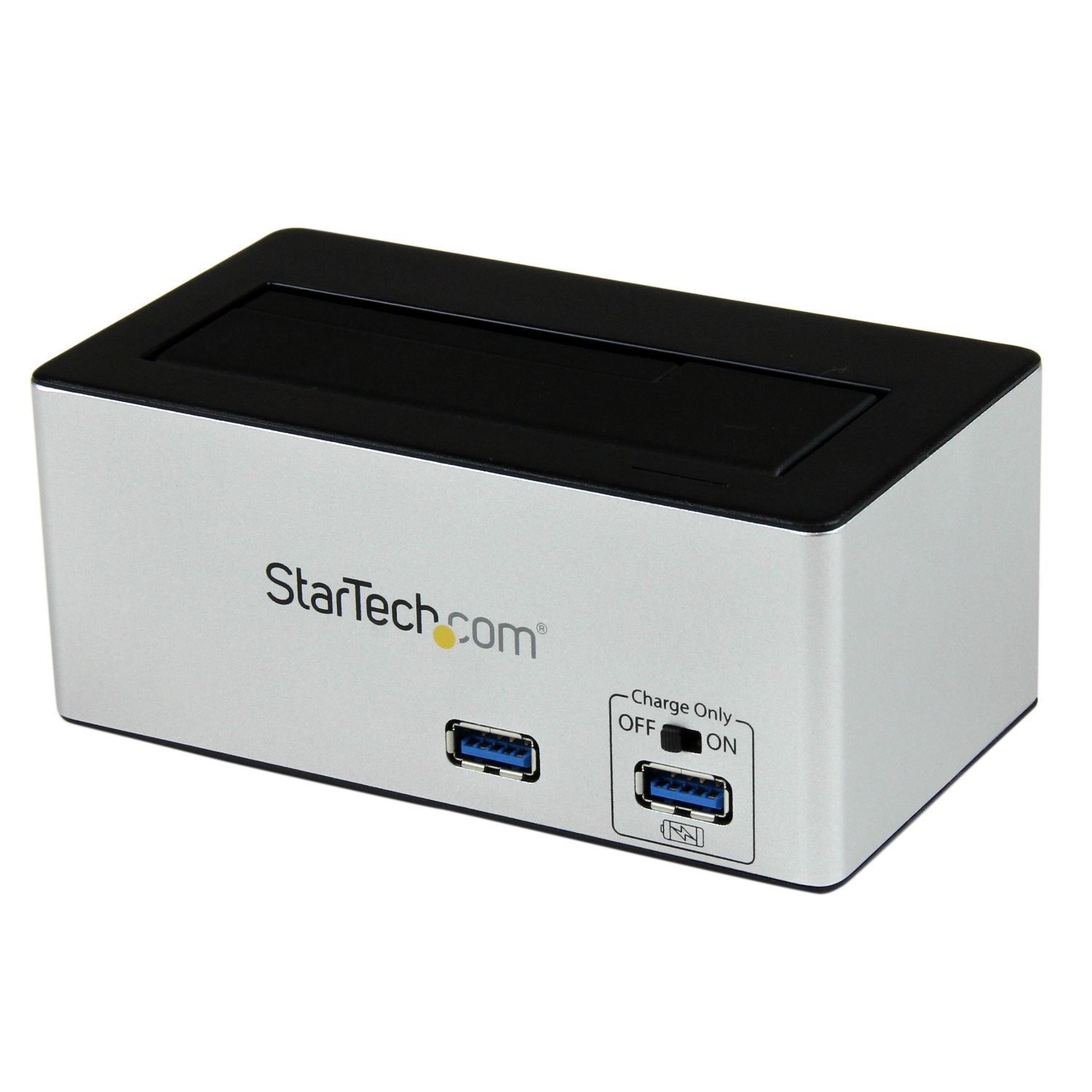
画像: The StarTech.com SDOCKU33HB docking station, showing the top-loading drive bay and front panel.
フロントパネルの機能
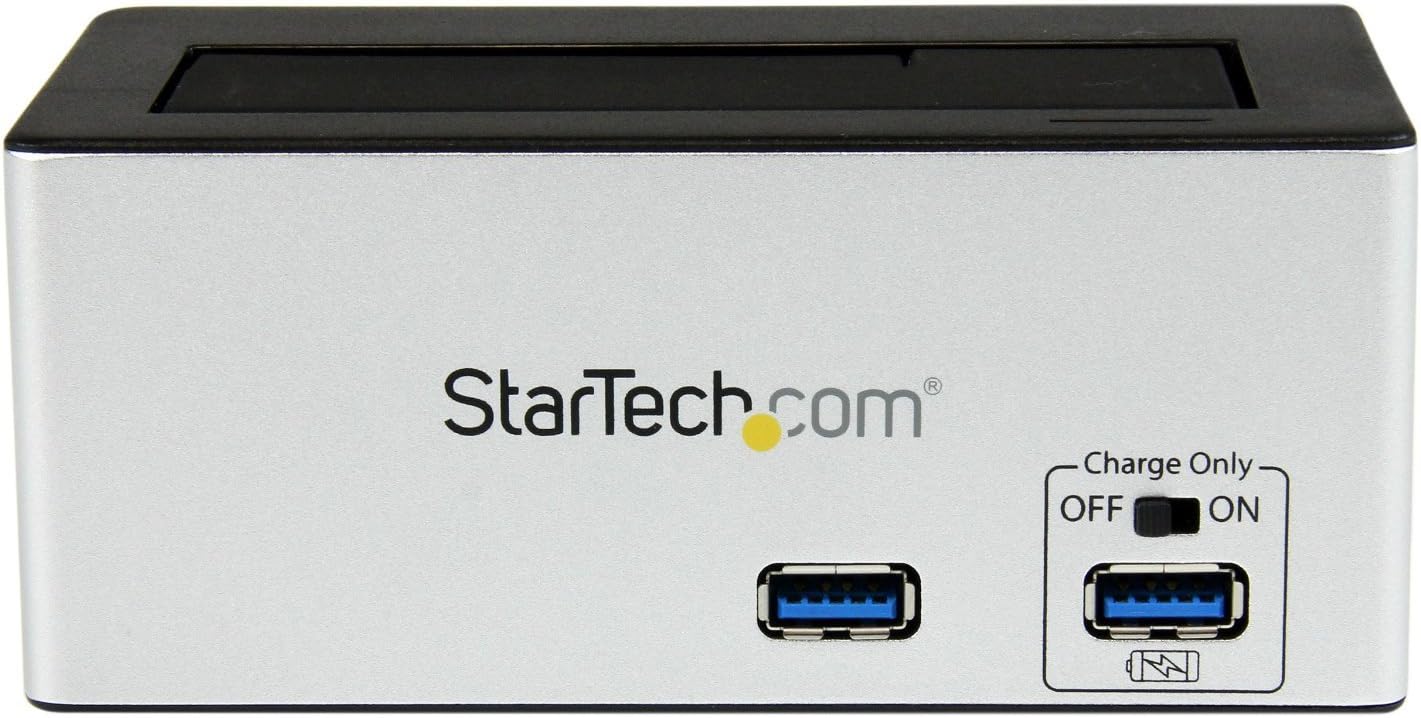
画像: フロント view of the docking station, highlighting the USB 3.0 data port and the USB Fast Charge port with its ON/OFF switch.
- USB 3.0 Data Port: データ転送のためにコンピューターに接続します。
- USB Fast Charge Port: Provides accelerated charging for mobile devices. Features an ON/OFF switch for activation.
背面パネルの機能

画像: 後方 view of the docking station, showing the power switch, DC-IN port, USB 3.0 host connection, and the OFF/Sleep switch.
- 電源スイッチ: Turns the docking station ON or OFF.
- DC-INポート: 付属の電源アダプターに接続します。
- USB 3.0 ホスト ポート: Connects the docking station to your computer's USB 3.0 port.
- OFF/Sleep Switch: Controls the sleep mode functionality of the docking station.
パッケージ内容
Verify that all components are present in your package.
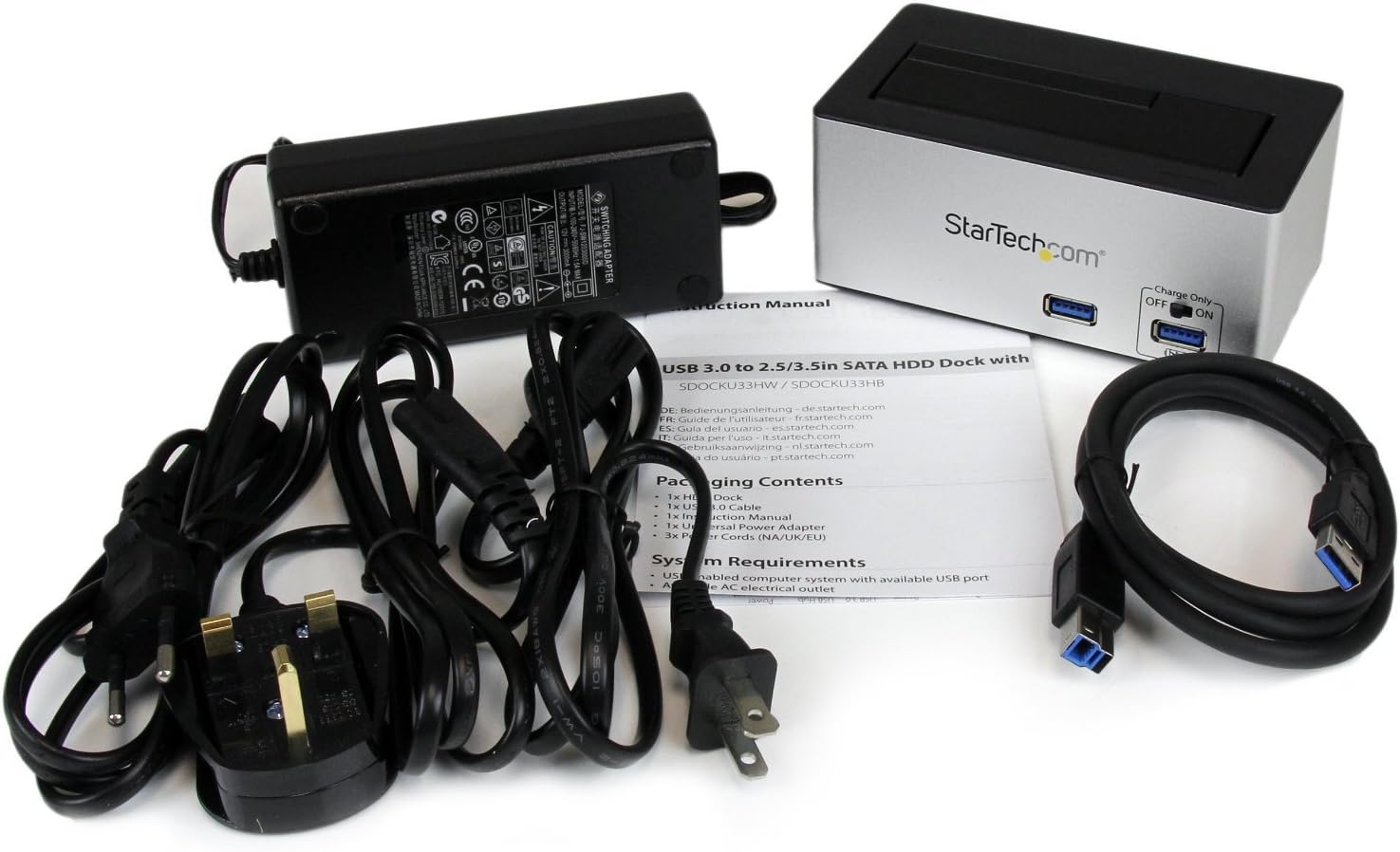
画像: The complete package contents, including the docking station, power adapter, USB 3.0 cable, and instruction manual.
- 1x USB 3.0 SATA Hard Drive Docking Station (SDOCKU33HB)
- ユニバーサル電源アダプター x 1
- USB 1 ケーブル x 3.0
- 取扱説明書 x 1
システム要件
Ensure your system meets the following requirements for optimal performance.
- Computer with an available USB 3.0 port (USB 2.0/1.1 backward compatible)
- 2.5-inch or 3.5-inch SATA I/II/III SSD/HDD
- 使用可能なAC電源コンセント
- Operating System: Windows XP/Vista/7/8/10/11, macOS 10.x and later, Linux
セットアップ手順
- 接続電源: Connect the universal power adapter to the DC-IN port on the rear of the docking station, then plug the adapter into an AC power outlet.
- コンピュータに接続します: Connect one end of the included USB 3.0 cable to the USB 3.0 Host Port on the rear of the docking station, and the other end to an available USB 3.0 port on your computer.
- ドライブを挿入: Gently slide your 2.5-inch or 3.5-inch SATA SSD/HDD into the top-loading drive bay until it is securely seated. Ensure the drive's SATA connector aligns with the docking station's connector.
- 電源オン: Flip the Power Switch on the rear of the docking station to the 'ON' position. The power LED (if present) should illuminate.
- ドライバーのインストール: オペレーティングシステムは必要なドライバーを自動的に検出してインストールします。通常、手動でドライバーをインストールする必要はありません。
- アクセスドライブ: Once detected, the drive will appear as a removable storage device in your operating system's file explorer or disk management utility. You may need to initialize and format new drives before use.
操作手順
Using the Hard Drive Dock
- データ転送: ドライブがコンピュータに認識されたら、ドラッグアンドドロップで file他のストレージ デバイスと同様に、ドライブとの間でデータのやり取りが可能です。
- ホットスワップ: The docking station supports hot-swapping. To safely remove a drive, ensure all data transfer operations are complete, then use your operating system's "Safely Remove Hardware" or "Eject" function before pulling the drive out of the bay.
- UASP サポート: For systems supporting UASP, the docking station will leverage this protocol to achieve faster data transfer speeds, especially with SATA 6Gbps drives.
Using the USB Fast Charge Port
- Activate Fast Charge: Flip the "Charge Only" switch on the front panel to the 'ON' position.
- デバイスの接続: Connect your mobile device (e.g., smartphone, tablet) to the USB Fast Charge port using its charging cable.
- 充電: The port will provide enhanced power output for faster charging compared to standard USB ports.
スリープモード機能
- The "OFF/Sleep" switch on the rear panel controls the docking station's sleep mode behavior. Consult the full product manual for detailed information on sleep mode settings and compatibility.
メンテナンス
- クリーニング: ドッキングステーションの外側を清掃する際は、柔らかく乾いた布をご使用ください。液体クリーナーや溶剤は使用しないでください。
- ストレージ: 使用していないときは、ドッキング ステーションを直射日光や極端な温度を避け、涼しく乾燥した場所に保管してください。
- ドライブハンドリング: Always handle hard drives with care. Avoid dropping or subjecting them to physical shock.
トラブルシューティング
- Issue: Drive not detected by computer.
- ドッキング ステーションの電源がオンになっており、電源アダプタがしっかりと接続されていることを確認します。
- USB 3.0 ケーブルがドッキング ステーションとコンピューターの両方にしっかりと接続されていることを確認します。
- コンピュータの別のUSBポートを試してください。
- Ensure the SATA drive is correctly seated in the docking bay.
- Check your computer's Disk Management (Windows) or Disk Utility (macOS) to see if the drive is recognized but uninitialized or unformatted. New drives require initialization and formatting.
- Test with a different SATA drive to rule out a drive issue.
- 問題: データ転送速度が遅い。
- コンピュータのUSB 3.0ポートに接続されていることを確認してください。USB 2.0ポートでは速度が遅くなります。
- Verify your operating system and drivers support UASP for optimal performance with SATA 6Gbps drives.
- The performance of the drive itself can affect transfer speeds.
- Issue: Fast Charge port not working.
- Ensure the "Charge Only" switch on the front panel is in the 'ON' position.
- ドッキング ステーションの電源がオンになっていることを確認します。
- Try a different charging cable or device to confirm the issue is not with the device or cable.
仕様
| 特徴 | 仕様 |
|---|---|
| モデル | SDOCKU33HB |
| インタフェース | USB 3.0(USB 2.0/1.1との下位互換性あり) |
| 互換性のあるドライブタイプ | 2.5" and 3.5" SATA I/II/III HDDs/SSDs |
| データ転送速度 | 最大5Gbps(USB 3.0) |
| UASP サポート | はい |
| Fast Charge Port | はい |
| 寸法(長さ×幅×高さ) | 3.6インチ x 3.6インチ x 6.8インチ (9.14cm x 9.14cm x 17.27cm) |
| 重さ | 1.4ポンド(0.64kg) |
| 色 | 黒 |
| 電源 | Universal AC Adapter (Input: 100-240V AC, Output: 12V DC) |
保証およびテクニカルサポート
このStarTech.com製品は、 2年間保証.
For the most up-to-date information on warranty, technical support, and product documentation, please visit the official StarTech.com website or the product page:
You can also find additional resources and contact information for technical assistance on the StarTech.com webサイト。