
ベースス W06
Baseus Encok True Wireless Earbuds W06 User Manual
Model: W06 | Brand: Baseus
導入
Thank you for choosing the Baseus Encok True Wireless Earbuds W06. This manual provides detailed instructions on how to set up, operate, and maintain your earbuds to ensure optimal performance and longevity. Please read this manual thoroughly before using the product.
パッケージ内容
開梱後、パッケージの内容をご確認ください。不足品や破損品がございましたら、販売店までご連絡ください。
- Baseus Encok True Wireless Earbuds (L/R)
- 充電ケース
- USB-C充電ケーブル
- シリコン製イヤーチップ(各種サイズ)
- ユーザーマニュアル
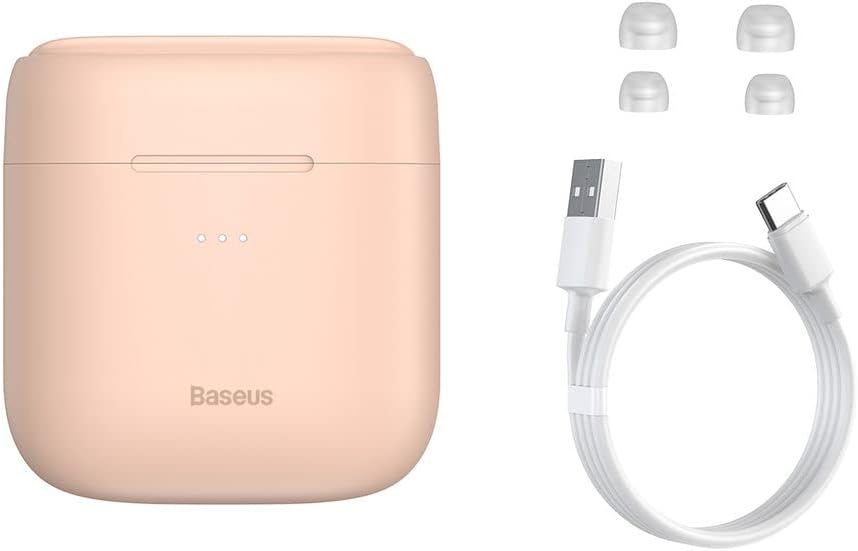
Image: The package contents, showing the charging case, two earbuds, a USB-C charging cable, and several pairs of silicone eartips.
設定
1. イヤホンとケースの充電
Before first use, fully charge the earbuds and the charging case. Place the earbuds into the charging case. Connect the USB-C cable to the charging case and a power source, or place the charging case on a compatible wireless charging pad.
- ケースのインジケーターライトが充電状態を示します。
- フル充電には通常約 1.5 時間かかります。
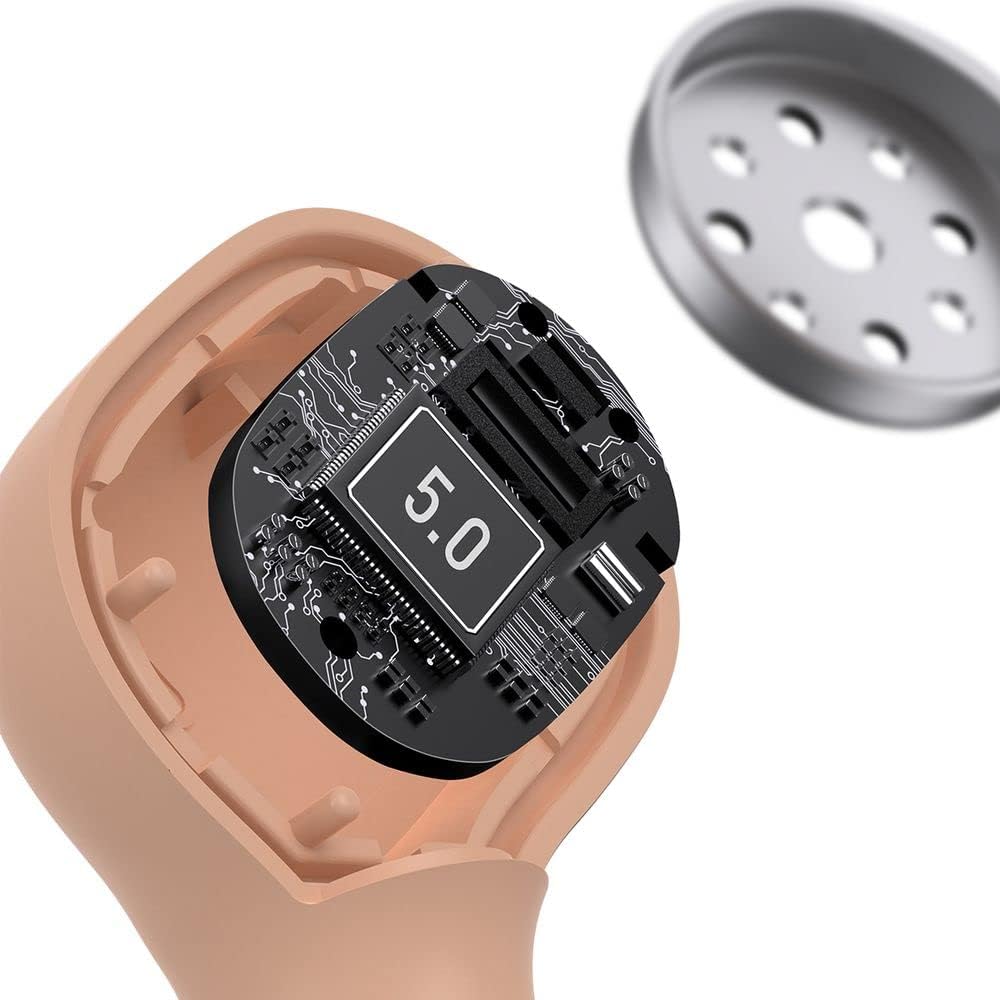
Image: The Baseus Encok W06 earbuds resting inside their open charging case, indicating they are ready for charging or use.

Image: Two Baseus Encok W06 charging cases, one connected via a USB-C cable and another placed on a wireless charging pad, demonstrating charging methods.
2.Bluetoothペアリング
- イヤホンが充電されていることを確認します。
- 充電ケースを開けます。イヤホンは自動的にペアリングモードになり、イヤホンのライトが点滅します。
- デバイス(スマートフォン、タブレットなど)で Bluetooth を有効にします。
- 検索する "Baseus Encok W06" in the list of available Bluetooth devices.
- Select it to connect. Once connected, the indicator light on the earbuds will stop flashing.
デバイスで Bluetooth が有効になっている場合、イヤホンはケースから取り出すと最後にペアリングしたデバイスに自動的に再接続されます。
3. イヤホンの装着
Choose the silicone eartips that provide the best fit and seal for your ears. Insert the earbuds gently into your ear canal and rotate them slightly until they feel secure and comfortable.

Image: A person wearing a Baseus Encok W06 earbud, illustrating how the earbud sits comfortably and securely in the ear.
操作手順
The Baseus Encok W06 earbuds feature touch controls for various functions.
- 電源オン: Open the charging case, or press and hold the touch panel for 3 seconds if earbuds are out of case.
- 電源を切る: Place earbuds back into the charging case and close the lid, or press and hold the touch panel for 5 seconds.
- 再生/一時停止: どちらかのイヤホンのタッチパネルをダブルタップします。
- 次のトラック: 右のイヤフォンをトリプルタップします。
- 前のトラック: 左のイヤフォンをトリプルタップします。
- 通話の応答/終了: Double-tap the touch panel on either earbud during an incoming call.
- 通話を拒否: Press and hold the touch panel on either earbud for 2 seconds during an incoming call.
- 音声アシスタントを有効にする: どちらかのイヤホンのタッチパネルを3秒間押し続けます。
主な特徴
- Double-sided Wireless Charging: The charging case supports wireless charging from both sides, allowing flexible placement on a wireless charging pad.
- APT-X Audio Decoding: Provides high-quality audio transmission for a superior listening experience.
- CVC Noise Canceling: Clear Voice Capture technology reduces background noise during calls for clearer communication.
- バッテリー寿命の延長: Offers up to 300 hours of standby time.
- Bluetooth 5.0: 安定した効率的なワイヤレス接続を保証します。

Image: A visual representation of the Baseus Encok W06 earbuds and charging case, accompanied by text detailing key features such as two-sided wireless charging, APT-X audio decoding, CVC noise canceling, and 300 hours of battery life.

画像: 詳細な view of the internal circuitry of a Baseus Encok W06 earbud, prominently displaying '5.0', signifying its Bluetooth 5.0 connectivity.
メンテナンス
クリーニング
- イヤホンと充電ケースは、柔らかく乾いた糸くずの出ない布で定期的に清掃してください。
- イヤーチップを取り外し、中性洗剤と水で洗浄し、完全に乾かしてから再度取り付けます。
- 研磨剤入りの洗剤、アルコール、化学溶剤は使用しないでください。
- 両方のイヤホンとケースの充電接点が清潔でゴミがないことを確認してください。
ストレージ
- 使用していないときは、イヤホンを保護し、充電を保つために充電ケースに保管してください。
- 極端な温度(高温または低温)や高湿度での保管は避けてください。
バッテリーケア
- バッテリー寿命を延ばすには、頻繁に使用しない場合でも、イヤホンとケースを定期的に充電してください。
- 長時間にわたってバッテリーを完全に消耗させないでください。
トラブルシューティング
| 問題 | 解決 |
|---|---|
| イヤホンがデバイスとペアリングされません。 |
|
| 片方または両方のイヤホンから音が出ません。 |
|
| 充電ケースが充電されません。 |
|
仕様
| 特徴 | 詳細 |
|---|---|
| ブランド | ベースス |
| モデル名 | NGJW06-04 (W06) |
| 商品型番 | B00F2ZIDTS |
| 接続技術 | ワイヤレス(Bluetooth 5.0) |
| ヘッドフォンフォームファクタ | インイヤー |
| ケーブル機能 | 無線 |
| アイテム重量 | 50グラム |
| 製品寸法 | 10 x 3 x 2 cm |
| メーカー | ベースス |
| ワイヤレス充電 | Supported (Double-sided) |
| オーディオデコード | APT-X |
| ノイズキャンセリング | CVC(通話用) |
| バッテリー寿命(スタンバイ) | 最大300時間 |
安全情報
- 製品を分解、修理、改造しないでください。
- 製品を水、湿気、極端な温度から遠ざけて保管してください。
- 聴覚障害を防ぐために、大音量に長時間さらされることは避けてください。
- 製品とそのバッテリーは、地域の規制に従って責任を持って廃棄してください。
- お子様やペットの手の届かない場所に保管してください。
保証とサポート
Baseus products typically come with a limited warranty. For specific warranty terms and conditions, please refer to the warranty card included in your package or visit the official Baseus website. For technical support, product inquiries, or warranty claims, please contact Baseus customer service or your local retailer.
You can visit the official Baseus store for more information: Baseusストア
Ask a question about this manual
Ask about setup, troubleshooting, compatibility, parts, safety, or missing instructions. Manuals+ will review the question and use this page’s manual context to help answer it.