
導入
This instruction manual provides comprehensive guidance for the Baseus Metal Gleam USB-C Hub, model CAHUB-CW0G. This versatile hub is designed to expand the connectivity options of your USB-C enabled devices, offering multiple ports for data transfer, video output, network connection, and power delivery. Please read this manual carefully before using the product to ensure optimal performance and safety.
主な特徴
- 6-in-1接続: 1 つの USB-C ポートを複数の重要なポートに拡張します。
- 4K HDMI出力: 外部ディスプレイ用に最大 4K@60Hz の高解像度ビデオ出力をサポートします。
- 高速USB 3.0ポート: Three USB 3.0 ports for data transfer speeds up to 5Gbps.
- 100W 電力供給 (PD): ハブを使用しながらホストデバイスを充電できます。
- ギガビットイーサネットポート: Provides stable and fast wired network connectivity (1000Mbps).
- SD / TFカードリーダー: Integrated slots for convenient access to memory cards.
- 耐久性のある金属構造: Ensures longevity and efficient heat dissipation.

Image: The Baseus Metal Gleam USB-C Hub showcasing its various ports including USB-C, HDMI, USB 3.0, and Ethernet.
セットアップ手順
- ホストデバイスに接続します: Plug the USB-C male connector of the Baseus Metal Gleam Hub into the USB-C port of your laptop, tablet, or smartphone. Ensure the connection is secure.
- 電力供給(オプション): If your host device requires charging, connect a USB-C power adapter (not included) to the PD (Power Delivery) port on the hub. This allows your device to charge while using the hub's other functions.
- ドライバーのインストール: In most cases, the hub is plug-and-play and does not require additional drivers. Your operating system should automatically detect and install the necessary components.
Video: This video demonstrates the connection of the Baseus USB-C Hub to a laptop and the use of its various ports, including HDMI for display extension, USB for data transfer, and PD for charging.
操作手順
1. HDMI ビデオ出力
Connect an HDMI cable from the hub's HDMI port to your monitor, TV, or projector. The hub supports resolutions up to 4K at 60Hz, providing a smooth and clear visual experience. Ensure your display device is set to the correct HDMI input.
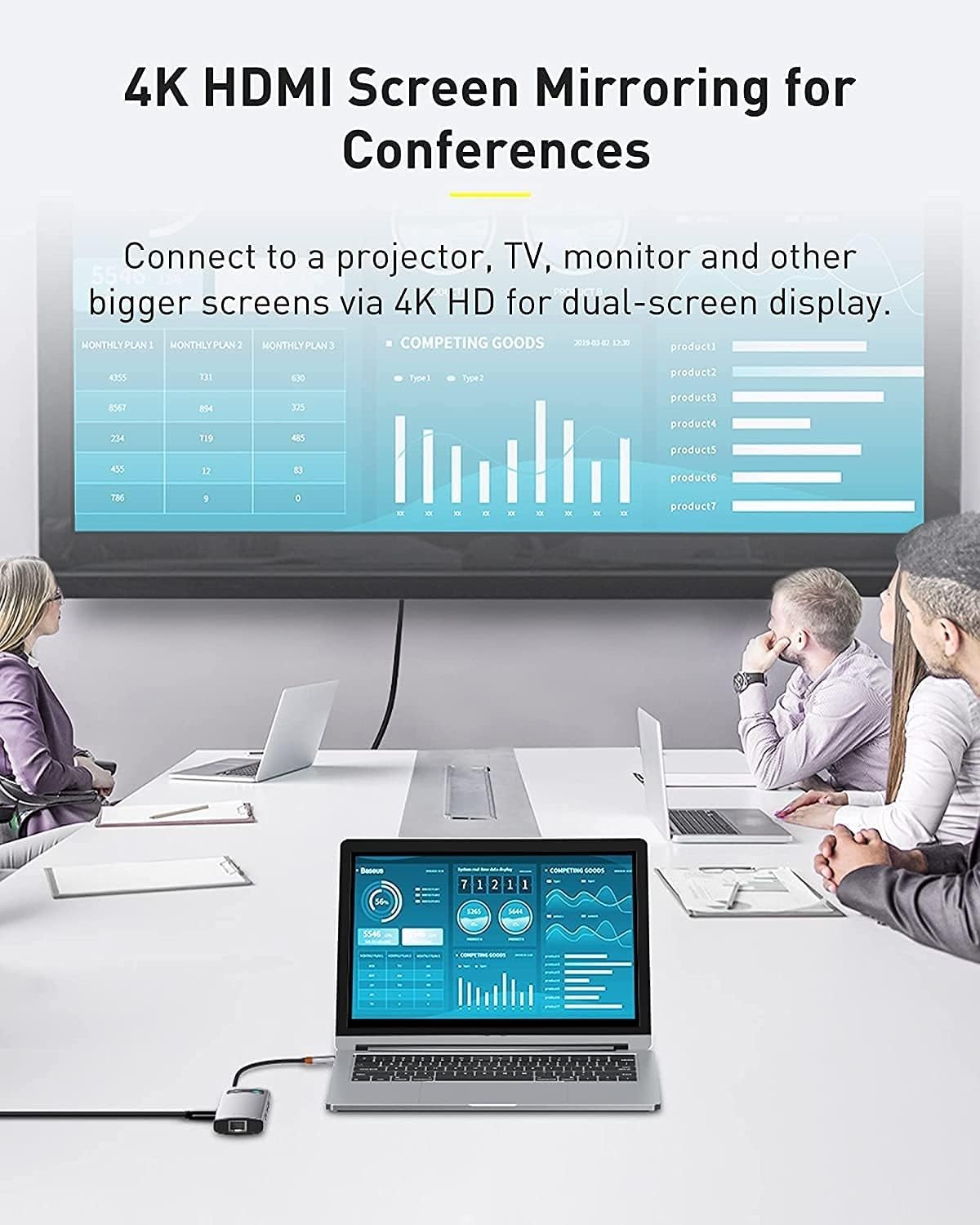
Image: A laptop connected to a large external monitor via the hub's HDMI port, demonstrating 4K screen mirroring for conferences.
2. USB 3.0データ転送
Plug your USB devices (e.g., flash drives, external hard drives, keyboards, mice) into the three USB 3.0 ports. These ports support data transfer speeds of up to 5 Gigabits per second, enabling fast file transfers and efficient peripheral connectivity.

Image: Close-up of the Baseus USB-C Hub showing USB 3.0 ports with devices connected, highlighting high-speed data transfer at 5Gbps.
3. ギガビットイーサネット接続
For a stable and reliable internet connection, connect an Ethernet cable from your router or modem to the Gigabit Ethernet port on the hub. This port supports 1000Mbps, 100Mbps, and 10Mbps network speeds.

画像: 詳細な view of the Gigabit Ethernet port on the Baseus USB-C Hub with an Ethernet cable plugged in, ensuring stable network connectivity.
4. SD/TFカードリーダー
Insert your SD or TF (Micro SD) memory cards into the corresponding slots on the hub to access photos, videos, and other files directly from your computer. The hub supports simultaneous reading of both card types.
メンテナンス
- クリーニング: ハブの表面を拭く際は、柔らかく乾いた布を使用してください。液体クリーナーや研磨剤の使用は避けてください。
- ストレージ: 使用していないときは、ハブを直射日光や極端な温度を避け、涼しく乾燥した場所に保管してください。
- 取り扱い: Handle the hub with care. Avoid dropping it or exposing it to strong impacts.
- ケーブル管理 Do not bend or twist the integrated USB-C cable excessively to prevent damage.
トラブルシューティング
- Issue: No display output via HDMI.
- 解決: Ensure the HDMI cable is securely connected to both the hub and the display. Verify that your display is set to the correct HDMI input. Check if your host device's USB-C port supports video output (DisplayPort Alternate Mode). Try restarting your host device.
- Issue: USB devices are not recognized or data transfer is slow.
- 解決: Ensure USB devices are fully inserted into the ports. Try connecting the USB device directly to your host device to confirm it's working. If using an external hard drive, ensure it has sufficient power. Some high-power USB devices may require external power or a powered USB hub.
- Issue: Host device is not charging via PD port.
- 解決: Verify that your USB-C power adapter and cable are functioning correctly and support Power Delivery. Ensure the power adapter is connected to the PD port on the hub and the hub is connected to your host device. Check if your host device supports USB-C Power Delivery.
- Issue: Ethernet connection is unstable or not working.
- 解決: Check the Ethernet cable connection to both the hub and your router/modem. Ensure your network drivers are up to date on your host device. Try connecting the Ethernet cable directly to your host device (if applicable) to rule out cable or network issues.
仕様
| 特徴 | 詳細 |
|---|---|
| モデル番号 | CAHUB-CW0G |
| ブランド | ベースス |
| 製品寸法 | 17.6L×4.5W×1.7Hcm |
| 重さ | 120グラム |
| ハードウェアインターフェイス | USB, HDMI, Ethernet, SD/TF Card Reader |
| USBポートの数 | 6 (3x USB 3.0, 1x USB-C PD, 1x USB-C host connection) |
| データ転送速度 | 5ギガビット/秒(USB 3.0) |
| HDMI出力 | 4K@60Hz |
| イーサネット速度 | 10/100/1000 Mbps |
| 電力供給 | 最大100W |
| 材料 | 金属 |
| 色 | 黒 |
保証とサポート
The Baseus Metal Gleam USB-C Hub comes with a 2年間のメーカー保証. For warranty claims or technical support, please contact Baseus customer service through their official webご購入いただいたサイトまたは販売店にお問い合わせください。保証の有効性を確認するため、購入証明書を保管してください。
さらに詳しいサポートが必要な場合は、 AmazonのBaseusストア.