
1. はじめに
The Lorex LW2231 is a wireless real-time security camera equipped with an audio microphone, designed for both indoor and outdoor surveillance. This camera utilizes MPEG4 compression for clear video at 640 x 480 VGA resolution and features Lorex Signal Guard technology to maintain a stable connection. It includes night vision capabilities for low-light conditions and is built with weatherproof and vandal-resistant housing. This manual provides detailed instructions for the proper installation, operation, and maintenance of your LW2231 camera.
2. パッケージ内容
Verify that all components are present in your package. If any items are missing or damaged, contact Lorex customer support.
- Lorex LW2231 Wireless Real-Time Security Camera with Audio Microphone
- カメラ用電源アダプター
- 取り付け金具(ネジと壁アンカー)
- クイックスタートガイド
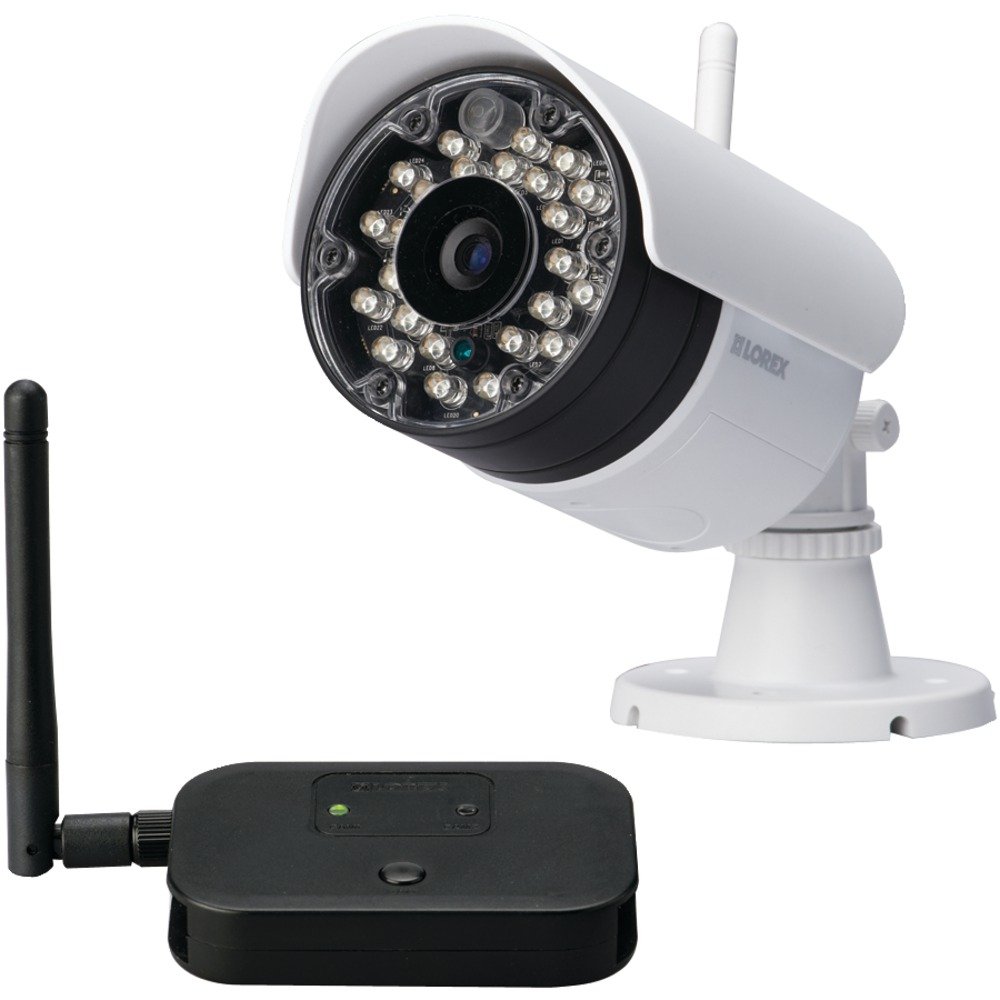
図2.1: Lorex LW2231 Wireless Security Camera with Audio Microphone. This image shows the front view of the white camera unit, highlighting its compact design and integrated antenna.
3. 安全情報
Please read and follow all safety instructions to prevent damage to the product and ensure user safety.
- 電源: カメラに付属の電源アダプターのみを使用してください。付属していない電源アダプターを使用すると、カメラが損傷し、保証が無効になる可能性があります。
- 換気: Do not block any ventilation openings. Ensure proper airflow around the camera to prevent overheating.
- 水と湿気: Although weatherproof, avoid submerging the camera in water. Do not install in areas where it may be exposed to extreme water pressure or prolonged submersion.
- 温度: Operate the camera within the specified temperature range. Extreme temperatures can affect performance and lifespan.
- クリーニング: 清掃する前に電源を切ってください。乾いた柔らかい布を使用してください。液体洗剤やエアゾール洗剤は使用しないでください。
- サービス: この製品を自分で修理しようとしないでください。 すべてのサービスを資格のあるサービス担当者に依頼してください。
4.製品オーバーview および機能
The LW2231 camera offers advanced features for reliable surveillance:
- MPEG4 Compression: Provides efficient video encoding with 640 x 480 VGA resolution.
- Auto-mechanical IR Camera Filter: Ensures accurate color reproduction during the day and enhanced night vision.
- Signal Guard Technology: Automatically re-establishes connection upon detecting low signal strength, ensuring continuous monitoring.
- 幅広い分野 View: A 3.6mm lens provides a 55-degree field of view.
- リアルタイムビデオストリーミング: Delivers smooth video with strong signal conditions at 30 frames per second.
- Audio Microphone: オーディオモニタリング用の内蔵マイク。
- ナイトビジョン: Infrared illumination for clear view暗い場所での撮影。
- 耐候性設計: 屋外使用に適したIP65定格。
5. セットアップとインストール
5.1 インストールの計画
Before mounting, plan the camera's location. Consider the following:
- カバーエリア: Position the camera to cover the desired surveillance area effectively.
- 信号強度: For optimal wireless performance, minimize obstacles (walls, large metal objects) between the camera and its receiver. Test the signal strength before final mounting.
- 電源アクセス: Ensure a power outlet is within reach of the camera's power adapter cable.
- 環境要因: While weatherproof, avoid direct exposure to extreme weather conditions if possible to prolong the camera's life.
5.2カメラの取り付け
- Choose a suitable mounting surface (wall or ceiling).
- Use the included mounting template (if provided) or mark the screw holes using the camera base as a guide.
- Drill pilot holes for the screws. If mounting on drywall or masonry, insert the provided wall anchors.
- Secure the camera base to the surface using the screws.
- Adjust the camera's angle and orientation to achieve the desired view.
5.3 電源の接続
Connect the camera's power adapter to the camera's power input port, then plug the adapter into a standard electrical outlet. The camera will power on automatically.
5.4 Pairing with a Receiver (if applicable)
If your system requires manual pairing, refer to your Lorex receiver's manual for specific instructions. Typically, this involves activating a pairing mode on both the camera and the receiver within a short timeframe.
6. カメラの操作
6.1 ライブ View
Once the camera is powered and successfully connected to your Lorex receiver/system, you can view the live video feed. Consult your receiver's manual for instructions on selecting and viewカメラチャンネルを切り替えます。
6.2 ナイトビジョン
The LW2231 camera automatically activates its infrared (IR) LEDs in low-light conditions to provide black and white night vision. The auto-mechanical IR filter ensures optimal image quality during both day and night.
6.3 オーディオモニタリング
The integrated microphone captures audio from the camera's vicinity. Ensure your receiver or viewing device has audio output enabled to hear the sound. Audio recording capabilities depend on your connected recording device.
7. メンテナンス
7.1 カメラのクリーニング
Periodically clean the camera lens and housing to ensure clear image quality. Use a soft, damp cloth. Do not use harsh chemicals or abrasive cleaners, as these can damage the lens or finish.
7.2 環境への配慮
While the camera is weatherproof (IP65 rated), extreme weather conditions such as heavy snow accumulation or direct, prolonged exposure to saltwater spray can affect its performance over time. Regularly check the camera's mounting for stability, especially after severe weather.
8。 トラブルシューティング
This section addresses common issues you might encounter with your LW2231 camera.
- ビデオ信号なし:
- Ensure the camera is powered on and its power adapter is securely connected.
- Verify that the camera is within range of its receiver and that there are no significant obstructions.
- Check the receiver/DVR settings to ensure the correct camera channel is selected.
- If using a wireless system, try re-pairing the camera with the receiver.
- Poor Video Quality / Interference:
- Wireless interference can be caused by other 2.4 GHz devices (e.g., Wi-Fi routers, cordless phones, microwaves). Try repositioning the camera or receiver, or adjust Wi-Fi channels on other devices if possible.
- カメラのレンズがきれいで、汚れやシミがないことを確認してください。
- Check for strong signal conditions; weak signals can lead to choppy or pixelated video.
- 音声なし:
- マイクが遮られていないことを確認してください。
- Check the audio settings on your receiver or viewingデバイス。
- ナイトビジョンが機能しない:
- Ensure the area around the camera is sufficiently dark for IR LEDs to activate.
- Check for any obstructions directly in front of the IR LEDs.
9. 仕様
| 特徴 | 仕様 |
|---|---|
| モデル名 | LW46 |
| 屋内/屋外での使用 | 屋内、屋外 |
| 接続プロトコル | Wi-Fi |
| ビデオキャプチャ解像度 | 480p (640 x 480 VGA) |
| フレームレート | 30fps |
| レンズ | 3.6mm (55 Degree field of view) |
| 低照度テクノロジー | ナイトカラー(赤外線) |
| オーディオ | 内蔵マイク |
| 国際保護格付け | IP65(耐候性) |
| 商品の寸法 (長さ x 幅 x 高さ) | 10.5 x 10.1 x 4.3インチ |
| アイテム重量 | 0.6 ポンド (9.6 オンス) |
| 電源 | Wired Electric (No Batteries Required) |
| メーカー | ロレックスコーポレーション |
10. 保証とサポート
Lorex products are designed for reliability and performance. For specific warranty information, please refer to the warranty card included with your product or visit the official Lorex web技術サポート、製品登録、その他のリソースについては、 www.lorex.com/support or contact Lorex customer service directly.