
導入
The WD Elements portable hard drive provides reliable, high-capacity storage for your digital files. Designed for portability, it offers fast data transfer rates through USB 3.0 and is backward compatible with USB 2.0 devices. This drive is ideal for backing up photos, videos, and other important documents on the go. It is compatible with both PC and Mac systems, though reformatting may be required for Mac use.
箱の中身
- WD Elements Portable Hard Drive (500GB)
- USB 3.0ケーブル
- クイックスタートガイド
設定
Follow these steps to set up your WD Elements portable hard drive:
- ドライブを接続します: Plug the small end of the included USB 3.0 cable into the USB port on the WD Elements drive.
- コンピュータに接続します: Plug the larger end of the USB 3.0 cable into an available USB port on your computer. For optimal performance, use a USB 3.0 port (often blue). The drive is also compatible with USB 2.0 ports.
- 初期認識: Your computer should automatically detect the drive. For Windows operating systems (Windows 8, 7, Vista, XP), the drive is pre-formatted and ready for use.
- Mac 互換性: If you are using a Mac, the drive will need to be reformatted for full compatibility. Refer to your Mac's operating system documentation for instructions on how to reformat an external drive using Disk Utility. 注意: 再フォーマットすると、ドライブ上のすべてのデータが消去されます。
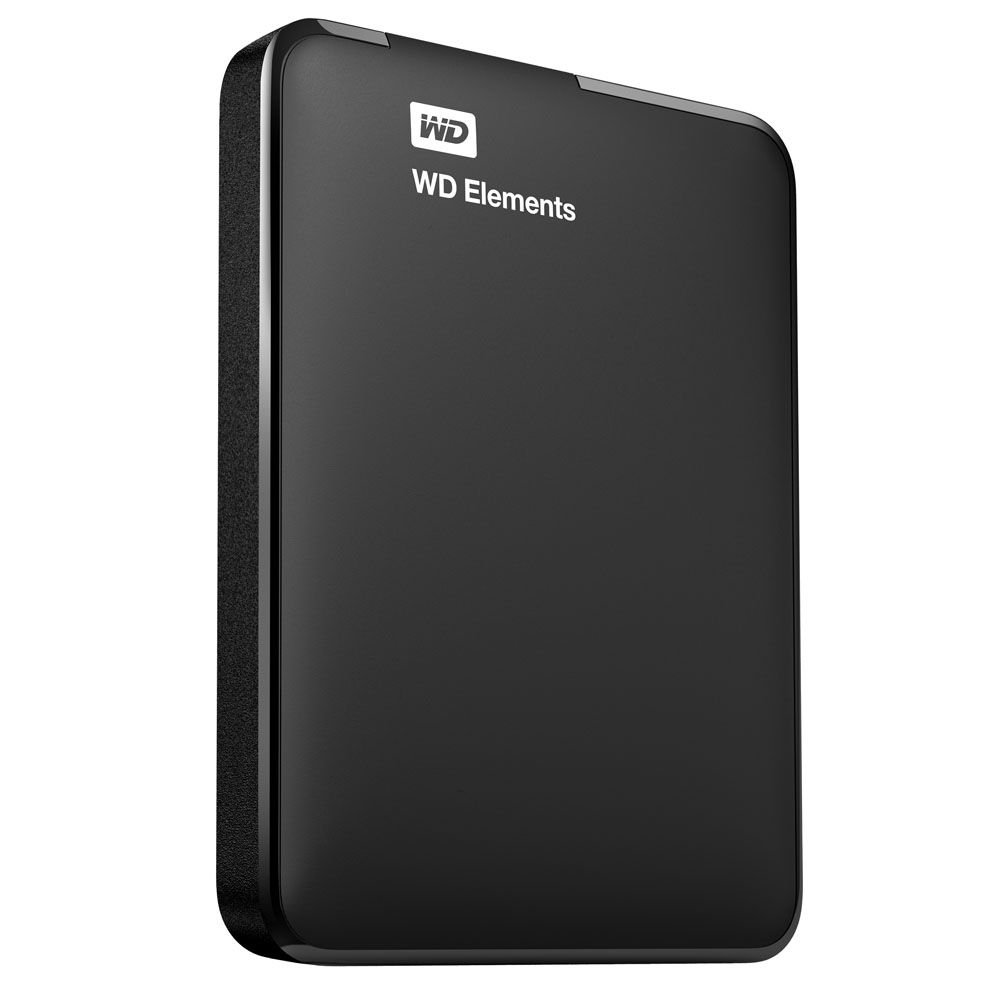
Image: The WD Elements portable hard drive with its USB 3.0 cable, ready for connection to a computer. This illustrates the compact size and simple connection method.
操作手順
Once connected and recognized by your computer, the WD Elements drive functions like any other storage device.
- 転送中 Files: ドラッグアンドドロップできます files and folders directly to and from the WD Elements drive using your computer's file エクスプローラー (Windows) または Finder (Mac)。
- バックアップ: Use your operating system's built-in backup features or third-party backup software to regularly back up your important data to the drive.
- 安全な取り外し Always safely eject or unmount the drive before disconnecting it from your computer to prevent data corruption.
- ウィンドウズ: Click the "Safely Remove Hardware and Eject Media" icon in the system tray, then select the WD Elements drive.
- マック: Drag the drive icon from the desktop to the Trash, or right-click (Control-click) the drive icon and select "Eject".
メンテナンス
適切な手入れにより、ハードドライブの寿命と信頼性が確保されます。
- 物理的保護: ドライブを落としたり、物理的な衝撃を与えたりしないでください。内部コンポーネントが損傷する可能性があります。
- 環境条件: ドライブを極端な温度、直射日光、高湿度から遠ざけてください。
- クリーニング: ドライブの外側を拭く際は、柔らかく乾いた布を使用してください。液体クリーナーは使用しないでください。
- 定期的なバックアップ: While the drive is designed for reliability, it is good practice to maintain backups of critical data on multiple storage devices.
トラブルシューティング
If you encounter issues with your WD Elements drive, consider the following:
- ドライブが検出されません:
- USB ケーブルがドライブとコンピュータの両方にしっかりと接続されていることを確認します。
- ドライブをコンピューターの別の USB ポートに接続してみてください。
- 可能であれば、別の USB ケーブルを使用してドライブをテストします。
- For Mac users, ensure the drive has been correctly reformatted for macOS.
- 転送速度が遅い:
- Verify that you are connected to a USB 3.0 port on your computer for maximum speed. USB 2.0 ports will result in slower transfer rates.
- コンピュータのドライバーが最新であることを確認してください。
- Drive Goes to Sleep / Delays:
- The drive may enter a low-power sleep mode after a period of inactivity. This is normal behavior to conserve energy.
- There might be a slight delay when accessing the drive after it has entered sleep mode as it wakes up.
- データ破損:
- Always use the "Safely Remove Hardware" (Windows) or "Eject" (Mac) function before disconnecting the drive.
- If data corruption occurs, you may need to reformat the drive, which will erase all data.
仕様
| モデル番号 | WDBUZG5000ABK-NESN |
| ストレージ容量 | 500ギガバイト |
| インタフェース | USB 3.0(USB 2.0との下位互換性) |
| フォームファクター | 2.5 Inches (Portable) |
| 寸法(長さx幅x高さ) | 4.4 x 3.2 x 0.6 インチ (11.18 x 8.13 x 1.52 cm) |
| 重さ | 4.8オンス(136グラム) |
| オペレーティングシステムの互換性 | Formatted for Windows (8, 7, Vista, XP). Reformatting required for Mac. |
| 色 | 黒 |
| メーカー | ウエスタンデジタル |
保証情報
Western Digital products are manufactured to the highest standards of quality and reliability. This product is covered by a limited warranty. For detailed information regarding the warranty period, terms, and conditions applicable to your region, please refer to the warranty statement included with your product or visit the official Western Digital webサイト。
サポート
For technical support, product registration, or additional resources, please visit the official Western Digital support website. You can find FAQs, troubleshooting guides, software downloads, and contact information for customer service.
ウエスタンデジタルサポート Webサイト: support.wdc.com