
Jam Audio HX-P430BL
JAM XT Extreme Wireless Speaker Instruction Manual
Model: HX-P430BL | Brand: Jam Audio
導入
The JAM XT Extreme Wireless Speaker is designed for robust performance in various environments. Featuring an IP64 rating, it is splash-proof, drop-proof, and dirt-proof, making it suitable for outdoor adventures and demanding work sites. This portable Bluetooth speaker offers high-quality sound and hands-free calling, connecting wirelessly to most Bluetooth-enabled devices up to 30 feet away. Its integrated carabiner clip provides convenient transport and versatile mounting options.
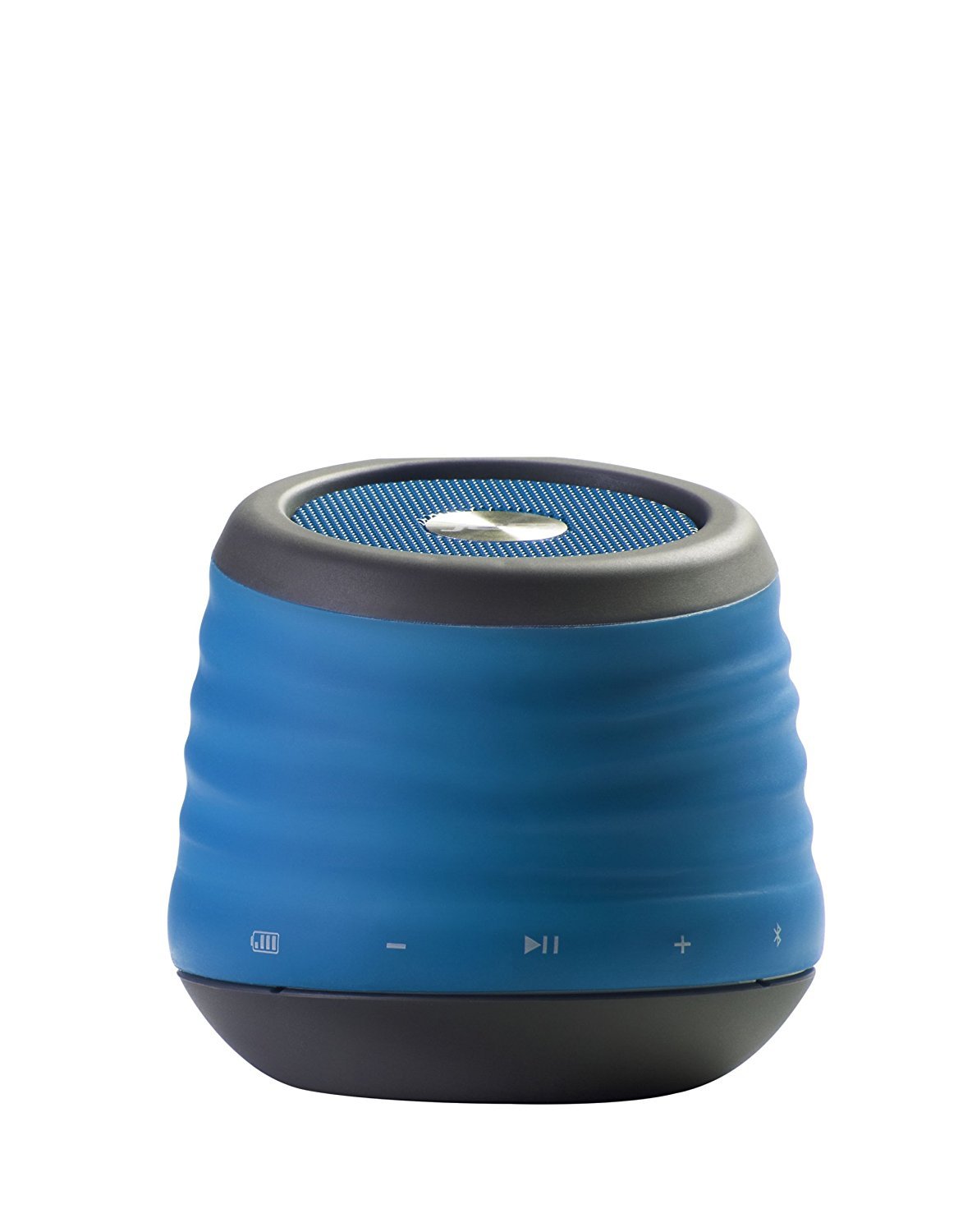
Image: The JAM XT Extreme Wireless Speaker in blue, featuring its durable design and integrated carabiner clip for portability.
箱の中身
- JAM XT Extreme Wireless Speaker (Model: HX-P430BL)
- USB充電ケーブル
- 取扱説明書
設定
1.スピーカーの充電
Before initial use, fully charge your JAM XT Extreme speaker. Connect the included USB charging cable to the speaker's charging port and a compatible USB power source (e.g., computer, wall adapter). The LED indicator will show charging status. A full charge provides up to 8 hours of wireless play.

Image: Visual representation of the speaker's rechargeable battery, indicating its capacity for up to 8 hours of wireless playback.
2.電源のオン/オフ
Locate the power button on the bottom of the unit. Press and hold the power button for a few seconds to turn the speaker ON or OFF. A sound prompt will indicate the power status.

画像: クローズアップ view of the JAM XT Extreme speaker's base, highlighting the power button for easy access.
3.Bluetoothペアリング
- Ensure the speaker is powered ON and in pairing mode (indicated by a flashing LED).
- デバイス(スマートフォン、タブレット、ラップトップ)で Bluetooth を有効にし、利用可能なデバイスを検索します。
- Select "JAM XT Extreme" from the list of devices.
- Once paired, the speaker will emit a confirmation tone, and the LED will turn solid.
The speaker has a Bluetooth wireless range of up to 30 feet and is compatible with most Bluetooth-enabled devices, including iPhone, Android, iPad, and iPod.

Image: A visual representation of the speaker connecting wirelessly to a device via Bluetooth.
4. ライン入力接続
For devices without Bluetooth capability, use the line-in port on the speaker with a standard 3.5mm audio cable (not included) to connect your audio source.
スピーカーを操作する
1. 基本的な操作
- 再生/一時停止: 再生/一時停止ボタンを押して、オーディオの再生を開始または停止します。
- 音量を上げる/下げる: 「+」ボタンと「-」ボタンを使用して音量を調整します。
- トラックをスキップ: Press and hold the '+' button to skip to the next track. Press and hold the '-' button to go to the previous track.
2. スピーカーフォン機能
When connected via Bluetooth, the JAM XT Extreme speaker can be used as a speakerphone. Answering and ending calls can typically be done directly from your connected device.
3. カラビナクリップの使用
The integrated fold-out carabiner clip allows for easy attachment to backpacks, bags, belt loops, or even hanging from a tree branch or tent for optimal sound projection and portability.

Image: The blue JAM XT Extreme speaker securely clipped to a backpack, showcasing its design for convenient outdoor use.

Image: The JAM XT Extreme speaker hanging from a tree branch, illustrating its adaptability for various outdoor settings.
メンテナンス
1. 清掃
The speaker is IP64 rated for splash, drop, and dirt resistance. To clean, gently wipe the exterior with a soft, damp cloth. Do not use harsh chemicals or abrasive cleaners. Ensure all port covers are securely closed before exposing the speaker to water or dirt.
2. バッテリーのお手入れ
To prolong the life of the rechargeable lithium-ion battery, avoid fully discharging it frequently. Recharge the speaker regularly, especially if it will not be used for an extended period. Store in a cool, dry place.
3. ストレージ
When not in use, store the speaker in a dry environment away from extreme temperatures and direct sunlight. Ensure the carabiner clip is folded in or secured to prevent damage.
トラブルシューティング
- 電源なし: Ensure the speaker is fully charged. Connect to a power source and try turning it on again.
- Bluetooth経由でペアリングできない:
- デバイスで Bluetooth が有効になっており、スピーカーがペアリング モードになっていることを確認します。
- スピーカーをデバイスに近づけます(30 フィート以内)。
- スピーカーとデバイスの Bluetooth の両方をオフにしてからオンにします。
- 以前にペアリングしたことがある場合は、携帯電話の Bluetooth 設定でデバイスを「忘れて」、再度ペアリングしてみてください。
- 音が出ない:
- スピーカーと接続されたデバイスの両方の音量レベルを確認してください。
- Ensure the speaker is correctly paired or connected via line-in.
- If using line-in, ensure the cable is fully inserted into both devices.
- 音質が悪い:
- Bluetooth 信号強度を向上させるには、スピーカーをデバイスに近づけます。
- スピーカーとデバイスの間に障害物がないことを確認してください。
- オーディオソースの品質問題がないか確認してください。
仕様
| 特徴 | 仕様 |
|---|---|
| ブランド | ジャムオーディオ |
| モデル番号 | HX-P430BL |
| モデル名 | XT Extreme |
| 接続技術 | ブルートゥース、USB |
| ワイヤレステクノロジー | ブルートゥース |
| Bluetooth範囲 | 30フィート |
| スピーカー最大出力 | 3ワット |
| オーディオ出力モード | ステレオ |
| バッテリー寿命 | Up to 8 hours of wireless play |
| 電源 | 電池式(リチウムイオン電池1個付属) |
| 耐久性評価 | IP64 (Splash proof, Drop proof, Dirt proof) |
| 制御方法 | 触る |
| アイテム重量 | 8.8オンス |
| 色 | 青 |
| 特集 | Carabiner Clip, Built-in Speakerphone, Portable |
保証とサポート
The JAM XT Extreme Wireless Speaker comes with a Limited Warranty. For detailed warranty information, product support, or to register your product, please visit the official Jam Audio Store or refer to the warranty card included with your purchase.
Ask a question about this manual
Ask about setup, troubleshooting, compatibility, parts, safety, or missing instructions. Manuals+ will review the question and use this page’s manual context to help answer it.