
Sonic NF-589-GL
Sonic Clip NF-589-GL プラスチックバンドクリップ ユーザーマニュアル
Model: NF-589-GL
導入
Thank you for choosing the Sonic Clip NF-589-GL Plastic Band Clip. This manual provides detailed instructions for the proper setup, operation, and maintenance of your new band clips. Please read this manual thoroughly before use to ensure optimal performance and longevity of the product.
製品終了view
The Sonic Clip NF-589-GL is a versatile plastic band clip designed for attaching name tags and identification badges. It features a unique 360-degree rotating clip, allowing for flexible positioning. Each pack contains 10 pieces, suitable for various applications.
- Combine with highly functional parts for an easy use name tag.
- Can be fixed in any position due to 360-degree rotation.
- Can also be attached with safety pins for added security or alternative attachment.
- Comes in a pack of 10 pieces.
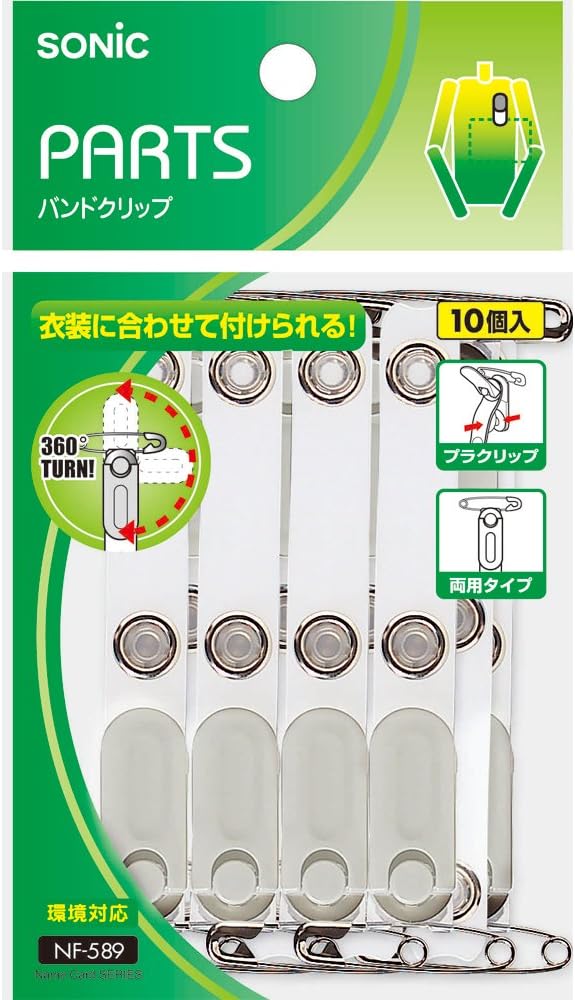
図1:以上view of the Sonic Clip NF-589-GL product packaging and the 10-piece set of clips.

Figure 2: Detailed diagram illustrating the 360-degree rotation feature of the clip and different attachment methods, including the plastic clip and safety pin options.
セットアップとインストール
The Sonic Clip NF-589-GL offers flexible attachment options. Follow these steps to set up your name tag or badge:
- Attach to Name Tag/Badge: Connect the band clip to your name tag or badge holder using the designated attachment point.
- Using the Plastic Clip:
- Identify the plastic clip mechanism at the top of the band.
- Gently press the lever to open the clip.
- Slide the clip onto the edge of your clothing, such as a pocket, collar, or waistband. The clip's mouth is made of resin to be gentle on fabric.
- Release the lever to secure the clip in place.
- Using the Safety Pin:
- If preferred or for additional security, use the integrated safety pin.
- Open the safety pin and carefully pierce it through your garment.
- Close the safety pin to secure the badge.
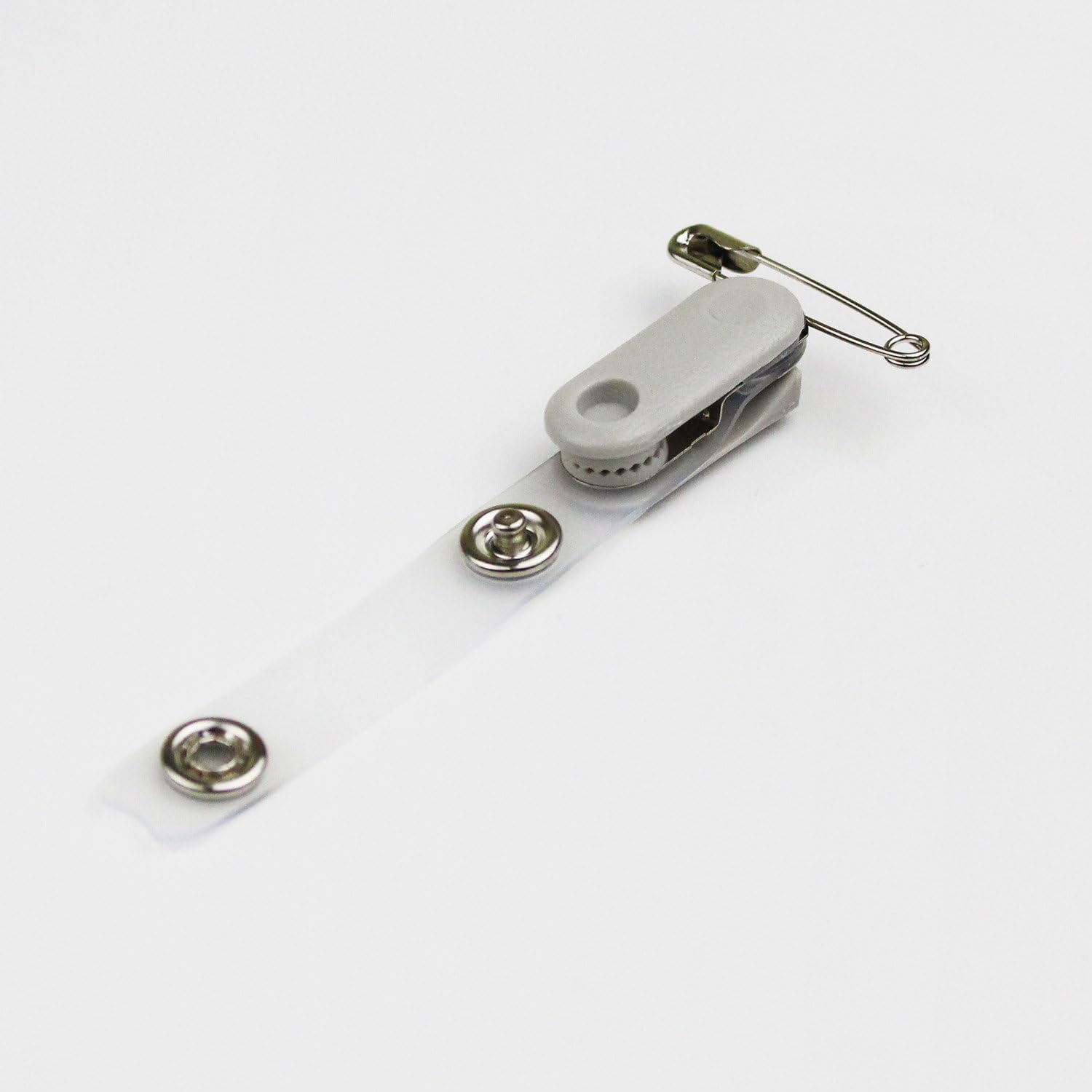
図3: クローズアップ view of the Sonic Clip, highlighting the integrated safety pin and the plastic clip mechanism.

図4:側面 view of the Sonic Clip, demonstrating how the plastic clip opens and closes to grip fabric.
操作手順
Once attached, the Sonic Clip NF-589-GL allows for easy adjustment of your name tag's orientation:
- 360度回転: The top part of the clip, where it attaches to your garment, can rotate a full 360 degrees. This allows you to adjust the angle of your name tag without detaching the clip from your clothing.
- Simply hold the name tag and rotate it to your desired position. The clip will securely hold its new orientation.
メンテナンス
To ensure the longevity and proper function of your Sonic Clips, follow these simple maintenance guidelines:
- クリーニング: Wipe the clips with a soft, damp cloth to remove dust or dirt. Avoid using harsh chemicals or abrasive cleaners, as these may damage the plastic material.
- ストレージ: Store the clips in a dry place away from direct sunlight and extreme temperatures when not in use.
- 検査: Periodically inspect the clips for any signs of wear or damage, especially the rotating mechanism and the safety pin.
トラブルシューティング
The Sonic Clip NF-589-GL is a simple and robust product. Should you encounter any issues, consider the following:
- クリップがしっかりと固定されていない: Ensure the fabric is not too thick for the clip's capacity. For very thick materials, consider using the safety pin attachment.
- 回転が困難: Check for any debris or obstruction in the rotating mechanism. Ensure the clip is not overly tightened or bent.
仕様
| 特徴 | 詳細 |
|---|---|
| ブランド | ソニック |
| モデル番号 | NF-589-GL |
| 材料 | プラスチック |
| 色 | 緑 |
| アイテム重量 | 1.76オンス |
| パッケージ寸法 | 3.98 x 3.35 x 0.91インチ |
| 個数 | 10 |
| 特集 | 360-degree rotating clip |
保証とサポート
Sonic products are manufactured with high-quality standards. For any questions, concerns, or support regarding your Sonic Clip NF-589-GL, please refer to the retailer or manufacturer's official website for contact information. Please retain your proof of purchase for any warranty claims.
Ask a question about this manual
Ask about setup, troubleshooting, compatibility, parts, safety, or missing instructions. Manuals+ will review the question and use this page’s manual context to help answer it.