
導入
ご購入ありがとうございますasing the iCES IBT-1 Portable Bluetooth Speaker. This manual provides essential information for setting up, operating, and maintaining your device. Please read it carefully before use to ensure optimal performance and longevity.
パッケージ内容
パッケージにすべてのアイテムが揃っていることを確認します。
- iCES IBT-1 Portable Bluetooth Speaker
- ミニUSB充電ケーブル
- ユーザーマニュアル(このドキュメント)
製品終了view
The iCES IBT-1 is a compact and versatile portable speaker designed for wireless audio playback via Bluetooth. It also supports audio playback from Micro SD cards and external devices via its AUX input.

Image: Two iCES IBT-1 speakers, one red and one silver, highlighting the product's design and portability.
コンポーネントの識別
Familiarize yourself with the speaker's various ports and controls:
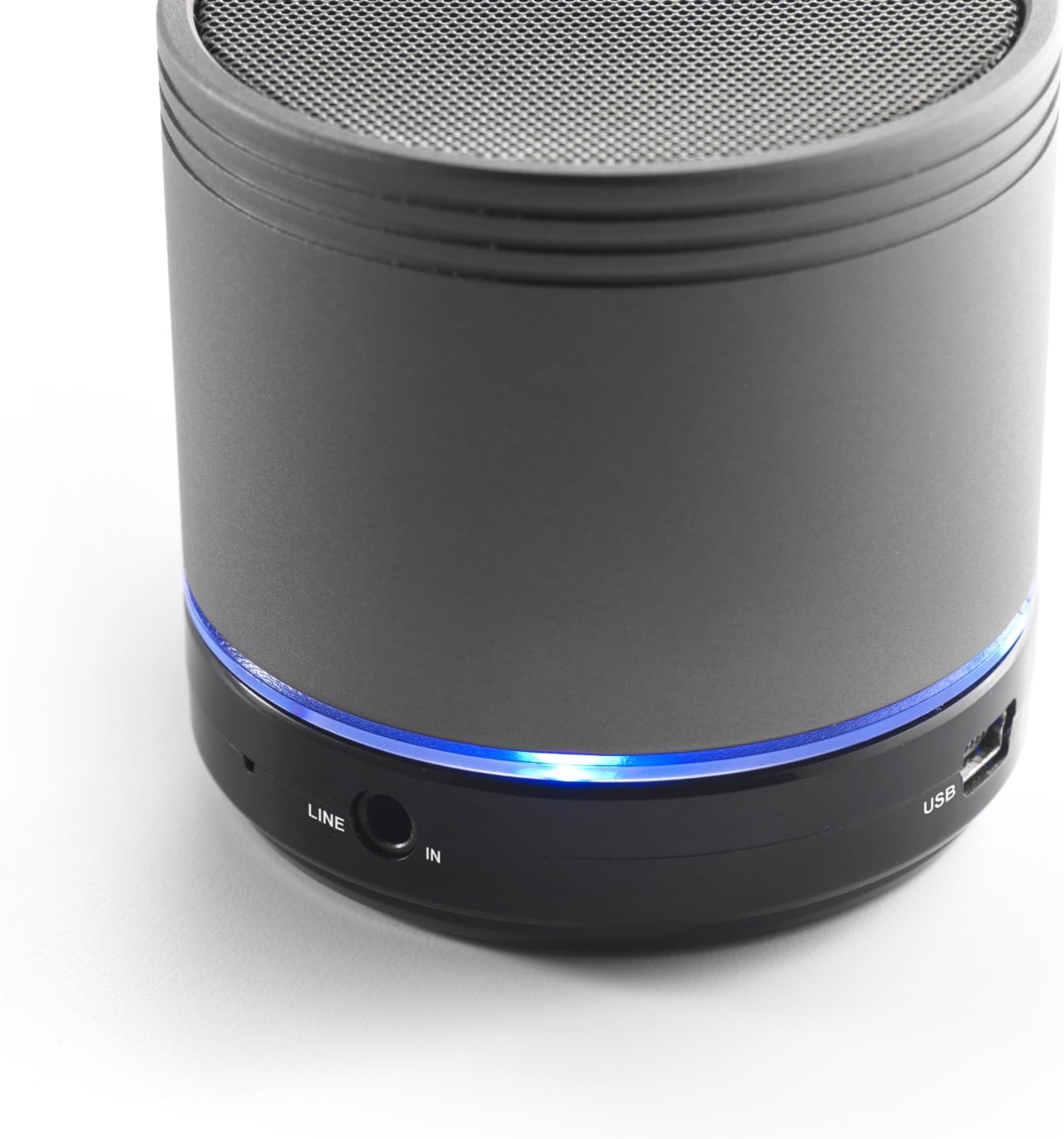
Image: Bottom section of the iCES IBT-1 speaker, displaying the LINE IN and USB ports, along with a glowing blue LED indicator.
- USBポート: 内蔵バッテリーを充電します。
- ライン入力(AUX)ポート: For connecting external audio devices using a 3.5mm audio cable.
- マイクロSDカードスロット: オーディオ再生用 fileMicro SD カードから直接保存できます。
- 電源スイッチ: ON/OFF control for the speaker.
- コントロールボタン: Play/Pause, Volume Up/Next Track, Volume Down/Previous Track.
- LEDインジケーター: 電源状態、充電状態、Bluetooth ペアリング状態を表示します。
設定
バッテリーの充電
Before first use, fully charge the speaker's internal battery. Use the provided Mini USB cable.
- Connect the Mini USB end of the cable to the USB port on the speaker.
- ケーブルの標準 USB 端子を USB 電源アダプタ (別売) またはコンピュータの USB ポートに接続します。
- The LED indicator will illuminate to show charging status. It will change or turn off once fully charged.
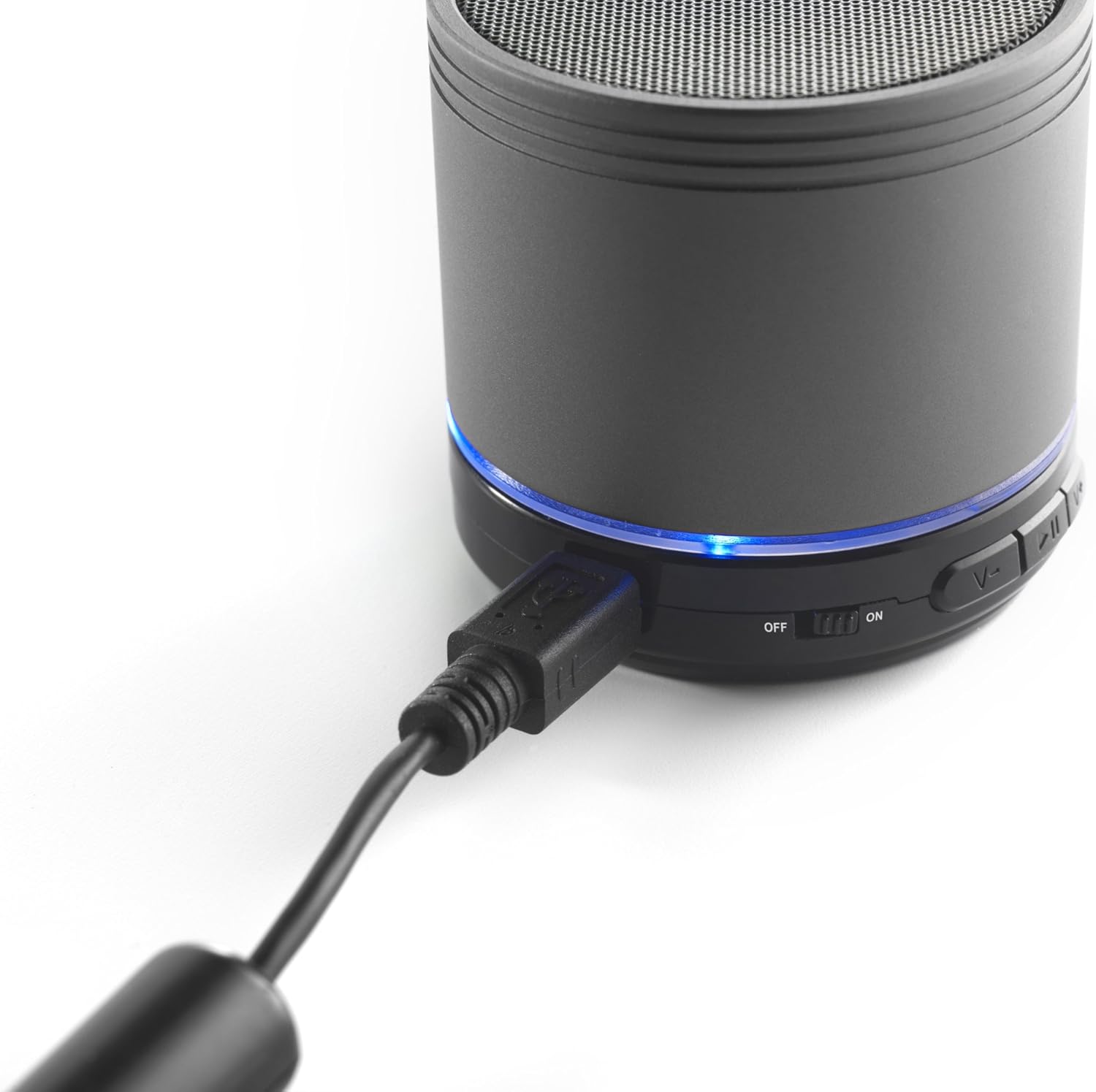
Image: The iCES IBT-1 speaker with the mini USB charging cable connected, illustrating the charging process.
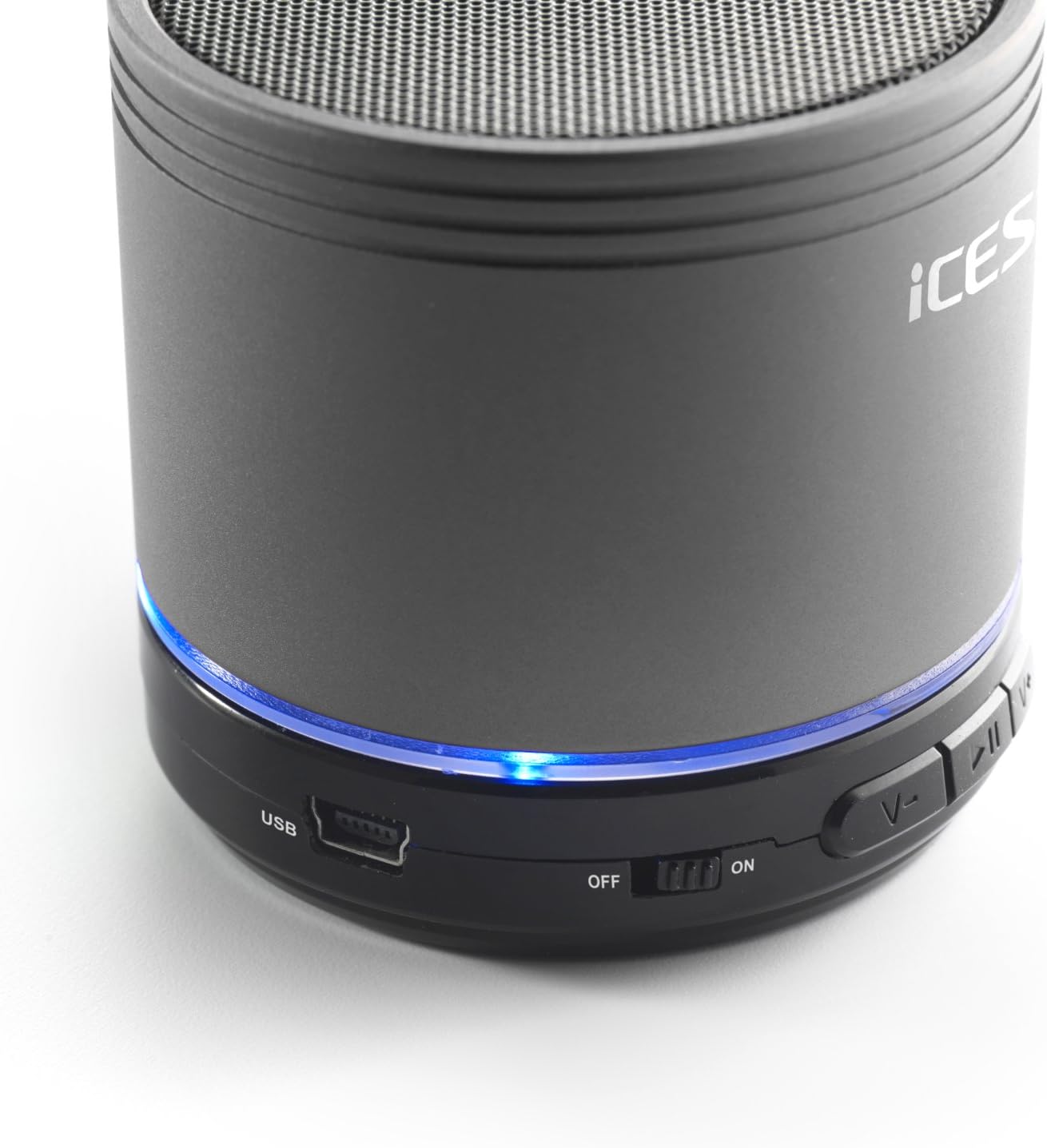
Image: The iCES IBT-1 speaker's base, highlighting the USB port and the power switch in the 'ON' position.
操作手順
電源のオン/オフ
- To power on, slide the power switch to the "ON" position. The LED indicator will light up.
- To power off, slide the power switch to the "OFF" position. The LED indicator will turn off.
Bluetooth接続
- Ensure the speaker is powered on. The LED indicator will flash, indicating it's in pairing mode.
- Bluetooth 対応デバイス (スマートフォン、タブレットなど) で、Bluetooth 設定に移動します。
- 検索する available devices. You should see "IBT-1" in the list.
- Select "IBT-1" to pair. Once connected, the LED indicator will stop flashing and remain solid.
- You can now play audio from your device through the iCES IBT-1 speaker.
マイクロSDカードの再生
The speaker supports Micro SD cards up to 32 GB.
- Micro SDカード(オーディオカード付き)を挿入します files) をスピーカーの Micro SD カード スロットに挿入します。
- The speaker will automatically switch to Micro SD card mode and begin playing audio.
- Use the control buttons on the speaker to play/pause, skip tracks, or adjust volume.

Image: The iCES IBT-1 speaker's base, illustrating the Micro SD card slot and the LINE IN port.
AUX入力再生
Connect external audio devices without Bluetooth capability.
- Connect one end of a 3.5mm audio cable (not included) to the LINE IN port on the speaker.
- Connect the other end of the 3.5mm audio cable to the headphone jack or audio output of your external device (e.g., MP3 player).
- スピーカーは自動的にAUXモードに切り替わります。
- 外部デバイスから再生と音量を制御します。
コントロールボタン
- 再生/一時停止ボタン: オーディオを再生または一時停止するには、XNUMX回押します。
- 音量アップ/次のトラックボタン:
- 短く押す: 音量を上げます。
- 長押し: 次のトラックに進みます。
- 音量を下げる/前のトラックボタン:
- 短く押す: 音量を下げます。
- 長押し: 前のトラックに移動します。
メンテナンス
- スピーカーは乾燥した状態に保ってください。水や過度の湿気にさらさないでください。
- スピーカーは柔らかく乾いた布で拭いてください。研磨剤入りの洗剤や溶剤は使用しないでください。
- 極端な温度を避けてください。スピーカーは涼しく乾燥した場所に保管してください。
- スピーカーをご自身で分解したり修理したりしないでください。保証が無効になります。
- バッテリーの状態を維持するために、使用していない場合でも定期的にバッテリーを充電してください。
トラブルシューティング
| 問題 | 解決 |
|---|---|
| スピーカーがオンにならない。 | バッテリーが充電されていることを確認してください。USBケーブルを使用してスピーカーを電源に接続してください。 |
| Bluetooth経由でペアリングできません。 |
|
| スピーカーから音が出ません。 |
|
| 音質が悪い。 |
|
仕様
| モデル | IBT-1 |
| 接続性 | Bluetooth, Micro SD Card, AUX Input (3.5mm) |
| 出力電力 | 3 ワット (RMS) |
| 電池のタイプ | 統合リチウムポリマー |
| バッテリー容量 | 500mAh |
| 電源 | 5V / 1A (via Mini USB) |
| 寸法(長さ×幅×高さ) | 60 x 60 x 58 ミリメートル |
| 重さ | 180グラム |
| Supported Micro SD Card Size | 最大32GB |
保証とサポート
For warranty information and technical support, please refer to the documentation provided at the time of purchase or visit the official iCES webサイトで確認してください。デバイスを自分で修理しようとしないでください。保証が無効になる可能性があります。