
1. はじめに
This manual provides essential information for the installation, configuration, operation, and maintenance of the Juniper Networks SRX220H-POE Services Gateway. The SRX220H-POE is a high-performance security, routing, and switching platform designed for small to medium-sized branch offices. It offers 8 Gigabit Ethernet ports and 2 mini-PIM slots, with Power over Ethernet (PoE) capabilities.
適切な機能の確保と損傷の防止のため、デバイスを操作する前にこのマニュアルをよくお読みください。
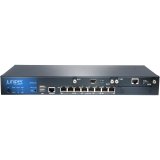
図1: 前面 view of the Juniper Networks SRX220H-POE Services Gateway, showing the 8 Gigabit Ethernet ports and status indicators.
2. 安全情報
怪我やデバイスの損傷を防ぐために、次の安全上の注意事項を守ってください。
- 電気安全: Ensure the power source matches the device's requirements. Use only the provided power cord.
- 接地: Always connect the device to a properly grounded outlet.
- 換気: 通気口を塞がないでください。過熱を防ぐため、デバイス周囲に十分な空気の流れを確保してください。
- 配置: Install the device in a stable, dry environment, away from direct sunlight, heat sources, and moisture.
- サービス: 修理はすべて資格を持った専門家にお任せください。ご自身で装置を開けたり修理したりしないでください。
3. セットアップ
3.1 デバイスの開梱
Carefully remove the SRX220H-POE Services Gateway from its packaging. Verify that all components listed below are present:
- Juniper Networks SRX220H-POE Services Gateway unit
- 電源コード
- ラックマウントキット(該当する場合)
- コンソールケーブル
- Documentation CD/Quick Start Guide
3.2 ラックマウント(オプション)
The SRX220H-POE is rack-mountable. To install the device in a standard 19-inch equipment rack:
- Attach the provided rack-mount brackets to the sides of the SRX220H-POE using the screws supplied with the kit.
- Align the brackets with the rack posts and secure the device using appropriate rack screws.
- Ensure the device is level and securely fastened.
3.3 電源の接続
Connect the power cord to the power input on the rear panel of the SRX220H-POE, then plug the other end into a grounded electrical outlet. The device will begin its power-on self-test (POST).
3.4 初期ネットワーク接続
Connect an Ethernet cable from your computer to one of the Gigabit Ethernet ports (e.g., ge-0/0/0) on the SRX220H-POE for initial configuration. Alternatively, use the console port with a console cable and terminal emulation software.
4.デバイスの操作
4.1 電源のオン/オフ
To power on the device, connect the power cord. The device will automatically start. To power off, disconnect the power cord from the electrical outlet. It is recommended to gracefully shut down the system via the command-line interface (CLI) before disconnecting power, if possible.
4.2基本構成
Access the device's CLI via the console port or an Ethernet management interface. Default login credentials are typically 根 with no password (for initial setup). Refer to the Juniper Networks documentation for detailed configuration guides for Junos OS.
- Setting IP Address: Configure the management interface with a static IP address.
- ユーザーアカウント: Create new user accounts with strong passwords and delete or disable default accounts.
- セキュリティポリシー: Implement appropriate security policies for your network environment.
4.3 パワーオーバーイーサネット(PoE)
The SRX220H-POE ports support Power over Ethernet, allowing compatible devices (e.g., IP phones, wireless access points) to receive power and data over a single Ethernet cable. Ensure connected devices are PoE-compatible and do not exceed the total power budget of the SRX220H-POE.
5. メンテナンス
5.1ソフトウェアアップデート
ジュニパーネットワークスのサポートを定期的にチェックする website for the latest Junos OS software updates. Applying updates helps ensure optimal performance, security, and access to new features. Follow the provided upgrade procedures carefully.
5.2 クリーニング
Keep the device clean and free of dust. Use a soft, dry cloth to wipe the exterior. Do not use liquid cleaners or aerosol sprays directly on the device. Ensure ventilation openings are clear of obstructions.
5.3 バックアップ構成
Periodically back up your device configuration to an external storage device or network location. This allows for quick restoration in case of a system failure or misconfiguration.
6。 トラブルシューティング
This section provides solutions to common issues. For more complex problems, consult the Juniper Networks support documentation or contact technical support.
| 問題 | 考えられる原因 | 解決 |
|---|---|---|
| デバイスの電源が入りません。 | 電源なし、電源コードに不具合、電源に問題。 | Check power cord connection. Verify power outlet functionality. Try a different power cord. |
| Cannot access device via network. | Incorrect IP configuration, network cable issue, firewall blocking access. | Verify IP address and subnet mask. Check network cable connections. Temporarily disable client firewall for testing. Try console access. |
| PoE デバイスに電力が供給されていません。 | Device not PoE-compatible, cable issue, power budget exceeded, PoE port disabled. | Ensure device is PoE-compatible. Check Ethernet cable. Verify PoE configuration on the SRX220H-POE. Check total power consumption. |
| ネットワークパフォーマンスが遅い。 | Network congestion, misconfiguration, faulty cable, hardware issue. | Monitor network traffic. Review configuration for bottlenecks. Test with different cables. Check device logs for errors. |
7. 仕様
Key technical specifications for the Juniper Networks SRX220H-POE Services Gateway:
- モデル: SRX220H-POE
- ポート: 8 x Gigabit Ethernet (GE) ports
- 拡張スロット: 2 x Mini-PIM slots
- PoE サポート: Yes, Power over Ethernet on specified ports
- メモリ: 1ギガバイト
- 力: 120W
- フォームファクター: ラックマウント可能
- 寸法(概算): Refer to official Juniper documentation for precise measurements.
- 重さ: 約8.82ポンド(4kg)
- メーカー: ジュニパーネットワークス
8. 保証とサポート
Juniper Networks products typically come with a standard limited hardware warranty. For specific warranty terms and conditions applicable to your SRX220H-POE Services Gateway, please refer to the warranty documentation included with your purchase or visit the official Juniper Networks webサイト。
8.1 テクニカルサポート
For technical assistance, product documentation, software downloads, and knowledge base articles, visit the Juniper Networks Support Portal. You may need your product serial number to register for support services.
ジュニパーネットワークス サポート Webサイト: https://www.juniper.net/support/
For information on extended protection plans, please consult your reseller or Juniper Networks sales representative.