
Kodak Easyshare Series 3 Printer Dock 3
Kodak Easyshare Series 3 Printer Dock 3 User Manual
Your complete guide to setting up, operating, and maintaining your printer dock.
1. はじめに
Welcome to the user manual for your Kodak Easyshare Series 3 Printer Dock 3. This manual provides detailed instructions to help you get the most out of your printer dock, from initial setup to advanced printing features and troubleshooting.
The Kodak Easyshare Series 3 Printer Dock 3 is designed to provide convenient, high-quality photo printing directly from your Kodak Easyshare camera or other compatible devices. Its compact design and user-friendly interface make it ideal for printing vibrant, long-lasting photos at home.
2. 安全情報
Please read all safety instructions before using your Kodak Easyshare Series 3 Printer Dock 3 to prevent injury or damage to the device.
- Do not expose the printer dock to water or excessive moisture.
- Use only the power adapter supplied with the printer dock.
- Do not attempt to disassemble or repair the printer dock yourself. Refer all servicing to qualified service personnel.
- Keep the printer dock away from direct sunlight and heat sources.
- Ensure proper ventilation around the printer dock during operation.
3. パッケージ内容
パッケージにすべてのアイテムが含まれていることを確認します。
- Kodak Easyshare Series 3 Printer Dock 3
- AC電源アダプターと電源コード
- 用紙トレイ
- Sample Photo Paper Pack
- Color Cartridge (pre-installed or separate)
- USBケーブル(コンピュータ接続用)
- ユーザーズガイド(このマニュアル)
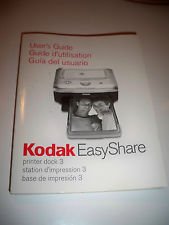
Image: The cover of the Kodak Easyshare Series 3 Printer Dock 3 User's Guide, showing the printer dock itself and the title in multiple languages. This image represents the manual you are currently reading.
4. セットアップ
4.1 電源の接続
- Connect the AC power adapter to the DC IN port on the back of the printer dock.
- Plug the power cord into a wall outlet. The power indicator light should illuminate.
4.2用紙のセット
- 用紙トレイカバーを開きます。
- Load Kodak photo paper into the paper tray with the glossy side facing up. Ensure the paper is aligned correctly.
- Close the paper tray cover and insert the tray into the printer dock.
4.3 Installing the Color Cartridge
- Open the cartridge access door on the side of the printer dock.
- Carefully insert the color cartridge until it clicks into place.
- カートリッジアクセスドアを閉じます。
4.4 Connecting Your Camera (Optional)
For direct printing, dock your compatible Kodak Easyshare camera onto the printer dock's connector. Ensure it is securely seated.
5.運用
5.1 Printing from a Kodak Easyshare Camera
- Ensure your camera is docked and powered on.
- Navigate through your camera's menu to select the desired photos for printing.
- Follow the on-screen prompts on your camera to select print quantity and initiate printing.
5.2 コンピュータからの印刷
- Connect the printer dock to your computer using the supplied USB cable.
- Install the necessary printer drivers from the Kodak webサイトまたは付属のソフトウェア CD (該当する場合) を参照してください。
- お好みの写真編集ソフトで印刷したい画像を開くか、 viewingソフトウェア。
- Select 'Print' from the file menu and choose the Kodak Easyshare Series 3 Printer Dock 3 as your printer. Adjust print settings as desired.
5.3 表示灯の理解
- 緑色の点灯: プリンターの準備ができました。
- 緑色に点滅: 印刷中またはデータ転送中。
- 琥珀色: Error, such as out of paper or cartridge issue.
- 点滅する琥珀色: Paper jam or other critical error.
6. メンテナンス
6.1 Cleaning the Printer Dock
- 清掃する前に電源コードを抜いてください。
- Wipe the exterior of the printer dock with a soft, dry, lint-free cloth.
- 液体クリーナーや研磨剤は使用しないでください。
6.2 Replacing the Color Cartridge
- When the print quality degrades or the printer indicates the cartridge is empty, open the cartridge access door.
- Gently pull out the old cartridge.
- Unpack a new Kodak color cartridge and insert it firmly until it clicks into place.
- アクセスドアを閉じます。
7。 トラブルシューティング
| 問題 | 考えられる原因 | 解決 |
|---|---|---|
| プリンターが起動しない | 電源コードが接続されていない、電源コンセントに問題がある | 電源コードがしっかりと接続されていることを確認し、別のコンセントを試してください。 |
| 用紙が検出されません | Paper tray empty or incorrectly loaded | Load paper correctly; Ensure paper tray is fully inserted. |
| 印刷品質が悪い | Low ink; Dirty print head; Incorrect paper type | Replace color cartridge; Clean the print head (refer to camera/software options); Use recommended Kodak photo paper. |
| カメラが認識されない | Camera not docked properly; Incompatible camera model | Re-dock camera securely; Verify camera compatibility with the Series 3 dock. |
8. 仕様
- 製品名: Kodak Easyshare Series 3 Printer Dock 3
- 印刷技術: 熱染料昇華
- 印刷サイズ: Standard photo sizes (e.g., 4x6 inches)
- 接続性: Kodak Easyshare Camera Dock, USB (for PC connection)
- 力: ACアダプター(入力:100~240V、50/60Hz)
- 互換性のあるカメラ: Kodak Easyshare System 3 and later digital cameras
- 寸法: (Approximate, specific dimensions not provided in source data)
- 重さ: (Approximate, specific weight not provided for dock in source data)
9. 保証とサポート
製品保証およびカスタマーサポートに関する情報は、通常、購入書類またはメーカーの公式ウェブサイトに記載されています。 website. Please refer to the warranty card included in your original product packaging or visit the official Kodak support website for the most up-to-date information on warranty coverage, technical support, and service options.
For further assistance, you may also consult the comprehensive online resources available from Kodak, including FAQs and driver downloads.
Ask a question about this manual
Ask about setup, troubleshooting, compatibility, parts, safety, or missing instructions. Manuals+ will review the question and use this page’s manual context to help answer it.