
導入
The Jabra Music Street2 Bluetooth Stereo Headset is designed to provide high-quality audio and hands-free communication. This manual provides essential information for the proper use, maintenance, and troubleshooting of your device. Please read it carefully before use.
設定
1. ヘッドセットの充電
Before first use, fully charge the headset. Connect the micro-USB charging cable to the charging port on the headset and the other end to a USB power source.
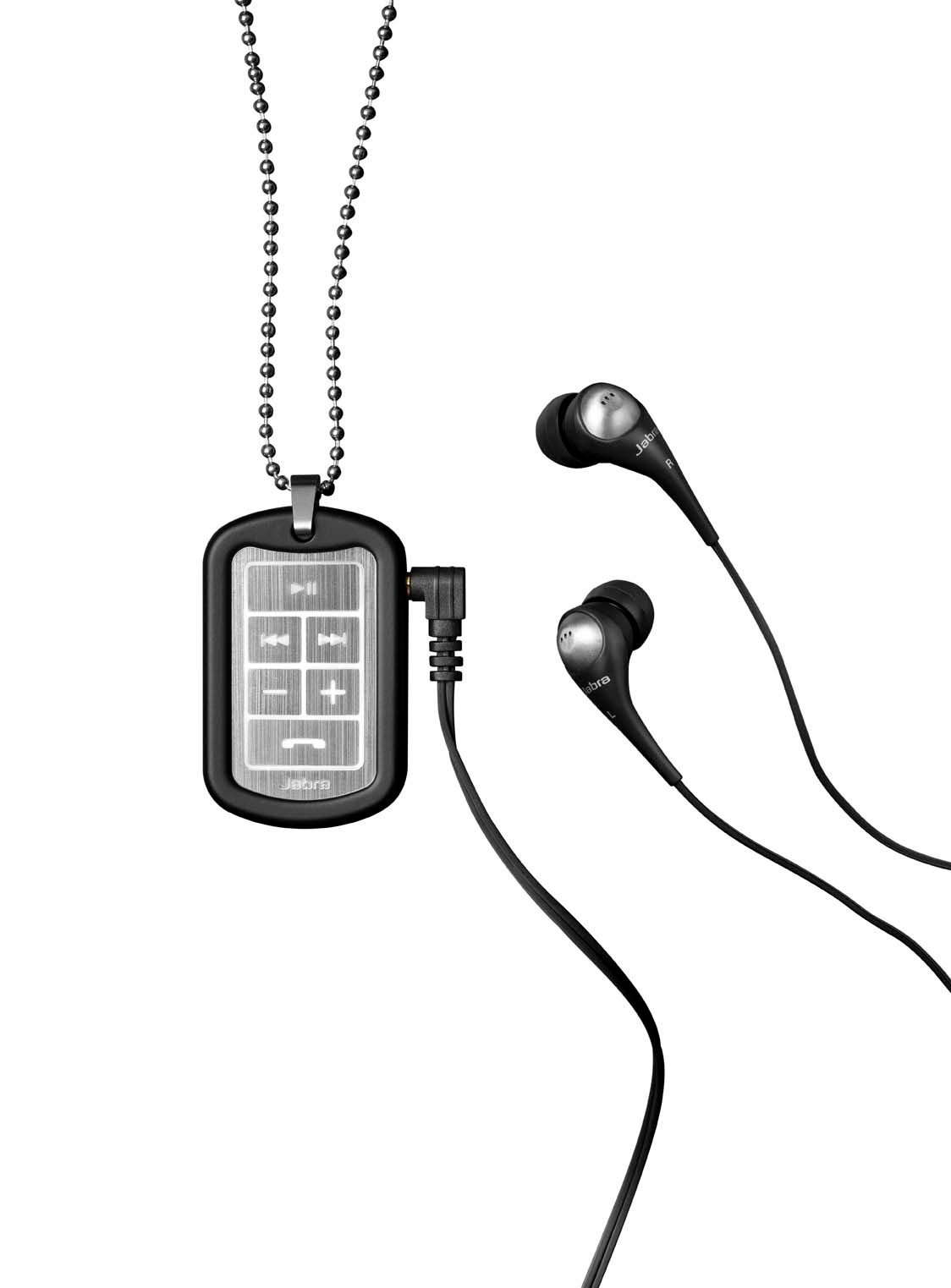
Image: The Jabra Music Street2 headset, highlighting the micro-USB charging port located on the side of the control unit.
- フル充電には通常約 2 時間かかります。
- LED インジケーターは充電状態を示します (例: 充電中は赤、完全に充電されている場合は青)。
2. Bluetoothデバイスとのペアリング
- ヘッドセットがオフになっていることを確認します。
- Press and hold the Multi-function button (usually the play/pause button) for approximately 5-7 seconds until the LED indicator flashes blue rapidly. This indicates pairing mode.
- Bluetooth 対応デバイス (スマートフォン、タブレットなど) で、Bluetooth 設定に移動し、Bluetooth を有効にします。
- 検索する available devices. "Jabra Street2" should appear in the list.
- Select "Jabra Street2" to connect. If prompted for a passcode, enter "0000" (four zeros).
- ペアリングが成功すると、LED インジケーターが青色でゆっくり点滅します。
The headset can remember multiple paired devices but can only be connected to one at a time.
操作手順
電源オン/オフ
- 電源オン: LED が青色に点滅するまで、マルチファンクション ボタンを押し続けます。
- 電源を切る: LED が赤く点滅してから消灯するまで、マルチファンクション ボタンを押し続けます。
音楽コントロール
- 再生/一時停止: 多機能ボタンをXNUMX回押します。
- 次のトラック: Press the "Next Track" button (usually marked with a forward arrow).
- 前のトラック: Press the "Previous Track" button (usually marked with a backward arrow).
- ボリュームアップ: 「+」ボタンを押します。
- ボリュームダウン: 「-」ボタンを押します。
通話管理
- 通話に応答: 多機能ボタンをXNUMX回押します。
- 通話終了: 通話中にマルチファンクションボタンを1回押します。
- 通話を拒否: 多機能ボタンを 2 秒間押し続けます。
- 最後の番号にリダイヤル: 通話中でないときに、マルチファンクションボタンを 2 回押します。
- 音声ダイヤル: Press the Multi-function button once when not on a call (if supported by your phone).
The headset automatically switches between music and calls.
メンテナンス
- Keep the headset dry. Moisture can damage the electronic circuits.
- 極端な温度を避けてください。高温は電子機器の寿命を縮め、バッテリーを損傷し、特定のプラスチックを変形させたり溶かしたりする可能性があります。
- Do not attempt to open the headset. Unauthorized modifications can damage the unit and void your warranty.
- Clean the headset with a soft, dry cloth. Do not use harsh chemicals or detergents.
- ヘッドセットを長期間使用しない場合は、涼しく乾燥した場所に保管してください。
トラブルシューティング
電源なし
- ヘッドセットが完全に充電されていることを確認してください。電源に接続し、充電インジケーターを確認してください。
デバイスとペアリングできません
- Make sure the headset is in pairing mode (LED flashing blue rapidly).
- デバイスで Bluetooth が有効になっており、範囲内(通常は 10 メートルまたは 33 フィート)にあることを確認します。
- Try turning off and on both the headset and your Bluetooth device.
- If previously paired, try deleting "Jabra Street2" from your device's Bluetooth list and re-pairing.
音が出ない、または音質が悪い
- ヘッドセットと接続されたデバイスの両方の音量レベルを確認します。
- ヘッドセットがデバイスに正しく接続されていることを確認してください。
- 干渉を避けるため、デバイスに近づいてください。
- Ensure the ear buds are correctly inserted and fit snugly to block external noise.
Calls Not Switching Automatically
- Verify that the headset is the active audio device for calls on your phone's Bluetooth settings.
- Some phone models may require manual selection of the audio output during a call.
仕様
| モデル名 | Jabra Music Street2 |
| Bluetoothバージョン | 3.0 +EDR |
| ワイヤレス範囲 | 最大10メートル(33フィート) |
| 通話時間 | 最大8時間 |
| 待機時間 | 最長9.5日間 |
| 充電時間 | 約2時間 |
| 接続性 | Bluetooth, 3.5 mm Jack (for wired connection if applicable) |
| 特徴 | Virtual surround sound, power bass, noise-blocking ear buds, automatic music/call switching |
保証とサポート
Jabra products are covered by a limited warranty. For specific warranty terms and conditions, please refer to the warranty card included with your product or visit the official Jabra webサイト。
For technical support, frequently asked questions, or to download the latest software/firmware updates, please visit the official Jabra support page:
You may also contact Jabra customer service directly for assistance.