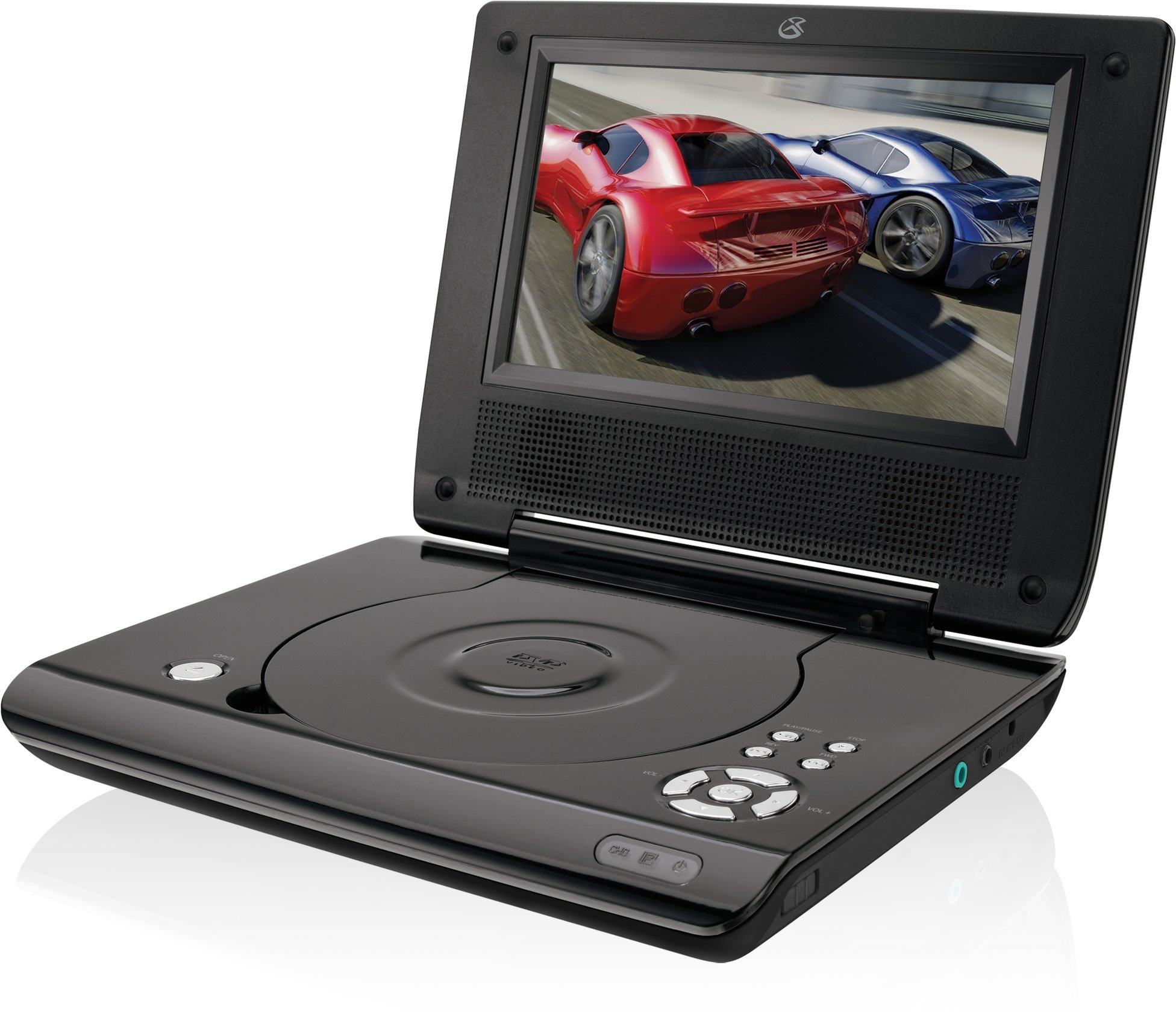
This manual provides essential instructions for the safe and efficient operation of your GPX PD730B 7-inch Portable DVD Player. Please read this manual thoroughly before using the device and retain it for future reference. The GPX PD730B is designed for portable entertainment, allowing you to enjoy DVDs, CDs, and JPEG files on its 7-inch TFT LCD screen.
パッケージ内容
以下にリストされているすべてのアイテムがパッケージに含まれていることを確認してください。
GPX PD730B Portable DVD Player
AC/DC電源アダプター
DC Car Adapter (12V)
ステレオイヤフォン
リモコン(単4電池2本付き)
ユーザーマニュアル(このドキュメント)
製品終了view
Figure 1: GPX PD730B Portable DVD Player (Closed)
This image shows the GPX PD730B portable DVD player in its closed position, highlighting its compact and sleek design. The top surface is smooth and black, with control buttons visible on the right edge.
コントロールと接続
Familiarize yourself with the various controls and connection ports on your portable DVD player.
電源ボタン: ユニットの電源をオンまたはオフにします。
再生/一時停止ボタン: 再生を開始または一時停止します。
停止ボタン: 再生を停止します。
スキップ/検索ボタン: Navigates tracks or chapters, or fast-forwards/rewinds.
音量コントロール: オーディオ出力レベルを調整します。
ヘッドフォンジャック: For private listening with stereo earbuds or headphones.
DC入力ポート: Connects to the AC/DC or car power adapter for charging and power.
設定
1. バッテリーの充電
Before initial use, fully charge the built-in rechargeable battery. A full charge provides approximately 2 hours of playback time.
Connect the AC/DC power adapter to the DC In port on the DVD player.
AC/DC電源アダプタを標準の壁のコンセントに差し込みます。
The charging indicator light (if present) will illuminate. Charging is complete when the light changes color or turns off (refer to device for specific indicator behavior).
Alternatively, use the 12V DC car adapter to charge the player in a vehicle.
2.電源のオン/オフ
を押し続けます 力 button on the unit to turn the player on or off. The screen will illuminate when powered on.
操作手順
1. Inserting and Removing Discs
Gently open the disc compartment lid.
Place a DVD or CD onto the spindle with the label side facing up. Press down gently on the center of the disc until it clicks into place.
Close the disc compartment lid firmly.
To remove a disc, open the lid, gently press the spindle button (if present) or lift the disc from the edges, avoiding touching the data surface.
2. 基本的な再生
After inserting a disc, the player will typically begin playback automatically.
使用 再生/一時停止 再生を一時停止または再開するボタン。
を押す 停止 再生を停止するボタン。
使用 スキップ buttons (usually labeled with arrows) to navigate between chapters or tracks.
使用 検索 buttons (often combined with Skip) to fast-forward or rewind.
3. リモコンの使用
The included remote control provides convenient access to all player functions from a distance. Ensure the 2 AAA batteries are correctly installed. Point the remote control directly at the player's remote sensor.
4. ヘッドフォンの接続
For private listening, plug the stereo earbuds (or your own headphones) into the ヘッドホンジャック on the side of the player. The built-in speakers will automatically mute when headphones are connected.
Figure 2: Portable DVD Player in use (Bedroom)
This image illustrates the portable DVD player being used by a girl in a bedroom setting, demonstrating its suitability for personal entertainment at home.
Figure 3: Portable DVD Player in use (Vehicle)
This image shows a boy watching the portable DVD player in the back seat of a car, highlighting its utility for entertainment during travel.
Figure 4: Portable DVD Player in use (Airplane)
This image depicts a woman using the portable DVD player with headphones on an airplane, showcasing its versatility for quiet, personal entertainment during flights.
メンテナンス
プレーヤーのクリーニング
Disconnect the player from all power sources before cleaning.
For the screen, use a soft, lint-free cloth specifically designed for LCD screens. Avoid excessive pressure.
ディスクコンパートメントにほこりやごみが入らないようにしてください。
バッテリーケア
バッテリーの寿命を延ばすには、バッテリーを頻繁に完全に放電しないようにしてください。
If the player will not be used for an extended period, charge the battery to about 50% before storing.
Store the player in a cool, dry place.
トラブルシューティング
If you encounter issues with your GPX PD730B, refer to the following common problems and solutions:
問題
考えられる原因
解決
プレーヤーがオンになりません。
Battery is discharged; Power adapter not connected properly.
Charge the battery; Ensure power adapter is securely connected to both the player and power source.
ディスクが再生されません。
Disc inserted incorrectly; Disc is dirty or scratched; Incorrect disc format.
Reinsert disc correctly (label side up); Clean disc with a soft cloth; Ensure disc is DVD, CD, or JPEG CD format.
スピーカー/ヘッドホンから音が出ません。
Volume too low; Headphones not fully plugged in; Mute function active.
Increase volume; Ensure headphones are fully inserted; Check if mute is active on remote or player.
リモコンが機能しない。
電池が切れているか、正しく挿入されていない。リモコンとプレーヤーの間に障害物がある。
Replace remote batteries; Ensure correct polarity; Remove any obstructions and point remote directly at sensor.
仕様
モデル番号
PD730B
画面サイズ
7インチ
表示タイプ
TFT液晶
ネイティブ解像度
480x234
アスペクト比
16:9
互換性のあるメディア
DVD, DVD+R/RW, CD, CD-R/RW, JPEG CD
バッテリー寿命(平均)
2時間
電源入力
AC/DC Adapter, 12V DC Car Adapter
接続性
補助(ヘッドフォンジャック)
アイテム重量
1.72 ポンド
欧州連合
047323007309
保証とサポート
For warranty information, technical support, or service inquiries, please refer to the warranty card included with your product or visit the official GPX webサイトでご確認ください。保証請求の際は購入証明として領収書を保管してください。
Ask about setup, troubleshooting, compatibility, parts, safety, or missing instructions. Manuals+ will review the question and use this page’s manual context to help answer it.