
Fysic FX-6000
Fysic FX-6000 ビッグボタン DECT 電話機 ユーザーマニュアル
モデル: FX-6000
1. はじめに
ご購入ありがとうございますasing the Fysic FX-6000 Big Button DECT Phone. This manual will guide you through the setup, operation, and maintenance of your new cordless telephone. Please read these instructions carefully before using the phone to ensure proper functionality and safety. Keep this manual for future reference.
2. 重要な安全情報
- 付属の電源アダプターと電池のみを使用してください。
- 携帯電話を水や過度の湿気にさらさないでください。
- 携帯電話を熱源や直射日光の近くに置かないでください。
- ご自身で携帯電話を開けたり修理したりしないでください。修理はすべて資格のある専門家にお任せください。
- 電池は地域の規制に従って責任を持って廃棄してください。
3. パッケージ内容
パッケージ内にすべてのアイテムが揃っていることを確認してください:
- Fysic FX-6000 Handset
- 基地局
- ベースステーション用電源アダプター
- 電話回線コード
- 単4形ニッケル水素充電池2本
- ユーザーマニュアル
4.製品オーバーview
The Fysic FX-6000 features large buttons and a clear display for ease of use.

図4.1: フロント view of the Fysic FX-6000 handset in its charging base, highlighting the large, easy-to-read buttons and the clear, backlit display.
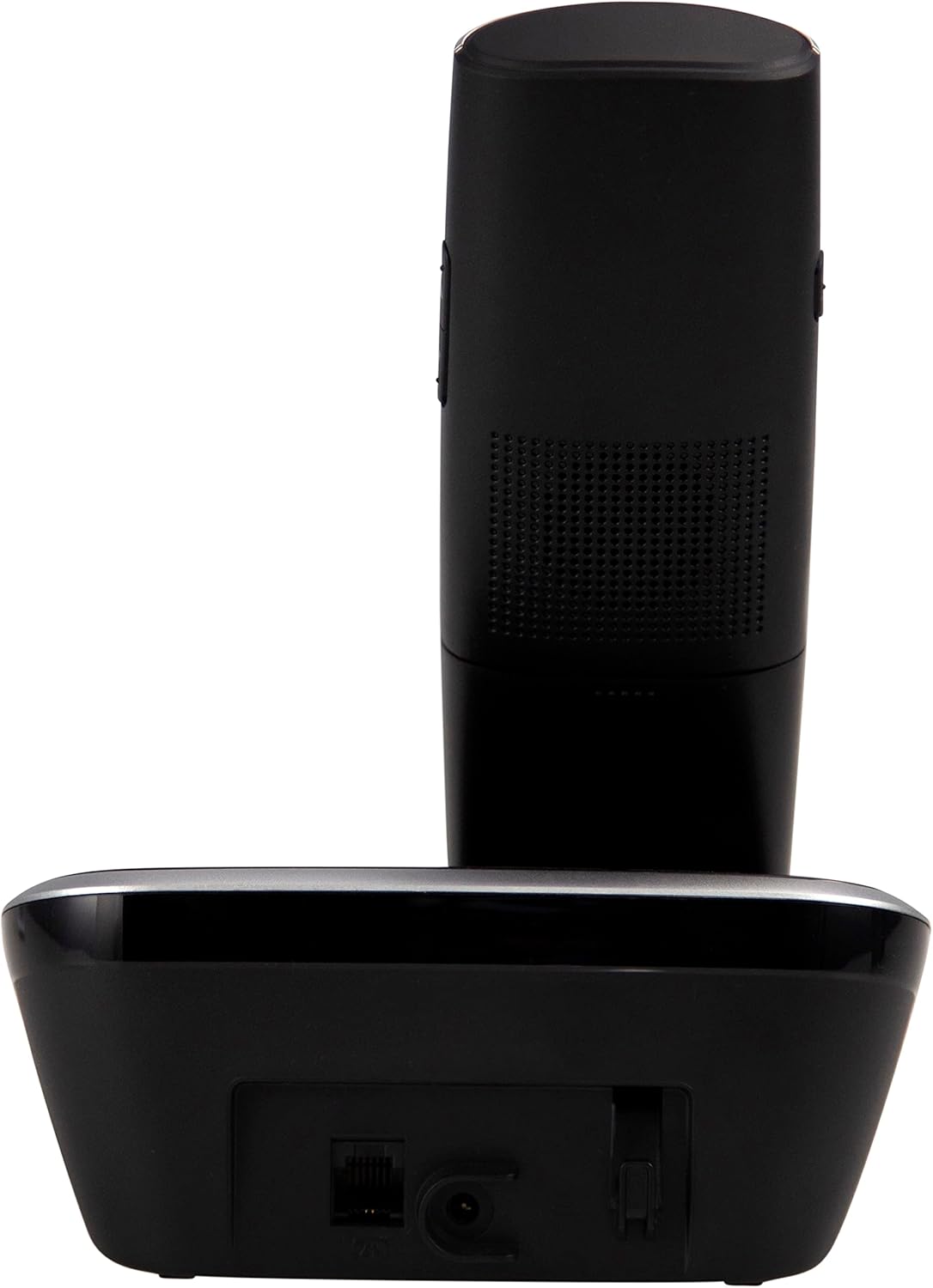
図4.2: 側 view of the Fysic FX-6000 handset docked in its base station, showing the ergonomic design and side volume buttons.

図4.3: Detailed close-up of the Fysic FX-6000 phone's keypad, emphasizing the large, clearly labeled buttons for easy dialing.

図4.4: 閉じる view of the Fysic FX-6000 phone's backlit display, showing clear icons for battery status, signal strength, and call information.
ハンドセットのレイアウト
- 画面: 1.8-inch backlit screen for caller ID, menu, and status.
- ナビゲーションキー: For menu navigation and volume adjustment.
- ダイヤルパッド: Large, easy-to-read numeric keys (0-9, *, #).
- 通話/終了ボタン: Green button to answer/make calls, Red button to end calls.
- メモリキー(M1、M2、M3): For speed dialing frequently used numbers.
- スピーカーフォンボタン: To activate hands-free mode.
基地局のレイアウト
- 充電クレードル: For charging the handset.
- ページングボタン: 置き忘れた携帯電話を探す。
- 電源ソケット: 電源アダプタを接続します。
- Telephone Line Socket: For connecting to the telephone line.
5. セットアップ
5.1 バッテリーの取り付け
- 受話器の背面にある電池ボックスのカバーを開きます。
- 付属の AAA ニッケル水素充電式電池 2 個を、正しい極性 (+ と -) に注意して挿入します。
- 電池カバーをしっかりと閉じてください。
5.2 ベースステーションの接続
- Connect one end of the telephone line cord to the telephone line socket on the base station.
- 電話回線コードのもう一方の端を電話の壁のソケットに接続します。
- Connect the power adapter to the power socket on the base station.
- 電源アダプタを適切な電源コンセント(220 ~ 240V)に差し込みます。
5.3 初期充電と端末登録
Place the handset on the base station. The handset will automatically begin charging. For optimal battery performance, allow the handset to charge for at least 16 hours before its first use. The handset is pre-registered to the base station from the factory. If for any reason the handset loses its registration, refer to the troubleshooting section for re-registration steps.
6. 操作手順
6.1電話をかける
- プレダイヤル: Enter the phone number using the dial pad, then press the グリーンコール ボタン。
- ダイヤルイン: を押す グリーンコール button, then enter the phone number.
- Using Memory Keys (M1, M2, M3): Press and hold the desired memory key (M1, M2, or M3) to dial the stored number.
6.2 電話を受ける
電話が鳴ったら、 グリーンコール button to answer. The display will show the caller's number if Caller ID service is active.
6.3 通話を終了する
を押す レッドエンドコール ボタンを押すか、ハンドセットをベースステーションに戻します。
6.4 音量の調整
During a call, use the volume up/down buttons on the side of the handset to adjust the earpiece volume. The ringtone volume can be adjusted via the phone's menu settings.
6.5 ハンズフリー操作
通話中に を押す スピーカーフォン button to switch to hands-free mode. Press it again to return to earpiece mode.
6.6電話帳
The phonebook allows you to store frequently called numbers. Refer to the on-screen menu for options to add, edit, or delete contacts.
6.7 リダイヤル
を押す リダイヤルする button (often integrated with the call log or a dedicated button) to view and redial the last dialed numbers.
6.8 ミュート機能
通話中に を押す ミュート button to temporarily disable your microphone. The other party will not hear you. Press it again to unmute.
7. メンテナンス
7.1 クリーニング
電話とベースステーションを柔らかくて乾いた布で拭いてくださいamp 布で拭いてください。研磨剤入りの洗剤や溶剤は使用しないでください。清掃する前に、必ず携帯電話の電源を切ってください。
7.2バッテリーケア
- Always use the supplied rechargeable NiMH batteries.
- 長期間携帯電話を使用しない場合は、液漏れを防ぐために電池を取り外してください。
- 電池の性能が著しく低下した場合は交換してください。
8。 トラブルシューティング
| 問題 | 考えられる原因 | 解決 |
|---|---|---|
| 発信音なし | Telephone line not connected; Power adapter not connected; Handset out of range or not registered. | Check all cable connections; Ensure base station is powered; Move handset closer to base; Re-register handset (see manual for specific steps). |
| 端末が充電されない | Handset not properly seated in cradle; Dirty charging contacts; Faulty batteries. | Ensure handset is correctly placed; Clean charging contacts on handset and base with a dry cloth; Replace batteries if necessary. |
| 通話品質が悪い / 雑音 | ハンドセットがベースから離れすぎている。他の電子機器からの干渉がある。 | Move closer to the base station; Move base station away from other electronic devices (Wi-Fi routers, microwaves). |
| 表示が空白 | Batteries are depleted or not inserted correctly. | Charge handset for at least 16 hours; Check battery polarity. |
9. 技術仕様
- モデル: FX-6000
- ブランド: フィジック
- 色: 黒
- 電話タイプ: コードレスDECT電話
- 画面: 1.8インチバックライト付きLCD
- 電池: 2 x AAA NiMH Rechargeable (1.2V, 500 mAh)
- Base Power Supply: 6 VDC、300 mA
- 主電源: 220-240V
- 通話時間: 最大10時間
- 待機時間: 最大100時間
- 屋内範囲: 最大50メートル
- 屋外範囲: 最大300メートル
- 寸法(長さ×幅×高さ): Approximately 8 x 20 x 17 cm (Handset in base)
- 重さ: 約534グラム
- 特別な機能: Large buttons, Hearing aid compatible, Adjustable ringtone/call volume, Mute function, Hands-free operation, GAP compatible.
10. 保証とサポート
Fysic products are designed and manufactured to the highest quality standards. For information regarding warranty terms and conditions, please refer to the warranty card included with your product or visit the official Fysic website. For technical support or service inquiries, please contact Fysic customer service through their official channels. Keep your purchase receipt as proof of purchase.
Ask a question about this manual
Ask about setup, troubleshooting, compatibility, parts, safety, or missing instructions. Manuals+ will review the question and use this page’s manual context to help answer it.