
DELTA FAUCET 15901T-SS-DST
Delta Faucet Lewiston Single Handle Bathroom Faucet
Model: 15901T-SS-DST
製品終了view
The Delta Faucet Lewiston Single Handle Bathroom Faucet with Touch2O Technology offers a modern and convenient solution for your bathroom. This faucet is designed for ease of use and maintenance, featuring innovative touch activation and easy-to-clean components.
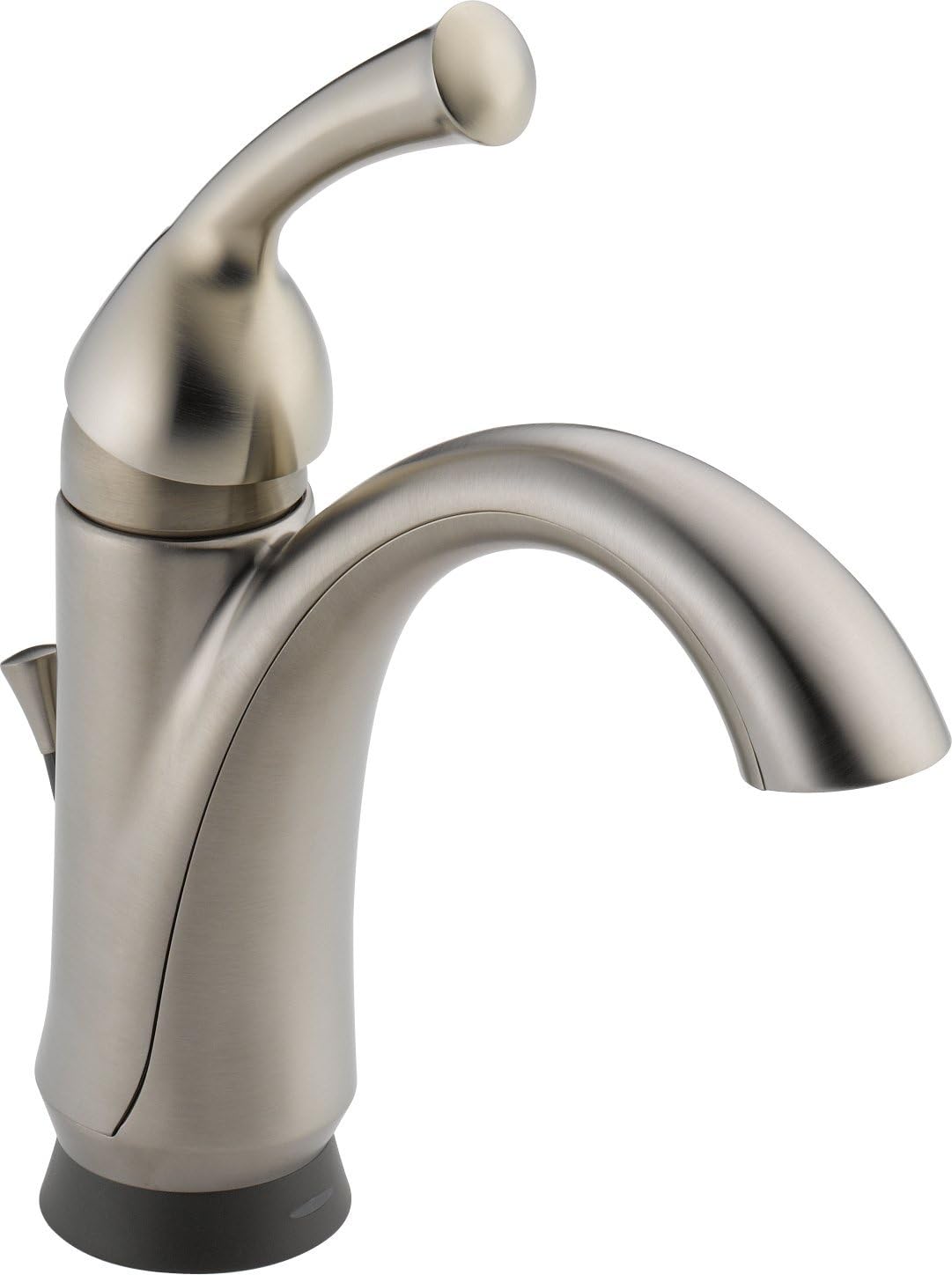
図1: The Delta Faucet Lewiston Single Handle Bathroom Faucet, showcasing its sleek design and stainless steel finish. This image displays the main body of the faucet, the curved spout, and the single lever handle on the right side, along with the subtle base.
主な機能は次のとおりです。
- Touch2Oテクノロジー: Allows for turning the faucet on and off with a simple touch anywhere on the faucet body or handle.
- Touch-Clean® Nozzles: Soft, rubber spray holes that allow for easy wiping away of calcium and lime build-up.
- WaterSense® Certified: Meets EPA criteria for water efficiency, with a flow rate of 1.5 gallons per minute (5.7 L/min).
- ADA準拠: Designed to meet accessibility standards when properly installed.
- DIAMOND Seal Valve: Ensures durable, leak-free operation.
セットアップとインストール
Proper installation is crucial for the optimal performance of your Delta Faucet. This faucet is designed for single-hole deck mount installation.
始める前に:
- Ensure all necessary tools and parts are available as listed in the official installation manual.
- 浴室の元水道を止めてください。
- シンクの下の作業エリアを空けます。
インストール手順:
For detailed, step-by-step installation instructions, diagrams, and safety warnings, please refer to the official Installation Manual (PDF) provided by Delta Faucet. This document contains critical information for a successful setup.
公式のインストールマニュアルはここからアクセスできます: Delta Faucet 15901T-SS-DST Installation Manual (PDF).
- 取り付け面を準備します。 Ensure the sink deck is clean and free of debris.
- 蛇口本体を取り付けます。 Place the faucet body through the mounting hole.
- 蛇口を固定する: From underneath the sink, secure the faucet using the provided mounting hardware.
- 給水管を接続する: Attach the hot and cold water supply lines to the corresponding connections on the faucet and your home's water supply.
- 排水アセンブリの取り付け: Follow the instructions for installing the pop-up drain assembly.
- 漏れのテスト: ゆっくりと給水を開始し、すべての接続部に漏れがないか確認します。
操作手順
The Delta Faucet Lewiston features intuitive operation for daily use.
Using Touch2O Technology:
- オン/オフするには: Simply touch the faucet body or handle with your hand or forearm. The water will start or stop flowing.
- 自動遮断: The faucet is designed to automatically shut off after a few minutes of continuous flow to conserve water.
- 手動オーバーライド: You can always operate the faucet manually using the handle, even if the Touch2O feature is active or if power is lost.
ハンドル操作:
- 水の流れ: Lift the single lever handle to increase water flow. Push down to decrease flow.
- 温度制御: ハンドルを左に動かすとお湯が出、右に動かすと冷水が出ます。
メンテナンス
Regular maintenance will ensure the longevity and optimal performance of your Delta Faucet.
蛇口の掃除:
- 一般的な清掃: 蛇口を柔らかくて清潔な布で拭いてください。amp cloth and mild soap. Avoid abrasive cleaners, harsh chemicals, or polishes as they can damage the finish.
- Touch-Clean® Nozzles: The soft rubber nubbins on the spray face allow you to easily wipe away calcium and lime build-up with a simple rub of your finger. This helps maintain consistent water flow.
Battery Replacement (if applicable for Touch2O):
While the product specifications state "Batteries Required? No", some Touch2O models may use batteries for the touch functionality. If your model requires batteries, refer to the installation manual for specific instructions on battery type and replacement. Typically, a low battery indicator light will signal when replacement is needed.
トラブルシューティング
If you encounter issues with your Delta Faucet, try these common troubleshooting steps before contacting support.
| 問題 | 考えられる原因 | 解決 |
|---|---|---|
| 水がない、または流量が少ない |
|
|
| Touch2O Technology not responding |
|
|
| Leaking from base or handle |
|
|
For more complex issues or if the problem persists, please refer to the detailed troubleshooting section in the official installation manual or contact Delta Faucet customer support.
仕様
Detailed specifications for the Delta Faucet Lewiston Single Handle Bathroom Faucet (Model: 15901T-SS-DST).
| 属性 | 詳細 |
|---|---|
| ブランド | DELTA FAUCET |
| モデル番号 | 15901T-SS-DST |
| 推奨用途 | バスルーム |
| 取り付けタイプ | デッキマウント |
| 仕上げタイプ | ブラシ仕上げ |
| 材料 | Rubber (likely referring to internal components/seals) |
| 色 | ステンレス |
| ハンドル数 | 1 |
| ハンドルタイプ | レバー |
| インストールタイプ | シングルホール |
| 最大流量 | 毎分1.5ガロン |
| バルブタイプ | Electronic with DIAMOND Seal Valve |
| 注ぎ口の高さ | 5.25インチ |
| アイテム重量 | 5.2ポンド |
| 製品寸法 | 21.78 x 13.45 x 4インチ |
| 電池は付属していますか? | いいえ |
| 電池は必要ですか? | いいえ |
| 初回利用可能日 | 10年2012月XNUMX日 |
保証とサポート
Delta Faucet stands behind the quality of its products.
保証情報:
This Delta Faucet model 15901T-SS-DST comes with an Electronic Faucet 5-year Limited Warranty. Please refer to the official warranty documentation included with your product or visit the Delta Faucet web完全な契約条件のサイト。
カスタマーサポート:
If you require further assistance, have questions about installation, operation, or need to claim warranty service, please contact Delta Faucet customer support. Contact information can typically be found on the Delta Faucet official webサイトまたは製品のパッケージ内。
For more information, you may visit the official Delta Store on Amazon: Visit the Delta Store
Ask a question about this manual
Ask about setup, troubleshooting, compatibility, parts, safety, or missing instructions. Manuals+ will review the question and use this page’s manual context to help answer it.