
ロジクール FBA_920-002582
ロジクール ビジネス向け USB キーボード ユーザーマニュアル
モデル: FBA_920-002582
導入
This manual provides essential information for the setup, operation, and maintenance of your Logitech USB Keyboard for Business. Designed for efficiency and durability, this keyboard offers a comfortable and reliable typing experience for various computing environments.

画像: トップダウン view of the Logitech USB Keyboard for Business, showcasin完全なレイアウトを表示します。
設定
The Logitech USB Keyboard for Business is designed for simple plug-and-play functionality. No additional software or drivers are typically required for basic operation on compatible systems.
キーボードの接続
- コンピューターで使用可能なUSBポートを見つけます。
- キーボードのUSBコネクタをUSBポートにしっかりと差し込みます。
- Wait for your operating system to recognize the new hardware. This process is usually automatic and takes a few seconds.
- これで、キーボードを使用する準備が整いました。

Image: The Logitech K120 keyboard, highlighting its plug-and-play USB connectivity.
操作手順
This keyboard features a standard 104-key layout, including a full-size F-key row and a dedicated number pad, providing comprehensive functionality for business and general use.
主な特徴
- ロープロfile キー: Designed for a quiet and comfortable typing experience.
- フルサイズのレイアウト: Includes a complete set of keys, F-keys, and a numeric keypad for efficient data entry.
- Bold, Bright Characters: Key legends are designed to be easy to read and resistant to wear.
- 調整可能な傾斜脚: Allows for personalized ergonomic adjustment to suit your typing preference.

Image: A hand positioned on the keyboard, demonstrating the familiar and comfortable typing experience.

Image: A detailed diagram illustrating key features such as spill-proof design, deep-profile keys, full-size layout, adjustable height, Windows layout, and the integrated number pad.
耐久性とデザイン
The Logitech USB Keyboard for Business is built to withstand daily use and common office accidents, ensuring long-lasting performance.
こぼれにくい設計
This keyboard features a spill-resistant design, meaning accidental liquid spills can drain out without damaging the internal components. This feature is tested under limited conditions (maximum of 60 ml liquid spillage). It is important not to immerse the keyboard in liquid.

Image: The keyboard surface with water droplets, demonstrating its spill-resistant capabilities.
調整可能なタイピング角度
The integrated adjustable tilt legs allow you to customize the keyboard's angle for a more comfortable and ergonomic typing position, reducing strain during extended use.
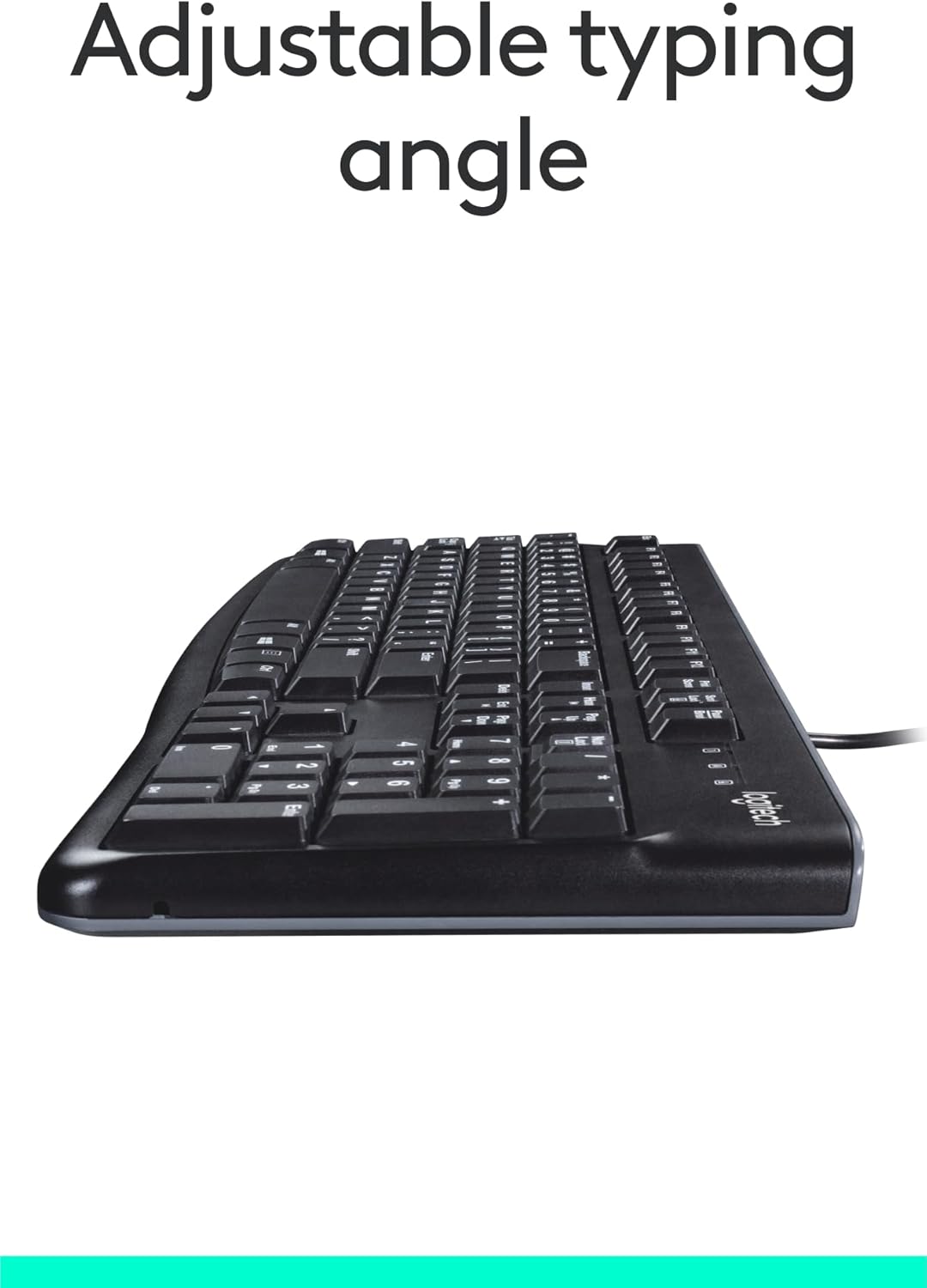
画像: サイド view of the keyboard with its adjustable tilt legs extended, showing the elevated typing angle.
メンテナンス
Proper care and cleaning will help maintain the performance and appearance of your keyboard.
クリーニング手順
- 清掃する前に、キーボードをコンピューターから取り外してください。
- 柔らかく糸くずの出ない布で軽く拭き取ってください。ampキーボードの表面を水または中性洗浄液で拭いてください。
- Avoid using harsh chemicals, abrasive cleaners, or solvents, as these can damage the keyboard's finish and key legends.
- キー間の清掃には、圧縮空気を使用してほこりやごみを除去します。
- キーボードをコンピューターに再接続する前に、キーボードが完全に乾いていることを確認してください。
トラブルシューティング
If you encounter issues with your Logitech USB Keyboard for Business, try the following troubleshooting steps:
キーボードが応答しない
- USB接続を確認してください: Ensure the keyboard's USB cable is securely plugged into a working USB port on your computer. Try a different USB port.
- コンピューターを再起動: 多くの場合、単純な再起動で接続の問題が解決します。
- 別のコンピューターでテストする: 可能であれば、キーボードを別のコンピューターに接続して、問題がキーボードにあるのか、元のコンピューターの設定にあるのかを確認します。
- デバイス マネージャーを確認する (Windows): Open Device Manager, locate 'Keyboards', and check for any error indicators. You may need to update or reinstall the keyboard driver (though typically not required for this plug-and-play model).
キーが正しく機能しない
- クリーンキー: Ensure no debris is lodged under the non-functioning keys. Use compressed air to clear any obstructions.
- Spill Damage: If the keyboard has been exposed to a significant liquid spill, allow it to dry completely. If issues persist, internal damage may have occurred.
仕様
| 特徴 | 詳細 |
|---|---|
| ブランド | ロジテック |
| モデル番号 | FBA_920-002582 |
| 接続技術 | USB、USB-A |
| キーボードの説明 | 人間工学に基づいた |
| キーの数 | 104 |
| 材料 | プラスチック |
| オペレーティングシステムの互換性 | Windows 10 (and compatible with other standard OS) |
| アイテム重量 | 1.52ポンド(約689グラム) |
| 製品寸法(長さx幅x高さ) | 18.43 x 7.24 x 7.24インチ(約46.8 x 18.4 x 18.4 cm) |

Image: Visual representation of the keyboard with its key dimensions and weight detailed.
パッケージ内容
The retail package for the Logitech USB Keyboard for Business typically includes the following:
- Logitech USB Keyboard for Business (Model: FBA_920-002582)

Image: The Logitech USB Keyboard for Business, indicating it is the primary item included in the product package.
保証とサポート
Logitech products are manufactured to high quality standards and are backed by a limited hardware warranty. For specific warranty terms and conditions, please refer to the warranty information provided with your product at the time of purchase or visit the official Logitech support webサイト。
For technical support, frequently asked questions, and driver downloads (if applicable), please visit the official Logitech support page or the Amazonのロジクールストア.
Ask a question about this manual
Ask about setup, troubleshooting, compatibility, parts, safety, or missing instructions. Manuals+ will review the question and use this page’s manual context to help answer it.