
1. はじめに
Thank you for choosing the Hama FIX TV Wall Bracket, Model 96099. This fixed wall mount is designed to securely hold your television, providing a clean and space-saving installation. Please read this instruction manual thoroughly before installation and keep it for future reference. Proper installation is crucial for the safety and stability of your television.
2. 安全に関する注意事項
- すべての指示をお読みください: Before installation, carefully read and understand all assembly instructions. Incorrect installation can lead to serious injury or damage to property.
- 有資格者: Installation should only be performed by qualified personnel or with the assistance of a professional.
- 壁の材質: Ensure the wall material is suitable for the weight of the TV and the wall mount. Use appropriate mounting hardware for your specific wall type (e.g., solid concrete, brick, wood studs, drywall). The included Fischer plugs are suitable for solid walls.
- 重量容量: Do not exceed the maximum load capacity of 60 kg (132 lbs). This mount is designed for screens from 19 to 48 inches.
- VESAの互換性: Ensure your TV's VESA mounting pattern is compatible with the bracket (up to 200x200 mm).
- ケーブル管理: Route all cables carefully to avoid pinching or damage.
- 定期点検: Periodically check that the mount is securely fastened and that all screws are tight.
- 子供たち: お子様を設置場所に近づけないでください。
3. パッケージ内容
インストールを開始する前に、すべてのコンポーネントが揃っていることを確認してください。
- 1x Hama FIX TV Wall Bracket (main assembly)
- 1x Screw set (various screws for TV and wall mounting)
- Fischer plugs (for solid wall installation)
- 取り付け手順(この文書)
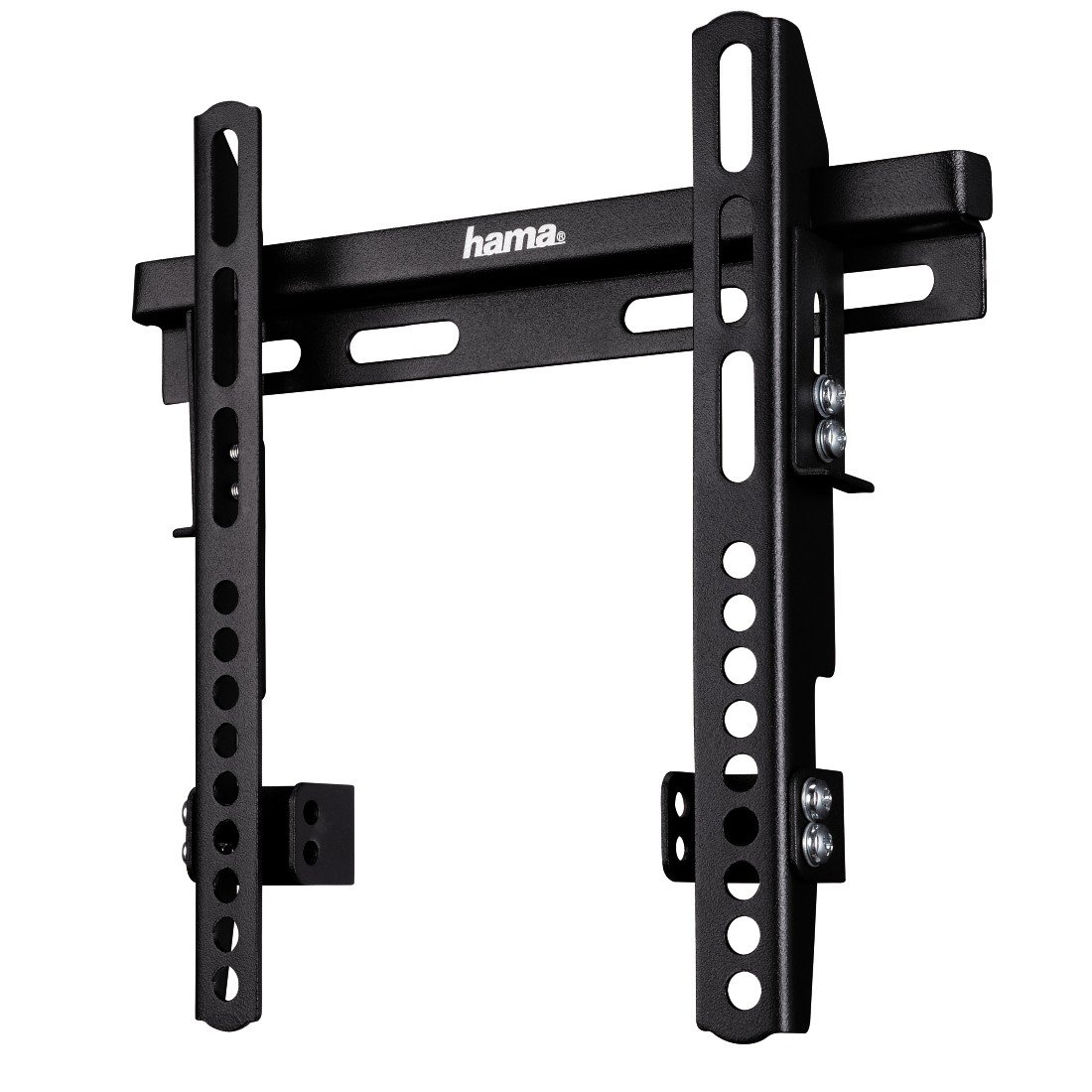
画像1: 以上view of the Hama FIX TV Wall Bracket components. The image shows the main bracket assembly, including the wall plate and the two vertical TV attachment arms.
4. セットアップとインストール
Follow these steps carefully to ensure a secure installation of your TV wall bracket.
4.1. テレビの準備
- 傷がつかないように、テレビの表面を下にして、柔らかくて清潔な場所に置いてください。
- テレビの背面にある VESA 取り付け穴を確認します。
- Attach the two vertical TV attachment arms to the back of your TV using the appropriate screws from the provided screw set. Ensure the arms are oriented correctly and securely fastened. The bracket supports VESA standards up to 200x200 mm.

画像2: フロント view of the Hama FIX TV Wall Bracket, showing the mounting holes and the overall structure. This view helps in understanding how the TV attachment arms connect to the wall plate.
4.2. Mark Drilling Positions
- Hold the wall plate of the bracket against the wall at the desired height and position. Use a spirit level to ensure it is perfectly horizontal.
- Mark the drilling positions through the holes on the wall plate.
- Before drilling, verify there are no electrical cables, water pipes, or gas lines behind the wall at the marked positions.
4.3. 穴あけと壁プレートの取り付け
- Drill holes at the marked positions using an appropriate drill bit for your wall type. For solid walls, use the provided Fischer plugs.
- Insert the wall plugs (if required) into the drilled holes.
- Position the wall plate over the holes and secure it to the wall using the provided screws. Tighten all screws firmly, but do not overtighten.
4.4. テレビを吊るす
- Carefully lift the TV (with the attached arms) and hook the arms onto the wall plate.
- Ensure the TV is securely seated on the wall plate. The fixed design means the TV will sit close to the wall, with an extremely flat profile of approximately 3.1 cm (1.2 inches).
- Engage any safety locking mechanisms on the TV attachment arms to prevent accidental dislodging.

画像3: サイドプロfile view of the Hama FIX TV Wall Bracket, illustrating its slim design and the minimal distance it creates between the TV and the wall (3.1 cm).

画像4: Dimensional drawing of the Hama FIX TV Wall Bracket. Key dimensions are A=242 mm (width), B=235 mm (height), and C=30 mm (depth from wall).
5. 操作
The Hama FIX TV Wall Bracket is a fixed mount, meaning once installed, your television will remain in a static position. There are no adjustable movements (tilt, swivel, or extension) with this model. Ensure the TV is securely locked onto the wall plate after installation.
6. メンテナンス
- クリーニング: Clean the bracket with a dry, soft cloth. Do not use abrasive cleaners or solvents.
- 定期点検: Regularly inspect the wall mount and all fastening points to ensure they remain secure. Tighten any loose screws if necessary.
- ダメージ: If any part of the bracket appears damaged, do not use it. Contact Hama customer support for assistance.
7。 トラブルシューティング
| 問題 | 考えられる原因 | 解決 |
|---|---|---|
| テレビが水平ではありません。 | Wall plate not installed horizontally. | Remove TV, loosen wall plate screws, adjust with a spirit level, and re-tighten. |
| テレビ取り付け用のネジが合いません。 | Incorrect screw size or length for your TV's VESA holes. | Consult your TV's manual for correct VESA screw specifications. You may need to purchase different screws. |
| ブラケットが壁に安定しない感じがします。 | Improper wall plugs or insufficient tightening of screws. | Ensure correct wall plugs are used for your wall type. Re-tighten all wall mounting screws. If unsure, consult a professional. |
8. 仕様
- モデル: Hama FIX TV Wall Bracket (96099)
- 取り付けタイプ: 壁掛け
- 移動タイプ: 修理済み
- 材料: 合金鋼
- 色: 黒
- 対応デバイス: テレビ
- Minimum Supported Screen Size: 19インチ
- Maximum Supported Screen Size: 48インチ(122 cm)
- 最大耐荷重: 60 kg (132 ポンド)
- VESAの互換性: 最大200 x 200 mm
- Wall Distance (Depth): 約3.1cm(1.2インチ)
- 商品の重量: 1.6ポンド(約0.73kg)
- メーカー: ハマ
9. 保証とサポート
For warranty information, technical support, or if you encounter any issues not covered in this manual, please contact Hama customer service. You can find contact details on the official Hama webサイトまたは小売店を通じてご購入いただけます。
Webサイト: www.hama.com