
1. はじめに
The ZIPRO Boost Gold stationary exercise bike is designed to provide perfect conditions for an effective home workout. This ergometer bike allows you to enthusiastically work towards your fitness goals. Its magnetic resistance system enables precise adjustment of workout intensity, helping you track and achieve satisfying progress.
2. 安全情報
- 運動プログラムを開始する前に医師に相談してください。
- 使用中は子供やペットを装置に近づけないでください。
- エクササイズバイクを、周囲に十分なスペースがある平らで安定した場所に置きます。
- 適切な運動用の服装と靴を着用してください。
- 最大使用者体重120kgを超えないようにしてください。
- 毎回使用する前に、自転車の部品が緩んでいたり摩耗していないか点検してください。
- 気分が悪くなったり、めまいがしたり、痛みを感じたりした場合は、直ちに運動を中止してください。
3. パッケージ内容
組み立て前にすべてのコンポーネントが揃っていることを確認してください。
- メインフレームアセンブリ
- ハンドルバーポストとハンドルバー
- シートポストとシート
- ペダル(左右)
- フロントとリアのスタビライザー
- Digital Computer Console
- ウォーターボトルホルダー
- Assembly Hardware Kit (bolts, washers, nuts, tools)
- ユーザーマニュアル
4. セットアップと組み立て
組み立ては以下の一般的な手順に従ってください。詳細な手順については、付属の組み立て図を参照してください。
- スタビライザーを取り付ける: 付属のボルトとワッシャーを使用して、フロントスタビライザーとリアスタビライザーをメインフレームに固定します。安定性を確保するために、しっかりと締め付けてください。
- ペダルを取り付ける: Attach the left and right pedals to the crank arms. Note that the left pedal is reverse-threaded. Tighten securely.
- シートポストとシートを取り付けます。 Insert the seat post into the main frame and secure it at the desired height. Attach the seat to the seat post and adjust its position.
- ハンドルバーポストとハンドルバーを取り付けます。 ハンドルポストをメインフレームに挿入します。ハンドルをポストに取り付け、固定します。
- Connect Computer Console: Connect the sensor wires from the main frame and handlebars to the back of the computer console. Mount the console onto the handlebar post.
- ウォーターボトルホルダーを取り付ける: Secure the water bottle holder to the designated spot on the main frame.
- 最終チェック: Ensure all bolts and nuts are tightened and the bike is stable before first use.

The Zipro Boost Gold Exercise Bike, showcasing its sleek black and gold design, adjustable seat, handlebars, and integrated water bottle holder.

This image illustrates the compact dimensions of the Zipro Boost Gold Exercise Bike, measuring 107 cm in length, 47 cm in width, and 141 cm in height, making it suitable for home use.
5. 操作手順
5.1抵抗の調整
The Zipro Boost Gold features an 8-step magnetic resistance system. To adjust the resistance, turn the knob located on the main frame below the handlebars. Turn clockwise to increase resistance and counter-clockwise to decrease it. Levels 1-3 are for easy workouts, 4-6 for medium intensity, and 7-8 for hard, challenging sessions.

Detail of the magnetic resistance adjustment knob, offering 8 distinct levels from 1-3 (easy), 4-6 (medium), to 7-8 (hard), allowing users to customize their workout intensity.
5.2 シートとハンドルの調整
For optimal comfort and effective training, adjust the seat height, horizontal position, and handlebar angle to fit your body. Loosen the adjustment knobs, set to your preferred position, and tighten securely.
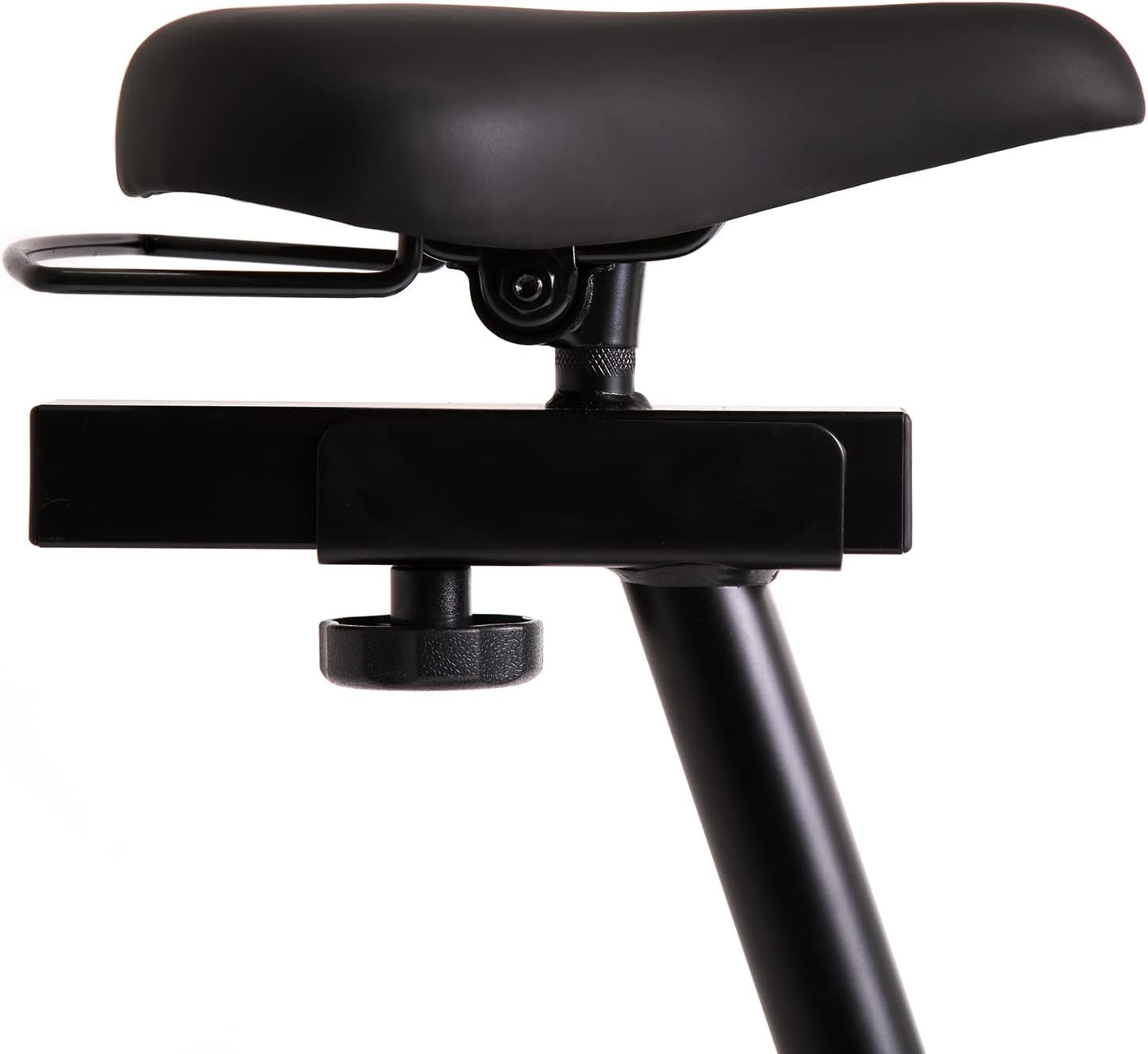
This image highlights the robust adjustment mechanism for the seat, allowing for precise positioning to optimize comfort and biomechanics during exercise.
5.3 Using the Computer Console
The modern computer console tracks your workout data. It typically displays:
- 時間: ワークアウトの継続時間。
- カロリー: 推定消費カロリー。
- スピード: Your current speed.
- パルス: Your heart rate (measured via handlebar sensors).
Use the 'MODE' button to cycle through display functions, 'RESET' to clear data, and 'SET' for specific settings if available.

The modern computer display provides essential workout data, including elapsed time, calories burned, current speed, and pulse rate, to help track progress.
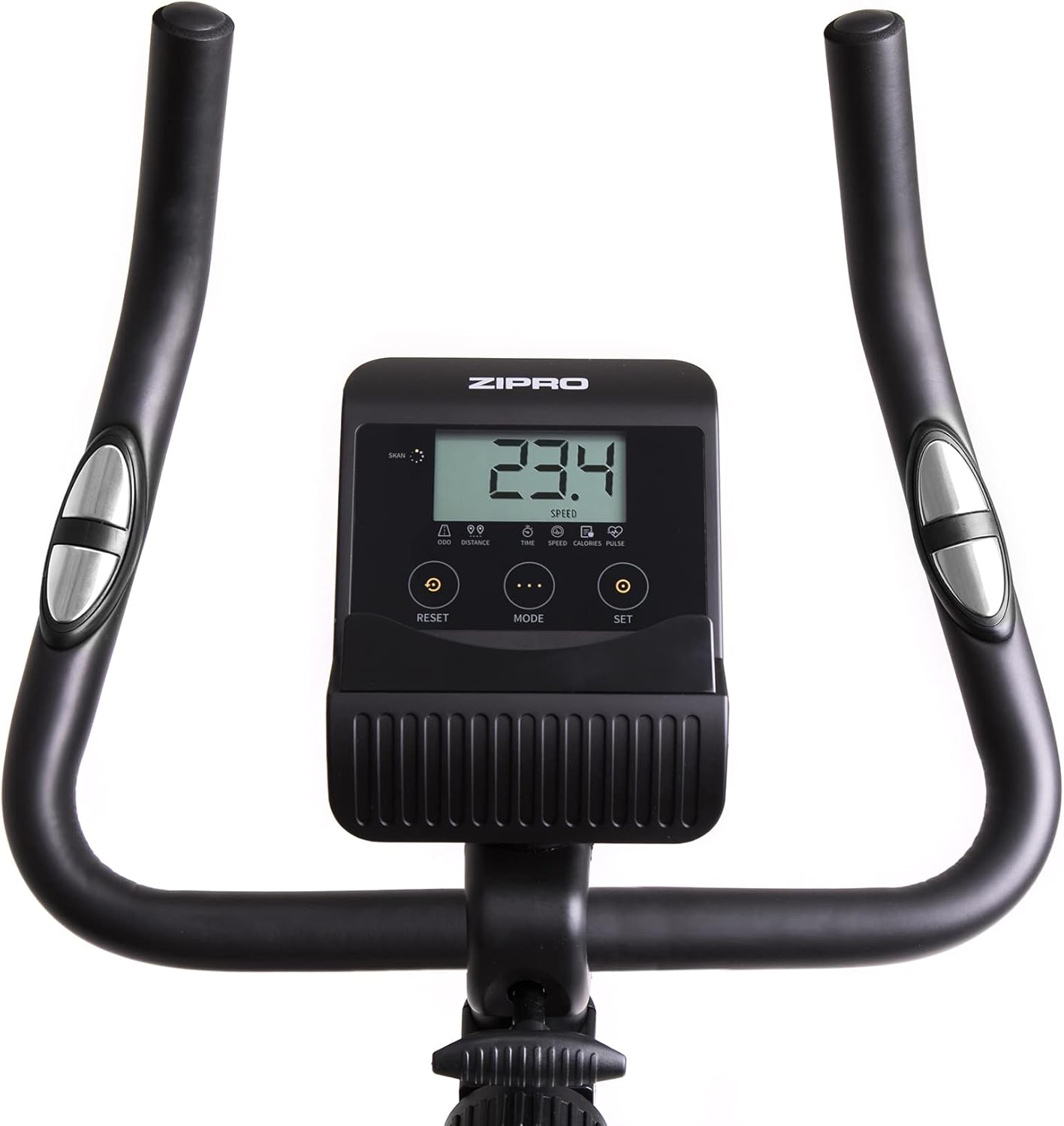
A closer look at the exercise bike's computer, displaying various metrics and featuring intuitive buttons for 'RESET', 'MODE', and 'SET' to navigate and control workout data.
5.4 Smartphone/Tablet Holder
The integrated holder allows you to place your smartphone or tablet for entertainment or to follow fitness apps during your workout.

A convenient stand for mobile devices is integrated into the handlebars, enabling users to enjoy their favorite digital content, such as music or videos, while exercising.
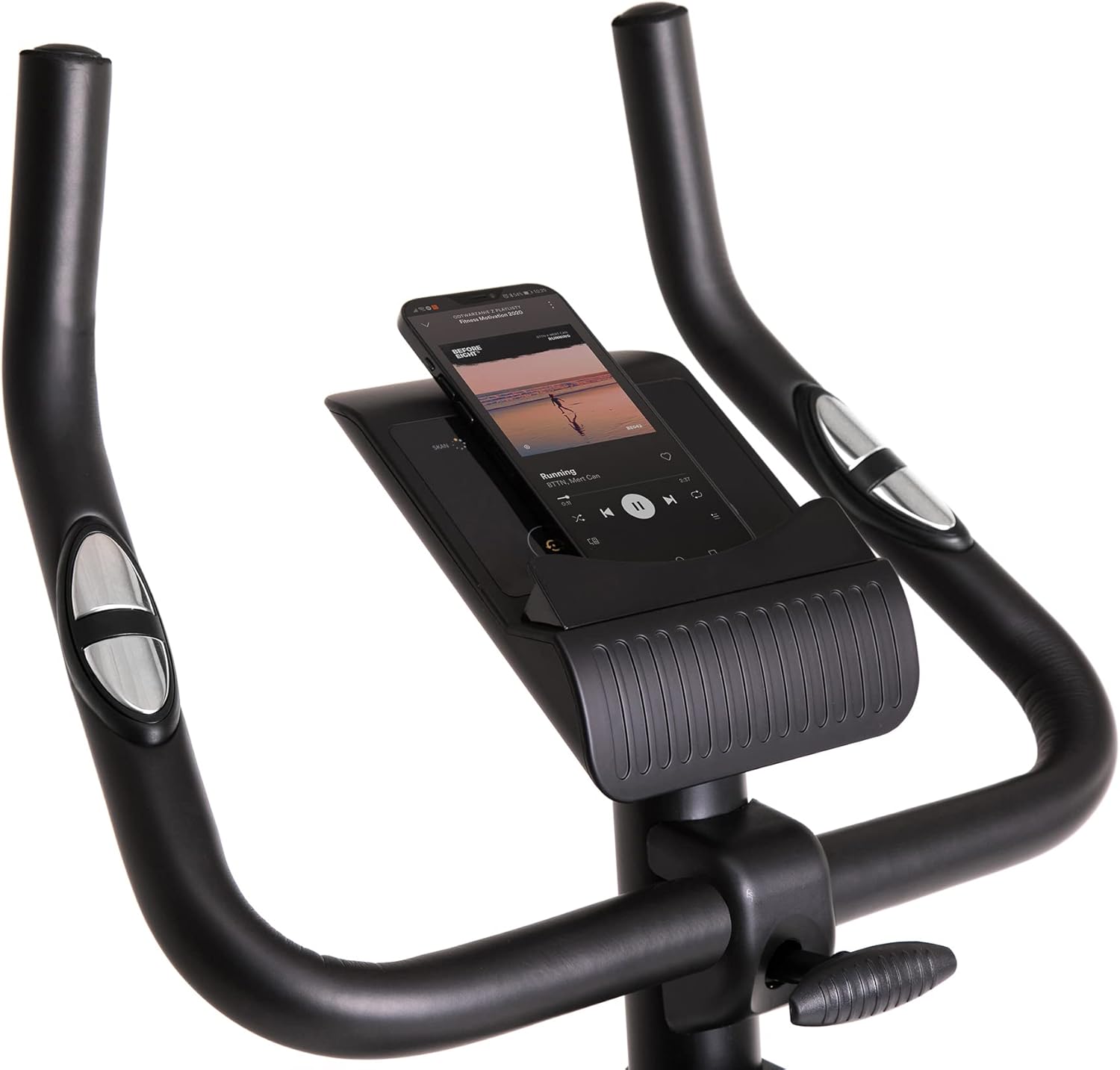
Demonstrates a smartphone securely placed in the integrated holder, ready for entertainment or fitness app use during a workout session.
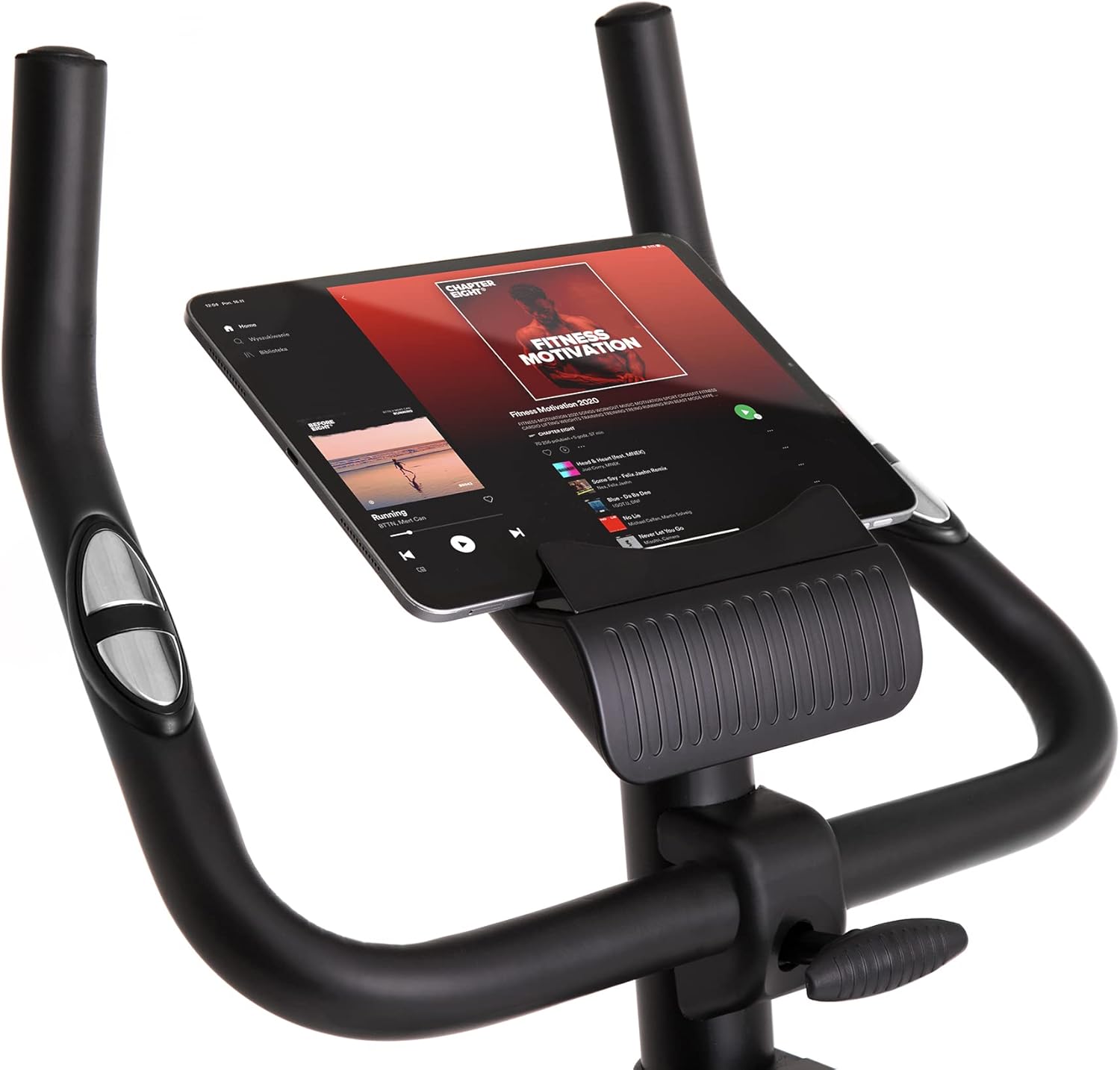
Shows a larger tablet device fitting comfortably in the holder, providing a wider screen for viewing media or following guided workouts.
6. メンテナンス
- クリーニング: 広告で自転車を拭くamp 使用後は毎回布で汗やほこりを拭き取ってください。研磨剤入りの洗剤は使用しないでください。
- 潤滑: Periodically check and lubricate moving parts as recommended in the full manual (if applicable).
- 検査: すべてのボルト、ナット、可動部品の締め付け具合と摩耗を定期的に点検してください。緩んでいる留め具は締め直してください。
- ストレージ: Store the bike in a dry, cool place away from direct sunlight and extreme temperatures. Use the transport wheels for easy relocation.
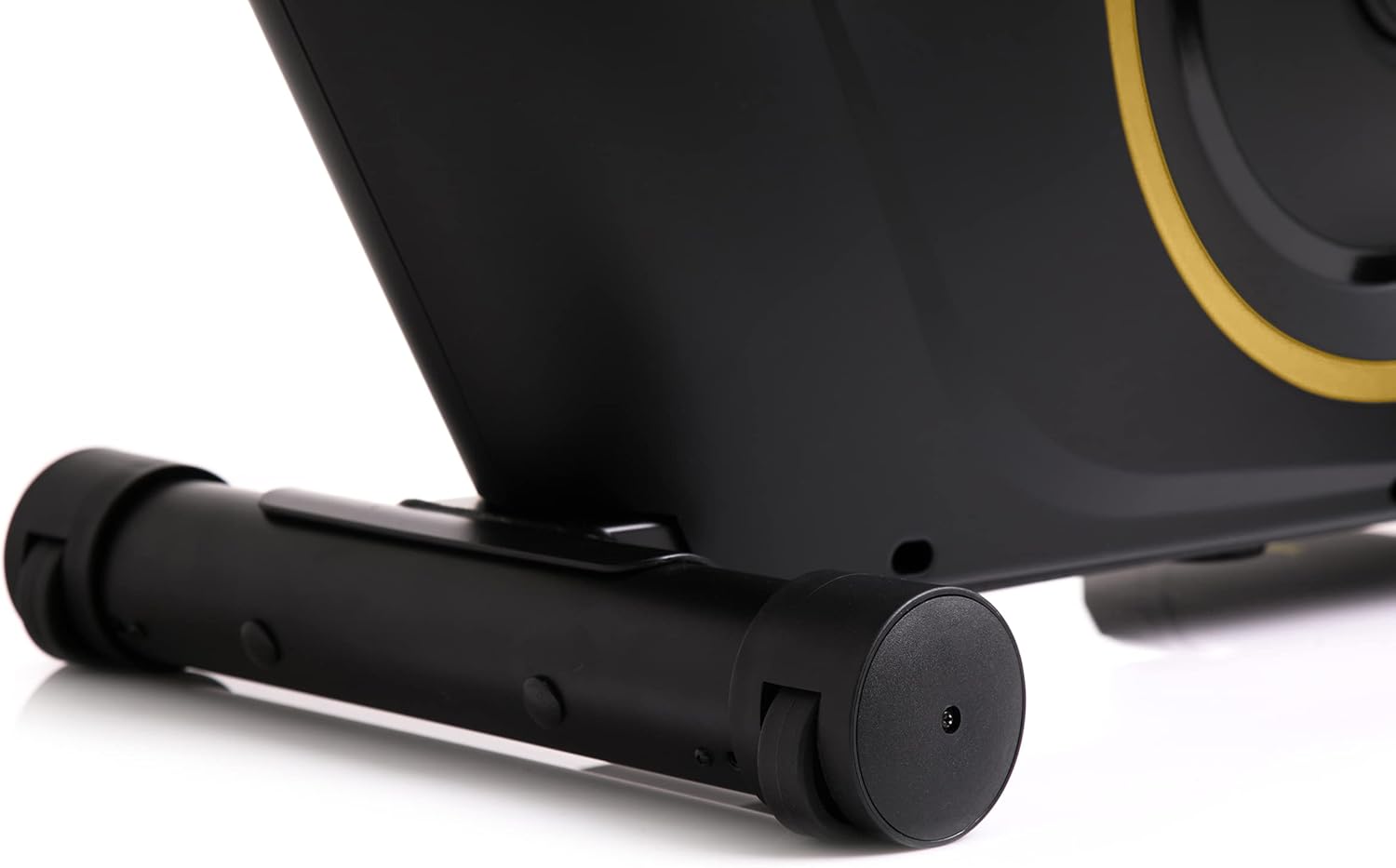
The front stabilizer features integrated transport wheels, making it easy to move the exercise bike around your home for convenient storage or placement.

A practical water bottle holder is positioned on the main frame, ensuring hydration is always within reach during your workout.
7。 トラブルシューティング
| 問題 | 考えられる原因 | 解決 |
|---|---|---|
| Computer display not working | ケーブル接続が緩んでいる、電池切れ | Check all cable connections. Replace batteries in the computer console. |
| 動作中に異音がする | 緩んだ部品、摩擦 | すべてのボルトとナットがしっかりと締まっているか確認してください。部品同士が擦れ合っていないことを確認してください。 |
| バイクが不安定に感じる | 凹凸のある表面、緩んだスタビライザー | Place the bike on a flat, level surface. Tighten bolts on front and rear stabilizers. |
| 抵抗は変化しない | 耐性機構の問題 | 抵抗ノブがスムーズに回転することを確認してください。問題が解決しない場合は、カスタマーサポートにお問い合わせください。 |
8. 仕様
| 特徴 | 詳細 |
|---|---|
| モデルカラー | ブラック/ゴールド |
| スタイル | Boost Gold |
| 駆動システム | ベルト |
| 主な材質 | Plastic, Metal, Polyethylene |
| 電源 | 電池駆動 |
| 最大重量容量 | 120キログラム |
| メーカー | Morele.net Sp。 z oo |
| 商品型番 | 5944584 |
| 製品寸法(長さ x 幅 x 高さ) | 107 x 47 x 141 cm |
| アイテム重量 | 23キログラム |
| 抵抗メカニズム | 磁気 |
| 推奨用途 | Home, Gym, Studio, Indoor |
9. 製品ビデオ
This video provides a general presentation of the ZIPRO product range, showcasing various fitness equipment designed for home use. While not specific to the Boost Gold model, it highlights the brand's commitment to quality and home fitness solutions.
10. 保証とサポート
For warranty information and customer support, please refer to the documentation included with your purchase or visit the official ZIPRO webサイトでご確認ください。保証請求に備えて購入証明書を保管してください。