
1. はじめに
Thank you for choosing the ZIPRO Pacemaker Gold Folding Treadmill. This manual provides essential information for the safe and effective assembly, operation, and maintenance of your new fitness equipment. Please read this manual thoroughly before using the treadmill and keep it for future reference.
2. 重要な安全情報
安全を確保し、トレッドミルの寿命を延ばすために、次の注意事項を守ってください。
- 使用する前にこのマニュアルのすべての指示をお読みください。
- 運動プログラムを開始する前に医師に相談してください。
- 動作中は子供やペットをトレッドミルに近づけないでください。
- 適切な運動服と運動靴を着用してください。
- トレッドミルは、背後に少なくとも 2 メートル、両側に 0.6 メートルのスペースがある安定した水平な面に設置してください。
- Always use the safety key. Attach the clip to your clothing before starting your workout.
- 最大使用者体重150kgを超えないようにしてください。
- 気分が悪くなったり、めまいがしたり、痛みを感じたりした場合は、直ちに運動を中止してください。
3.製品オーバーview および機能
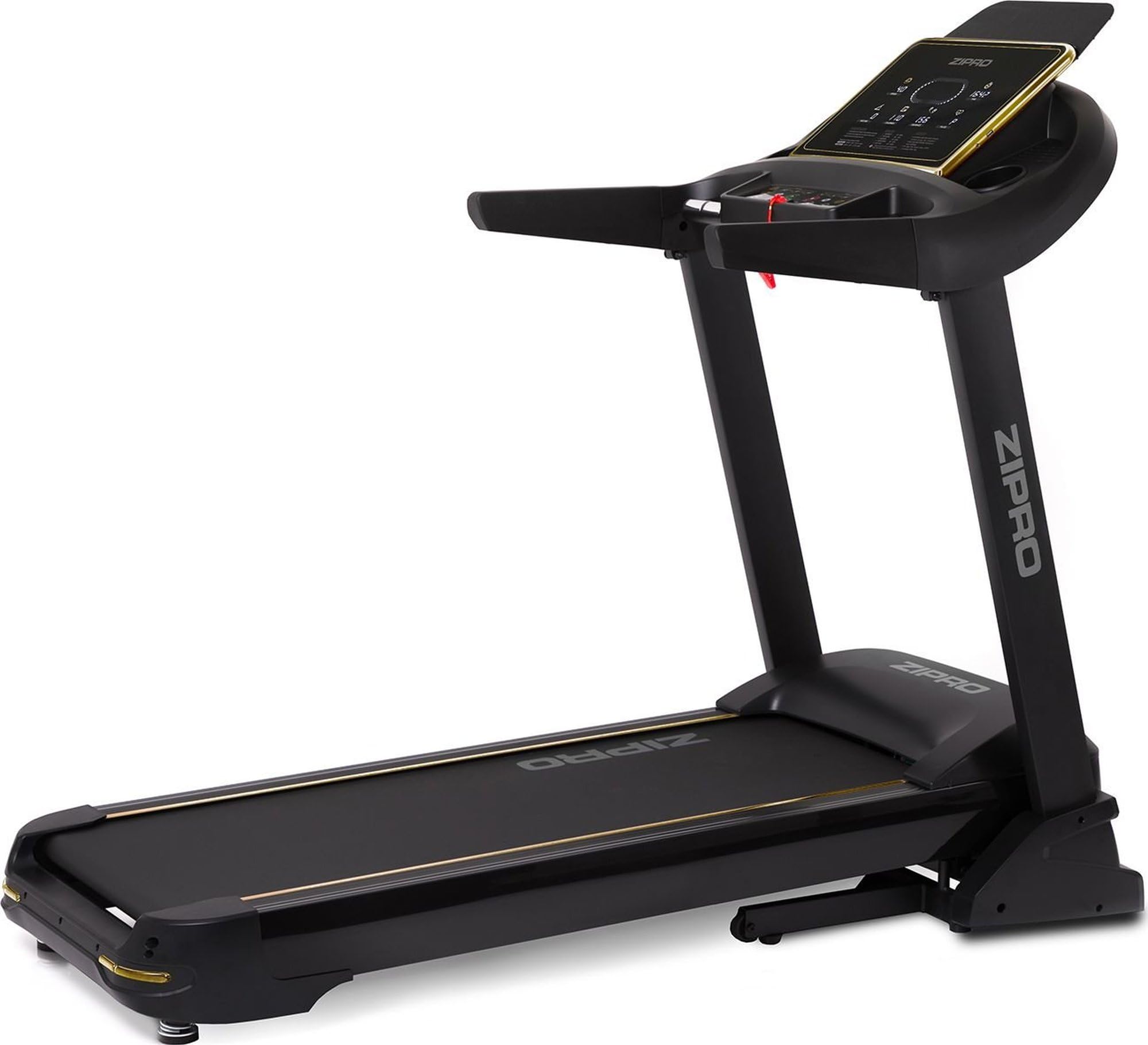
The ZIPRO Pacemaker Gold Treadmill is designed for home use, offering a comprehensive workout experience with advanced features.
主な特徴:
- Secure Home Training: Supports speeds from 1 to 22 km/h and a maximum user weight of 150 kg, suitable for walking, jogging, and running.
- 豊富なプログラム: Includes 99 pre-set training programs and 3 user-defined profileパーソナライズされたワークアウトのためのs。
- Optimal Cushioning: Equipped with the Comfort+ Protect cushioning system to reduce impact on joints.
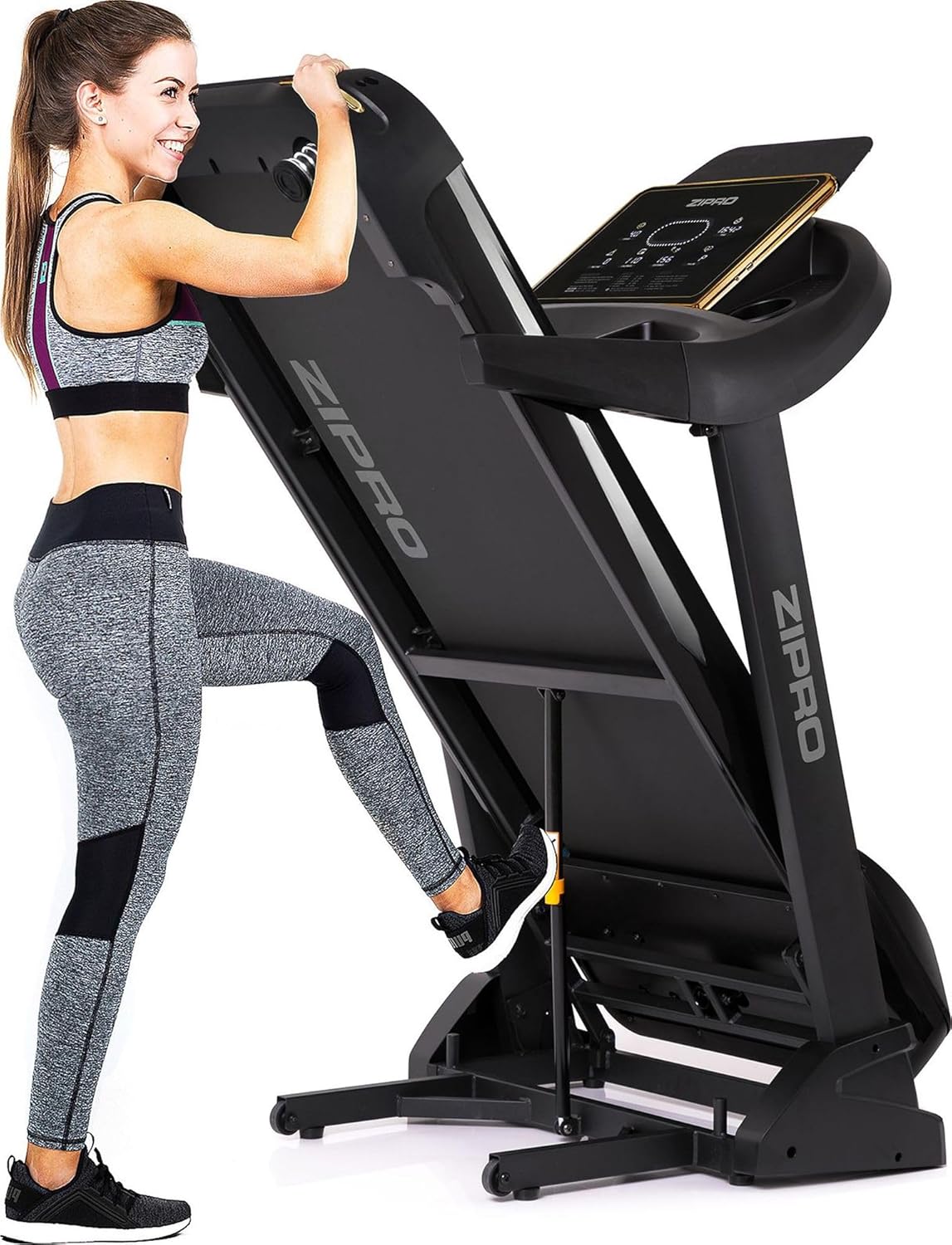
- 省スペース設計: Features a quick and secure folding mechanism with transport wheels for easy storage in compact spaces.
- 最新の接続性: Compatible with iConsole+ and Kinomap applications, includes USB and MP3 ports, and a mobile device holder.
- 調整可能な傾斜: Offers 20 levels of adjustable incline for varied intensity workouts.
コンポーネント:
Familiarize yourself with the main parts of your treadmill:


4. セットアップ手順
4.1 開梱
すべての部品をパッケージから慎重に取り出してください。輸送中に損傷がないか確認してください。将来の輸送や保管のために、パッケージは保管しておいてください。
4.2 組み立て
While specific assembly steps are detailed in the included assembly guide, general steps involve:
- 支柱をベースフレームに取り付けます。
- コンソールを支柱に固定します。
- 組み立てガイドに示されているように、必要なケーブルをすべて接続します。
- すべてのボルトとナットがしっかりと締められていることを確認してください。
4.3 配置
Choose a location that is flat, stable, and provides adequate clearance around the treadmill for safe operation and access. Ensure the power cord is not obstructed or placed in a high-traffic area.
5. 操作手順
5.1 電源のオン/オフ
Connect the power cord to a grounded outlet. Flip the main power switch located near the front base of the treadmill to the 'ON' position. To turn off, flip the switch to 'OFF' and unplug the unit.
5.2 コンソールの使用
The console displays various workout metrics such as speed, time, distance, calories burned, and pulse. Use the control buttons to adjust speed and incline, select pre-set programs, or start/stop your workout.

5.3緊急停止
The safety key is a critical safety feature. In case of an emergency, pulling the safety key from the console will immediately stop the treadmill. Always attach the safety key clip to your clothing before beginning your workout.
5.4 Programs and User Profiles
Select from 99 pre-set programs designed for various fitness goals. You can also create and save up to 3 personalized user profiles to store your preferred settings and track progress.
5.5 アプリの接続性
The treadmill is compatible with iConsole+ and Kinomap applications. Download the apps to your mobile device and connect via Bluetooth for interactive training experiences, virtual routes, and advanced workout tracking.


5.6 Media Ports
Use the integrated USB port to charge your mobile device or connect a USB drive for media playback. The MP3 port allows you to connect an external audio device.
6. メンテナンス
定期的なメンテナンスにより、トレッドミルの最適なパフォーマンスと寿命が確保されます。
6.1 クリーニング
コンソールと外装の表面を拭きますamp cloth after each use. Avoid using abrasive cleaners or solvents. Keep the area around the treadmill clean and free of dust.
6.2 潤滑
The running belt requires periodic lubrication to reduce friction and wear. Refer to your assembly guide for specific instructions on how and when to lubricate the belt. Use only silicone-based treadmill lubricant.
6.3 ベルトの張力とアライメント
Periodically check the running belt for proper tension and alignment. If the belt feels loose or drifts to one side, consult your assembly guide for instructions on how to adjust it using the rear rollers.
7。 トラブルシューティング
トレッドミルで問題が発生した場合は、次の一般的な問題と解決策を参照してください。
| 問題 | 考えられる原因 | 解決 |
|---|---|---|
| トレッドミルの電源が入りません。 | 電源コードが抜かれ、メインスイッチがオフになり、回路ブレーカーが落ちます。 | 電源接続を確認し、メインスイッチがオンになっていることを確認し、必要に応じて回路ブレーカーをリセットします。 |
| 走行ベルトが突然停止します。 | Safety key removed, motor overload. | 安全キーを再度挿入してください。負荷を減らすか、モーターを冷却してください。 |
| ランニングベルトが滑ったり、もたついたりします。 | ベルトが緩みすぎ、潤滑が不十分です。 | Adjust belt tension (refer to assembly guide), lubricate belt. |
| 動作中に異常な音がする。 | Loose parts, worn components, motor issue. | Check all bolts and nuts for tightness. If noise persists, contact customer support. |
For issues not listed here or if solutions do not resolve the problem, please contact ZIPRO customer support.
8. 仕様
| 仕様 | 価値 |
|---|---|
| モデル番号 | 5943078 |
| アイテム重量 | 81キログラム |
| 製品寸法(長さ x 幅 x 高さ) | 188 x 82 x 151 cm |
| 最高速度 | 22 Kilometers per hour |
| 最大ユーザー重量 | 150キロ |
| 傾斜レベル | 20 |
| プログラム | 99 |
| 接続技術 | ブルートゥース、USB |
| 材料 | Polyethylene (PE) Plastic, Metal |
| 色 | 黒 |
| メーカー | Morele sp. z o.o |
| 言語(マニュアル) | ドイツ語、英語、スペイン語、フランス語、イタリア語 |
9. 保証とサポート
Your ZIPRO Pacemaker Gold Treadmill comes with a manufacturer's warranty. Please refer to the warranty card included in your product packaging for specific terms and conditions. For technical support, spare parts, or service inquiries, please contact ZIPRO customer service. Information regarding spare parts availability is currently unavailable through this document.
10. Brand Overview
このビデオでは、view of the ZIPRO brand and its range of fitness equipment. While not specific to the Pacemaker Gold Treadmill, it showcases the brand's commitment to home fitness solutions.