
1. はじめに
Thank you for choosing the Zipro Pacemaker Treadmill. This manual provides essential information for the safe assembly, operation, and maintenance of your new fitness equipment. Please read this manual thoroughly before using the treadmill and keep it for future reference.
The Zipro Pacemaker Treadmill is designed for home use, offering a robust construction, a wide running belt, and a powerful motor for various training intensities. Its folding design and transport wheels ensure convenient storage and mobility.
2. 安全に関する注意事項
WARNING: Before starting any exercise program, consult your physician, especially if you have pre-existing health conditions.
- Always place the treadmill on a flat, stable surface with adequate clearance around it (at least 2 meters behind and 0.6 meters on each side).
- 動作中は子供やペットをトレッドミルに近づけないでください。
- 適切な運動靴と衣類を着用してください。可動部に巻き込まれる可能性のあるゆったりとした服装は避けてください。
- Always use the safety key/clip. Attach the clip to your clothing before starting your workout. In case of an emergency, pulling the safety key will immediately stop the treadmill.
- Do not step on or off the treadmill while the belt is moving. Start at a slow speed and gradually increase.
- Hold onto the handrails for balance, especially when starting or adjusting speed/incline.
- Do not attempt to service the treadmill yourself. Refer to qualified service personnel for repairs.
- Ensure the power cord is not damaged or placed under the treadmill.
- 最大使用者重量容量: 150 kg。
3. パッケージ内容
パッケージにすべてのコンポーネントが含まれていることを確認します。
- 1 x Zipro Pacemaker Treadmill (main unit)
- ユーザーマニュアル x 1
- Assembly tools (if applicable)
- 安全キー
4. セットアップと組み立て
The Zipro Pacemaker Treadmill features a convenient folding design for easy setup and storage. Follow these general steps for assembly:
- 開梱: パッケージからすべてのコンポーネントを慎重に取り出します。
- ポジショニング: Place the treadmill on a level surface in your desired workout area. Ensure sufficient space around the unit.
- 展開: Gently lower the running deck from its folded position until it locks into place. Refer to the specific instructions in your included manual for the exact unfolding mechanism.
- コンポーネントの保護: Attach any loose components such as the console, handrails, or safety key holder as per the detailed assembly instructions.
- 電源接続: 電源コードをアース付きコンセントに差し込みます。


5. 操作手順
5.1 コンソール終了view
The treadmill features an intuitive LED display console that shows key workout metrics.


5.2 ワークアウトの開始
- トレッドミルがコンセントに接続され、安全キーが取り付けられていることを確認します。
- トレッドミルのサイドレールに乗ります。
- を押す 始める コンソールのボタンを押します。ベルトが低速で動き始めます。
- 動いているベルトに慎重に乗り、歩き始めます。
5.3 速度と傾斜の調整
- スピード: 使用 スピード+ そして スピード - buttons to adjust the belt speed from 1 km/h to 22 km/h. Quick speed buttons may also be available for instant adjustments.
- 傾斜: 使用 傾斜 + そして 傾斜 - buttons to adjust the incline level (0-15 levels). Quick incline buttons may also be available.
5.4 ワークアウトの停止
- を押す 停止 button to gradually slow down and stop the treadmill.
- 緊急時には、安全キーを引いてトレッドミルを直ちに停止してください。
5.5 Using Bluetooth and USB
- ブルートゥース: The treadmill supports Bluetooth connectivity. Pair your device to stream audio through the integrated speakers or connect to compatible fitness applications like Kinomap for interactive workouts.
- USB: Use the USB port to charge your mobile devices during your workout.
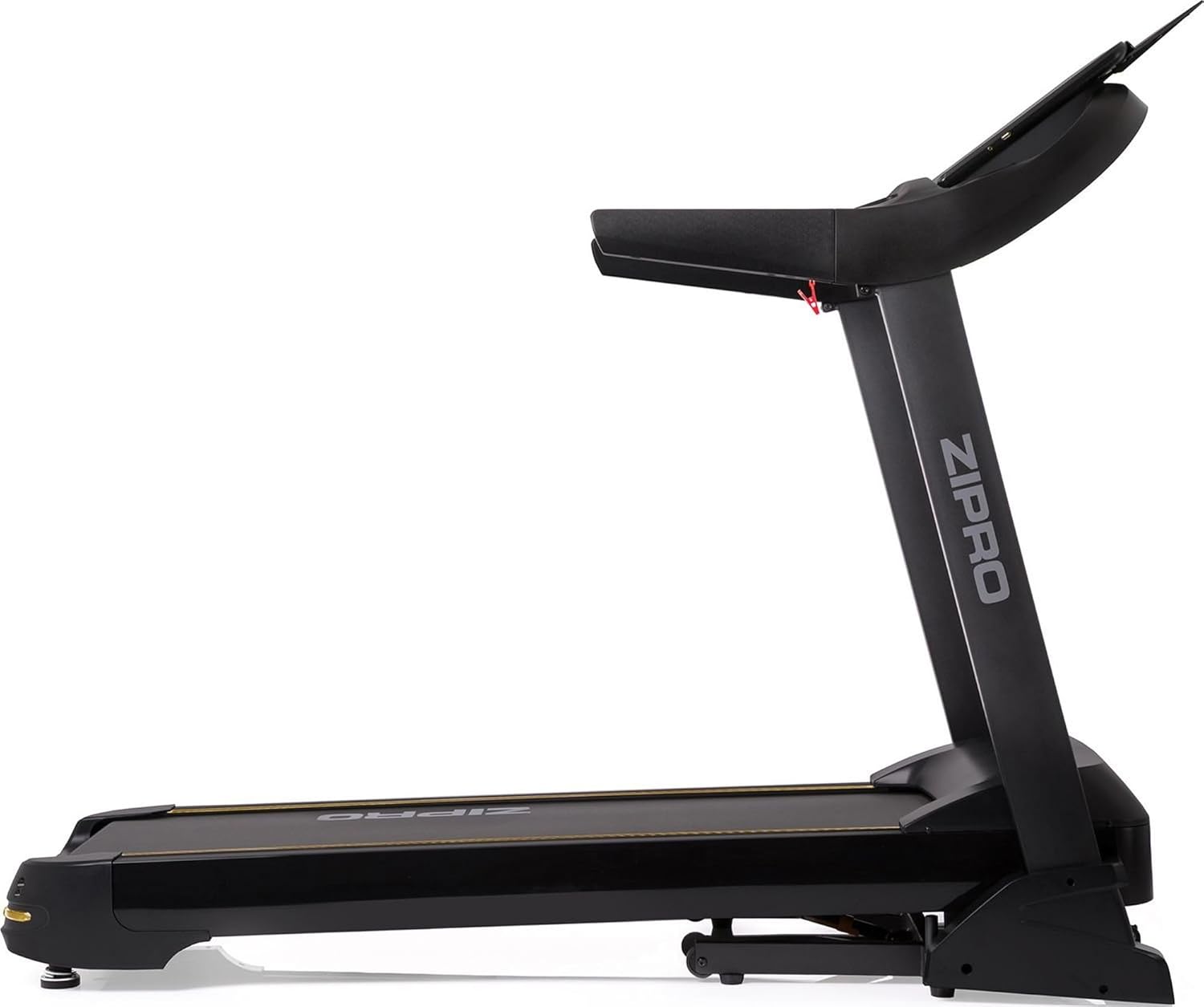

6. プログラムと機能
The Zipro Pacemaker Treadmill offers a variety of training options to suit your fitness goals:
- プリセットプログラム: The computer is equipped with 99 pre-set workout programs designed for various fitness levels and goals.
- ユーザープログラム: Create and save up to 3 individual user programs to customize your training experience.
- 心拍数モニタリング: Integrated pulse sensors in the handrails allow you to monitor your heart rate during your workout.
- 調整可能な傾斜: Simulate uphill running with 15 levels of electronic incline adjustment.
- 広い速度範囲: Speeds from 1 to 22 km/h accommodate walking, jogging, and high-intensity running.
7. メンテナンス
定期的なメンテナンスにより、トレッドミルの寿命が長くなり、最適なパフォーマンスが確保されます。
- クリーニング: コンソールやその他の表面を広告で拭きますamp 使用後は毎回布で拭いてください。研磨剤入りの洗剤は使用しないでください。
- ベルトの潤滑: Periodically lubricate the running belt according to the instructions in your specific manual (usually every few months depending on usage). This reduces friction and extends belt life.
- ベルトの張力と位置合わせ: Check the running belt tension and alignment regularly. Adjust if necessary to prevent slipping or rubbing.
- モーターカバー: 適切な換気を確保するために、モーター カバーを清潔に保ち、ほこりを取り除いてください。
- 検査: Regularly inspect all nuts, bolts, and moving parts for tightness and wear. Tighten or replace as needed.


8。 トラブルシューティング
If you encounter issues with your Zipro Pacemaker Treadmill, refer to the following common problems and solutions:
- トレッドミルの電源が入らない:
- 電源コードが機能しているコンセントにしっかりと差し込まれているかどうかを確認します。
- Ensure the safety key is correctly placed in its slot.
- 自宅のブレーカーまたはヒューズを確認してください。
- ランニングベルトが滑ったり、動きが遅くなる:
- ランニングベルトに潤滑油が必要な可能性があります。メンテナンスのセクションを参照してください。
- The running belt may be too loose. Adjust the tension according to your specific manual.
- Console display is not working correctly:
- コンソールへのすべてのケーブル接続が確実に行われていることを確認します。
- Try turning the treadmill off and on again.
- 動作中の異常音:
- Check for any loose parts or foreign objects under the belt.
- トレッドミルが水平な場所にあることを確認してください。
For persistent issues not covered here, please contact customer support or refer to the full troubleshooting guide in your included manual.
9. 仕様
| 特徴 | 仕様 |
|---|---|
| モデル番号 | 5942805 |
| ブランド | ジプロ |
| 寸法(展開) | 188 x 82 x 151 cm (長さ x 幅 x 高さ) |
| 寸法(折りたたみ) | 118 x 82 x 151 cm (長さ x 幅 x 高さ) |
| 重さ | 81キロ |
| 最大ユーザー重量 | 150キロ |
| 速度範囲 | 1~22 km/h |
| 傾斜レベル | 15(調整可能) |
| モーター馬力 | 5 HP(ピーク) |
| 表示タイプ | LED (7 windows) |
| トレーニングプログラム | 99 Pre-set + 3 User Programs |
| 接続性 | ブルートゥース、USB |
| 材料 | Polyethylene (PE), Metal, Plastic |
| 特集 | Adjustable incline, Bluetooth app compatibility, Elegant design, Transport wheels |
10. 保証とサポート
For information regarding warranty coverage, product registration, or technical support, please refer to the warranty card included with your purchase or visit the official ZIPRO webサイトでご確認ください。保証請求に備えて購入証明書を保管してください。