
1. はじめに
The D-Link Wireless N300 Dual Band PCI Express Desktop Adapter (DWA-566) provides high-speed wireless connectivity for your desktop computer. Utilizing Wireless N technology, it maximizes the speed and range of your wireless signal, offering superior performance compared to Wireless G devices. The dual-band capability supports both 2.4GHz and 5GHz wireless signals, allowing for flexible network usage, such as browsing on 2.4GHz and HD streaming or gaming on the clearer 5GHz band.
This adapter is designed to fit into any standard PCI Express slot, offering a higher performance interface than legacy PCI. It supports secure wireless networks with WPA or WPA2 encryption.

Figure 1.1: D-Link DWA-566 Wireless N300 Dual Band PCI Express Desktop Adapter with antennas.
2. 特徴
The DWA-566 adapter includes the following key features:
- IEEE 802.11n, 802.11g, and 802.11a Compliant
- Dual Band Technology for Superior Wireless Performance (2.4GHz or 5GHz)
- Access secure wireless networks using advanced WPA or WPA2 encryption
- Fits into any standard PCI Express slot
- PCI Express Interface provides higher performance than a legacy PCI interface
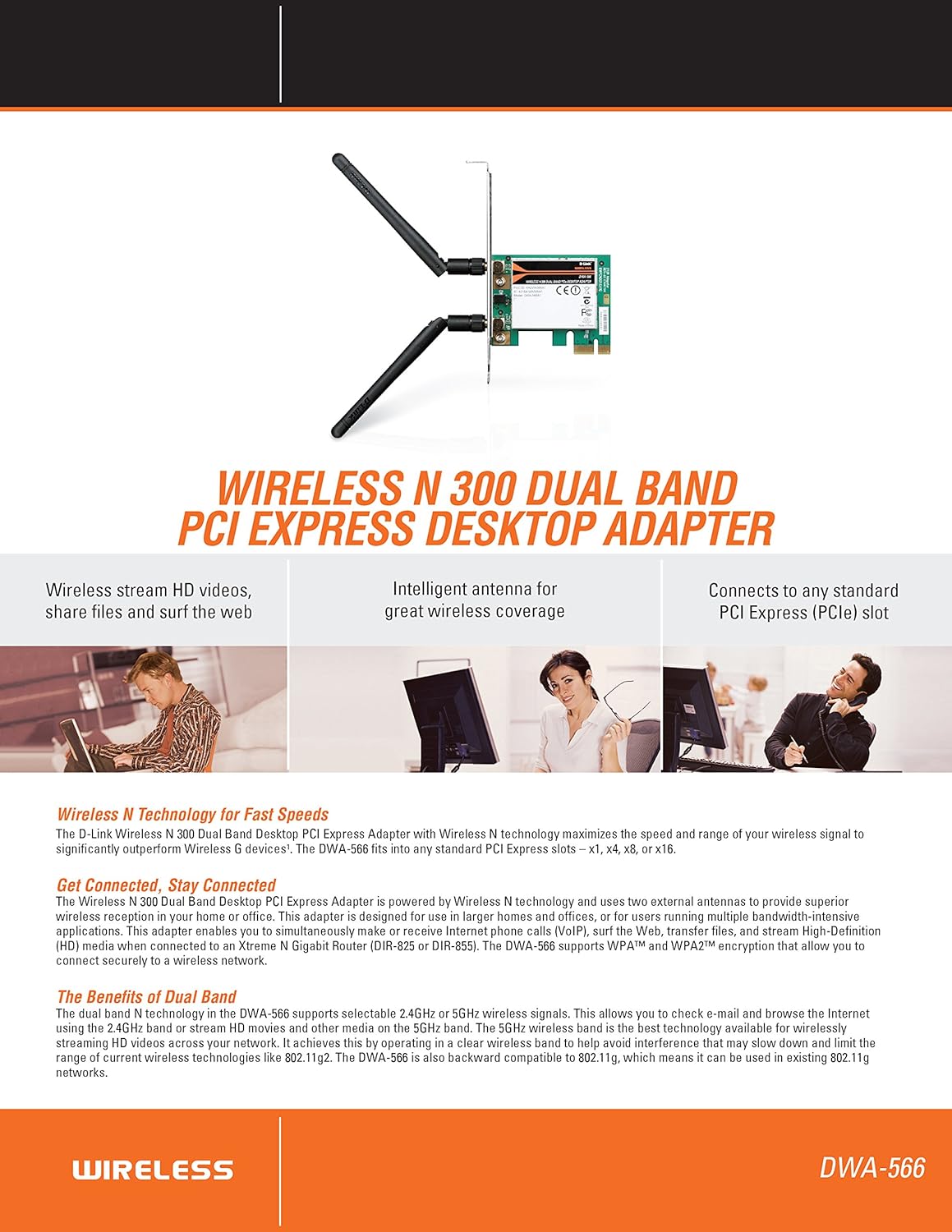
図2.1:以上view of DWA-566 features and benefits.
3. パッケージ内容
パッケージに次のアイテムが含まれていることを確認してください。
- Wireless N 300 Dual Band PCI Express Adapter (DWA-566)
- 取り外し可能なアンテナ2本
- ロープロfile 取り付けブラケット
- クイックインストールガイド
- CD-ROM with:
- D-Link ワイヤレス接続マネージャー
- ドライバー
- 製品ドキュメント
4. システム要件
Before installing the DWA-566, ensure your system meets the following minimum requirements:
- Computer with an available PCI Express slot
- Windows operating system (Windows XP, Vista, 7, 8, 10)
- CD-ROM drive (for driver installation from included CD)
- Internet Explorer 7 or Firefox 3.0 and above (for viewing documentation)
- インターネット サービス プロバイダー (ISP) との契約
For optimal performance, a D-Link Wireless N router (DIR-655 or DIR-825) is recommended.

Figure 4.1: Detailed technical specifications, minimum requirements, and network diagram.
5. セットアップとインストール
5.1 ハードウェアのインストール
- Power Off Computer: コンピュータの電源をオフにして、電源コードを抜きます。
- コンピュータケースを開く: Remove the computer case cover.
- PCI Express スロットを見つけます: Find an available PCI Express slot on your motherboard.
- 挿入アダプタ: Carefully insert the DWA-566 adapter into the PCI Express slot, ensuring it is seated firmly.
- セキュアアダプター: Secure the adapter with a screw to the computer chassis.
- アンテナを接続します。 Screw the two included antennas onto the connectors on the adapter.
- ケースを閉じて電源を入れます: Replace the computer case cover, plug in the power cord, and power on your computer.

Figure 5.1: DWA-566 adapter with antennas attached, ready for installation.
5.2 ソフトウェアのインストール
After hardware installation, proceed with driver and utility installation:
- インストール CD を挿入します: Insert the DWA-566 installation CD into your computer's CD-ROM drive. The setup wizard should launch automatically. If not, navigate to the CD drive and run the 'Setup.exe' file.
- 画面上の指示に従ってください: Follow the prompts of the D-Link setup wizard to install the drivers and the D-Link Wireless Connection Manager utility.
- コンピューターを再起動: After the installation is complete, restart your computer when prompted.
注記: For Windows 7/8 64-bit systems, ensure you are using the latest drivers available from the official D-Link support website to avoid potential compatibility issues.
6. 操作手順
Once the drivers are installed, you can connect to a wireless network:
- Launch Connection Manager: Open the D-Link Wireless Connection Manager utility or use the built-in Windows wireless network utility.
- ネットワークをスキャン: The utility will scan for available wireless networks in your area.
- ネットワークを選択: Choose your desired wireless network (SSID) from the list.
- セキュリティキーを入力してください: If the network is secured, enter the correct WPA/WPA2 security key or passphrase.
- 接続する: 「接続」をクリックしてワイヤレス接続を確立します。
A successful connection will be indicated by a strong signal strength and internet access.
7. メンテナンス
DWA-566 アダプターの最適なパフォーマンスと寿命を確保するには:
- ドライバーを最新の状態に保つ: D-Linkサポートを定期的にチェックする web最新のドライバーとファームウェアのアップデートについては、こちらのサイトをご覧ください。
- 適切な換気を確保する: Make sure your computer case has adequate airflow to prevent overheating of internal components, including the wireless adapter.
- アンテナの位置: Adjust the antennas for the best possible signal reception.
- 環境要因: Avoid placing your computer near large metal objects or other devices that may cause wireless interference.
8。 トラブルシューティング
DWA-566 アダプタで問題が発生した場合は、次の点を考慮してください。
8.1 ワイヤレス接続なし
- Verify Hardware Installation: Ensure the adapter is correctly seated in the PCI Express slot and antennas are securely attached.
- ドライバーの確認: Confirm that the drivers are installed correctly. Check Device Manager for any error symbols next to the network adapter. Reinstall drivers if necessary.
- ルーターのステータス: ワイヤレス ルーターの電源がオンになっていて、信号が送信されていることを確認します。
- セキュリティキー: Double-check that the correct wireless security key (WPA/WPA2 passphrase) is entered.
- ファイアウォール設定: Temporarily disable your computer's firewall to see if it is blocking the connection. If it resolves the issue, configure your firewall to allow the D-Link utility.
8.2 Slow Connection Speed or Frequent Disconnections
- アンテナ調整: Try repositioning the antennas for better signal reception.
- 干渉: Move the computer away from potential sources of interference (e.g., cordless phones, microwaves, Bluetooth devices).
- ルーターの近接性: Ensure the computer is within the effective range of your wireless router.
- Dual Band Usage: If your router supports it, try connecting to the 5GHz band for less interference and potentially higher speeds, especially for streaming or gaming.
- ドライバーの更新: Update the adapter drivers to the latest version from the D-Link webサイト。
9. 仕様
| 特徴 | 仕様 |
|---|---|
| ブランド | Dリンク |
| モデル番号 | DWA-566 |
| ハードウェアインターフェイス | PCIエクスプレス |
| データリンクプロトコル | IEEE 802.11n, 802.11g, 802.11a |
| データ転送速度 | 最大300メガビット/秒 |
| 周波数帯域 | 2.4 GHz / 5 GHz(デュアルバンド) |
| 安全 | WPA、WPA2 |
| 対応デバイス | デスクトップコンピュータ |
| アイテム重量 | 0.4ポンド(約181グラム) |
| 外部試験認証 | FCC B, IC B, CE, C-Tick |
10. 保証とサポート
The D-Link Wireless N300 Dual Band PCI Express Desktop Adapter (DWA-566) comes with a 1年間の限定保証. For specific terms and conditions, please refer to the warranty documentation included with your product or visit the official D-Link webサイト。
D-Link provides 24/7 Basic Installation Support to assist with initial setup and configuration. For technical assistance, driver downloads, and further product information, please visit the D-Link support webサイトにアクセスするか、カスタマーサービスにお問い合わせください。
D-Linkサポート Webサイト: https://support.dlink.com/