
ロジクール 981-000341
Logitech H600 ワイヤレス ヘッドセット ユーザー マニュアル
モデル:981-000341
導入
This manual provides comprehensive instructions for the Logitech H600 Wireless Headset. It covers setup, operation, maintenance, and troubleshooting to ensure optimal performance and longevity of your device. The Logitech H600 is a lightweight, portable wireless headset designed for clear audio communication and listening, featuring laser-tuned drivers, a 10-meter wireless range, and a 6-hour rechargeable battery.
箱の中身
The Logitech H600 Wireless Headset package includes the following components:
- ロジクール H600 ワイヤレス ヘッドセット
- USB Nanoレシーバー
- USB充電ケーブル
- ユーザードキュメント(このマニュアル)
製品終了view
Familiarize yourself with the components and features of your Logitech H600 Wireless Headset.
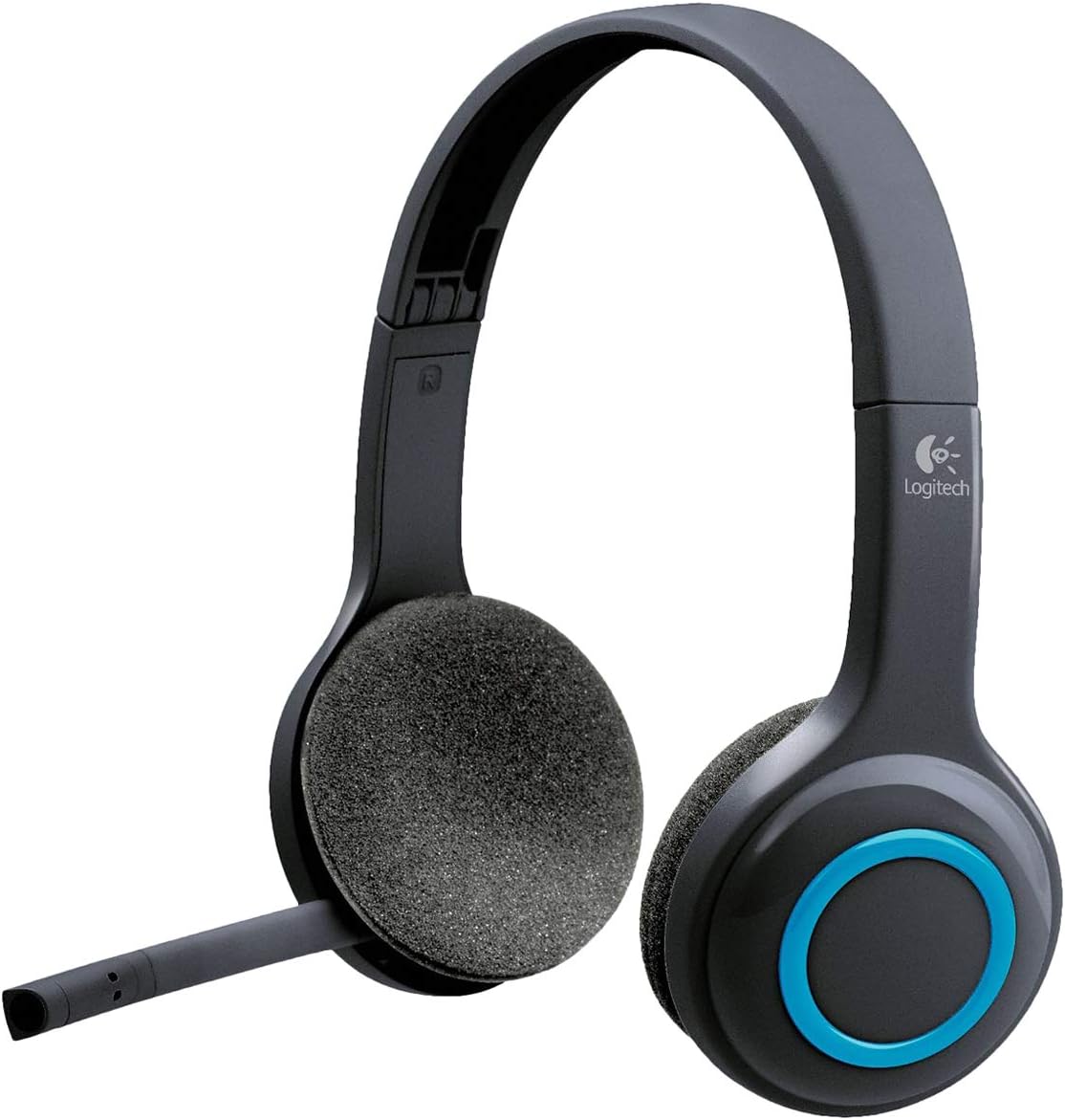
図1: フロント view of the Logitech H600 Wireless Headset, showing the adjustable headband, foam earcups, and the microphone boom extended.

図2: The Logitech H600 Wireless Headset with its flexible microphone boom rotated upwards and tucked away, indicating its portability and ease of storage.

図3: Illustration of the Logitech H600's microphone articulation, showing its range of motion for optimal positioning during calls.

図4: The Logitech H600 Wireless Headset folded compactly, demonstrating its design for easy storage and transport.

図5: 後方 view of the Logitech H600 Wireless Headset, highlighting the headband and earcups from behind.
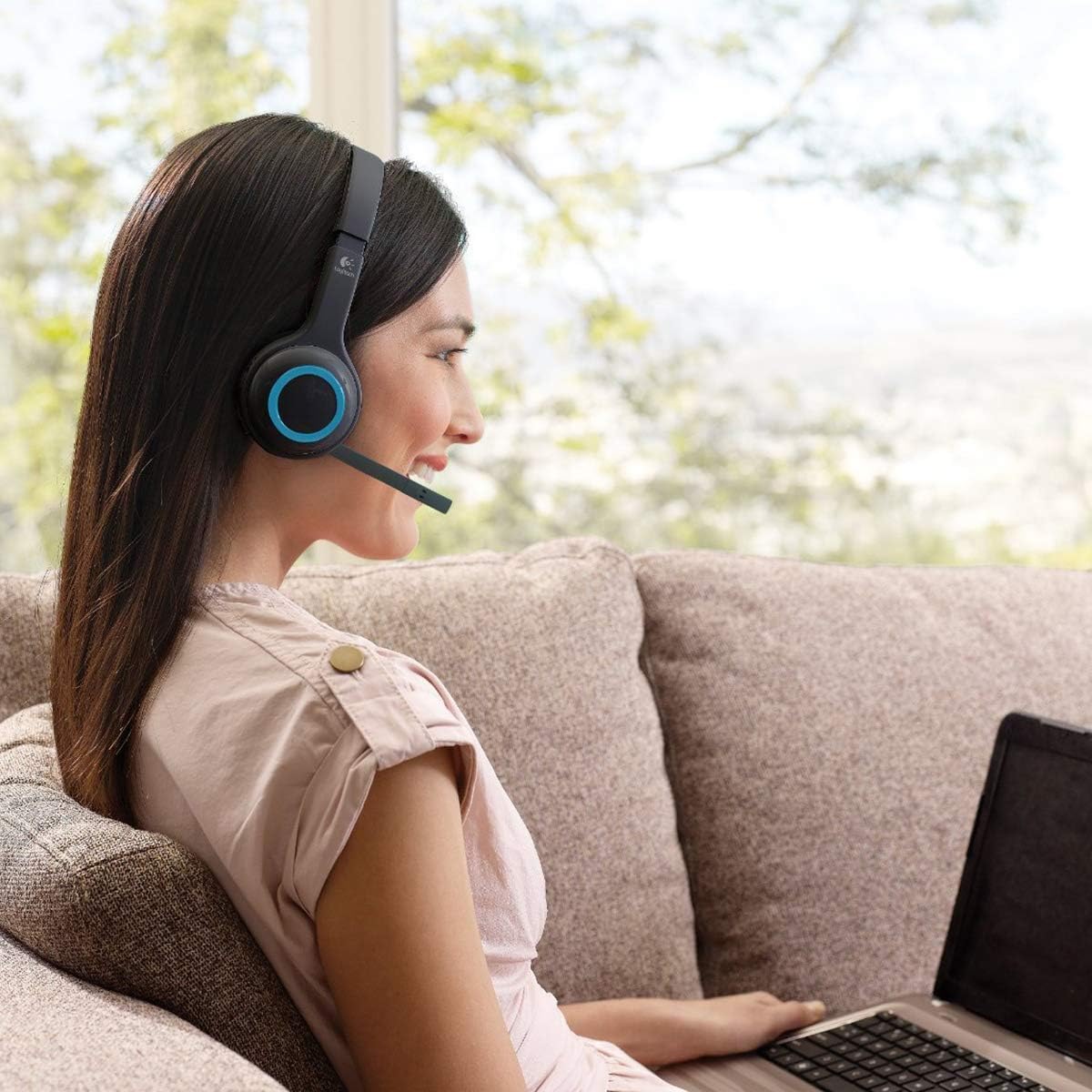
図6: A user wearing the Logitech H600 Wireless Headset while using a laptop, illustrating its comfortable fit and practical use in a home environment.
設定
Follow these steps to set up your Logitech H600 Wireless Headset for the first time.
- ヘッドセットを充電する: Connect the USB charging cable to the headset's charging port and the other end to a USB power source (e.g., computer USB port, USB wall adapter). Allow the headset to fully charge before first use. The charging indicator light will provide status. A full charge provides approximately 6 hours of battery life.
- Insert the USB Nano Receiver: Locate the tiny USB Nano receiver. Plug this receiver into an available USB port on your computer. The receiver is designed to be left in your computer for convenience.
- ヘッドセットの電源をオンにする: Press and hold the Power button on the headset until the indicator light illuminates, indicating it is powered on and attempting to connect.
- ペアリング: The headset and the USB Nano receiver should automatically pair. If pairing does not occur, or if you experience connection issues, refer to the Troubleshooting section or visit the Logitech support website for the re-pairing utility.
- オーディオ設定を構成します。 On your computer, ensure the Logitech H600 Headset is selected as the default audio input (microphone) and output (speakers) device in your operating system's sound settings and within any communication applications (e.g., Skype, Zoom, Microsoft Teams).
操作手順
Learn how to use the various functions of your Logitech H600 Wireless Headset.
コントロール
- 電源ボタン: 長押しするとヘッドセットの電源がオンまたはオフになります。
- ボリュームコントロール: Buttons on the earcup allow you to increase or decrease the audio volume.
- 消音ボタン: A dedicated button on the earcup or microphone boom allows you to mute or unmute the microphone. An audible tone will typically indicate the mute status change.
- マイクブーム: The flexible microphone boom can be adjusted for optimal voice pickup. Rotate it upwards to store it when not in use.
使用上のヒント
- 無線範囲: The headset operates effectively up to 10 meters (33 feet) from your computer. Performance may vary depending on environmental factors and obstacles.
- バッテリー寿命: The integrated rechargeable battery provides up to 6 hours of continuous use. Recharge the headset when the battery low indicator appears or when audio quality degrades.
- 互換性: The headset is compatible with Windows and Mac operating systems, and works with common calling applications such as Skype, Yahoo! Messenger, Gmail, Windows Live Messenger, and AIM.
メンテナンス
Proper care and maintenance will extend the life of your Logitech H600 Wireless Headset.
- クリーニング: ヘッドセットのクリーニングには、柔らかく乾いた布をご使用ください。液体クリーナーや研磨剤は使用しないでください。
- ストレージ: When not in use, store the headset in a cool, dry place. The headset can be folded for compact storage. The USB Nano receiver can be stored securely within the headset itself for portability.
- バッテリーのケア: バッテリーの寿命を延ばすには、バッテリーを頻繁に完全に放電させないでください。ヘッドセットを頻繁に使用しない場合でも、定期的に充電してください。
- 取り扱いにはご注意ください: While durable, avoid dropping the headset or subjecting it to excessive force, especially the microphone boom and adjustable headband.
トラブルシューティング
If you encounter issues with your Logitech H600 Wireless Headset, refer to the following common problems and solutions.
| 問題 | 考えられる原因 | 解決 |
|---|---|---|
| No audio or microphone not working | Headset not powered on, not paired, or incorrect audio settings. | Ensure headset is powered on. Verify the USB Nano receiver is securely plugged in. Check your computer's sound settings to ensure the Logitech H600 is selected as the default playback and recording device. Restart your computer. |
| Poor audio quality or crackling sound | 範囲外、干渉、または電池残量が少ない。 | Move closer to the USB Nano receiver. Ensure there are no major obstructions between the headset and receiver. Charge the headset fully. Avoid using near other wireless devices that may cause interference. |
| ヘッドセットがペアリングされない | Pairing issue or driver problem. | Download and run the Logitech re-pairing utility from the official Logitech support website. Ensure the headset is fully charged. Try plugging the USB Nano receiver into a different USB port. |
| バッテリー寿命が短い | バッテリーが完全に充電されていないか、バッテリーが老朽化しています。 | Ensure the headset is charged for the recommended duration (approx. 6 hours for full charge). If the battery life has significantly degraded over time, it may be reaching the end of its lifespan. |
仕様
Detailed technical specifications for the Logitech H600 Wireless Headset.
- モデル名: 981-000341
- 接続技術: ワイヤレス(USBナノレシーバー)
- Frequency Response (Headset): 40Hz - 10KHz
- Frequency Response (Microphone): 100Hz~6.5kHz
- 入力インピーダンス: 32オーム
- 無線範囲: 最大10メートル(33フィート)
- バッテリー寿命: Up to 6 hours (rechargeable Lithium Polymer battery)
- コントロール: On-earcup controls (Volume, Mute)
- マイクロフォン: Noise-cancelling, flexible boom
- イヤーカップ: Foam, over-ear design
- 重さ: 約0.55ポンド(8.8オンス)
- 製品寸法: 9.5 x 3 x 7.12 インチ (長さ x 幅 x 高さ)
- 互換性: Windows, Mac, common calling applications
保証とサポート
Logitech provides a limited hardware warranty for the H600 Wireless Headset. For detailed warranty information, technical support, or to download the latest drivers and software, please visit the official Logitech support webサイト。
ロジクール公式サポート: https://support.logi.com/
For further assistance, you may also refer to the official User Manual (PDF) available at: https://manuals.plus/m/e85acb55379cef9e93d190a9226097cdd23d992b6fe2492759de680708ba840e
Ask a question about this manual
Ask about setup, troubleshooting, compatibility, parts, safety, or missing instructions. Manuals+ will review the question and use this page’s manual context to help answer it.