
導入
This manual provides essential information for the safe and effective operation of your Laserliner SoundTest-Master 082.070A Noise Level Meter. Please read these instructions carefully before using the device and keep them for future reference. The SoundTest-Master 082.070A is designed for precise measurement of noise levels, featuring integrated long-term memory and PC connectivity for comprehensive documentation.
安全に関する注意事項
- デバイスは常に指定された環境条件下で操作してください。
- デバイスを極端な温度、湿度、または直射日光にさらさないでください。
- デバイスを落としたり、強い衝撃を与えたりしないでください。
- デバイスを開けたり改造したりしないでください。修理は認定された担当者のみが行ってください。
- デバイスを強い磁場から遠ざけてください。
- Ensure the microphone is clean and free from obstructions for accurate measurements.
製品終了view
The Laserliner SoundTest-Master 082.070A is a handheld noise level meter equipped with a sensitive electret condenser microphone and a clear, illuminated display. It features various controls for measurement settings and data management.

図1: フロント view of the SoundTest-Master 082.070A, showing the display, microphone with windshield, and control buttons.
主要コンポーネント:
- Electret Condenser Microphone: For capturing sound. Includes a removable windshield.
- 照明付きディスプレイ: Shows measurement values, settings, and status.
- コントロールボタン: Power, Setup, Max, Record, A/C weighting, Fast/Slow time weighting, Level adjustment, Data send.
- アナログ出力: DC and AC outputs for external connections.
- RS232インターフェース: Optoisolated port for PC connection and data transfer.
設定
1. バッテリーの取り付け
The device requires batteries for operation. Ensure correct polarity when inserting batteries into the compartment, typically located on the rear of the unit.
2. 初回電源投入
を押す 力 button to turn on the device. The display will illuminate and show initial readings.
3. Windshield Attachment
Attach the removable windshield to the microphone to minimize wind noise interference during outdoor measurements.
操作手順
1. 基本測定
- デバイスの電源をオンにするには、 力 ボタン。
- マイクを音源に向けます。
- The current noise level will be displayed in decibels (dB).
2. Frequency Weighting (dB(A), dB(C))
使用 エアコン button to switch between frequency weighting curves:
- dB(A): 音に対する人間の耳の反応をシミュレートします。環境騒音の測定によく使用されます。
- dB(C): Provides a flatter response, suitable for measuring peak sound pressure levels or low-frequency noise.
3. Time Weighting (Fast/Slow)
を押す 速い/遅い 希望する時間重み付けを選択するボタン:
- FAST (125 ms): For measuring rapidly changing noise levels.
- ゆっくり(1秒): For measuring average noise levels over a longer period, suitable for stable noise sources.
4. データロギングとPC接続
The device features a long-term recording function with 16,000 memory points and real-time logging capabilities when connected to a PC.
- Internal Data Logging: を押す 記録 button to start/stop internal data recording. The device can store up to 16,000 measurement points.
- パソコン接続: Connect the device to a computer using the provided RS232 cable.
- ソフトウェア: Install the provided software on your PC. This software allows for real-time data display, analysis, and download of recorded data.
- データの送信: 使用 データを送る button to initiate data transfer to the connected PC.
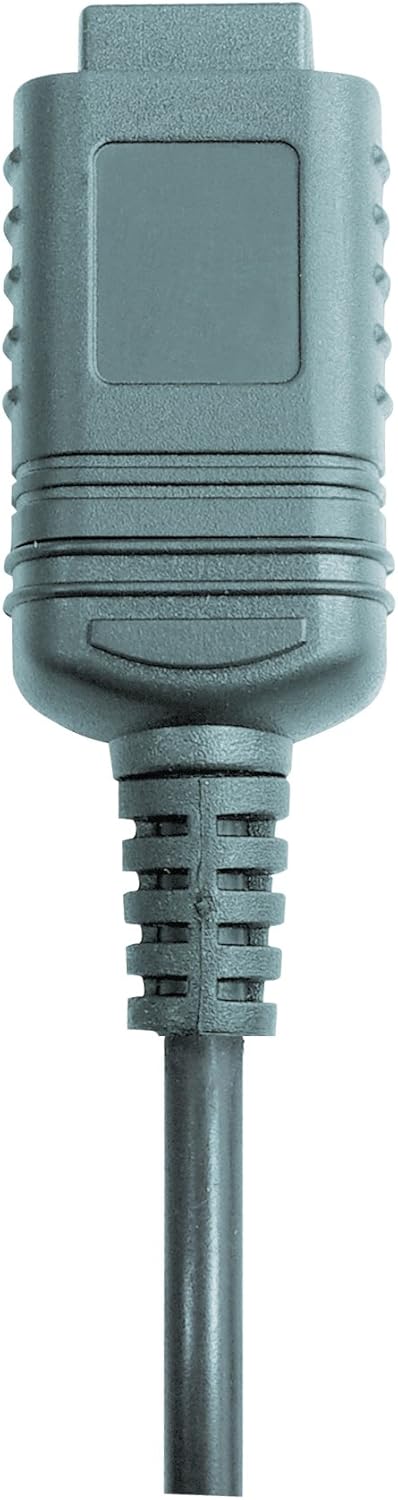

図2: RS232 cable connectors used for connecting the SoundTest-Master to a PC.
5. キャリブレーション
The device can be calibrated and adjusted using a standard noise level calibrator (94 dB / 1 kHz). Refer to the calibrator's instructions for the specific calibration procedure.
メンテナンス
1. 清掃
- デバイスを拭くasin柔らかく乾いた布で拭いてください。
- 研磨剤や溶剤は使用しないでください。
- Ensure the microphone is kept clean and free of dust or debris.
2. ストレージ
When not in use, store the SoundTest-Master in its protective case in a cool, dry place, away from direct sunlight and extreme temperatures. Remove batteries if storing for extended periods.
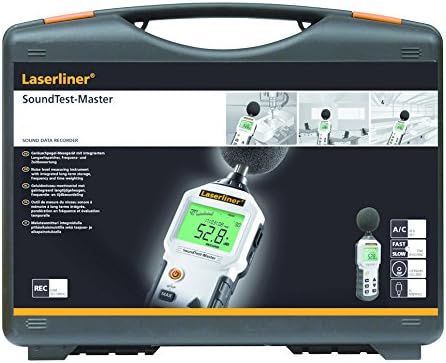
図3: The SoundTest-Master 082.070A stored in its protective carrying case.
トラブルシューティング
| 問題 | 考えられる原因 | 解決 |
|---|---|---|
| デバイスの電源が入りません。 | 電池が切れているか、正しく取り付けられていない。 | 正しい極性を確認して電池を交換してください。 |
| 不正確な測定値。 | Microphone obstructed or dirty; device needs calibration. | Clean microphone; perform calibration with a standard calibrator. |
| No data transfer to PC. | Incorrect cable connection; software not installed or configured. | Check RS232 cable connection; ensure PC software is correctly installed and running. |
| ディスプレイが暗い、または判読できない。 | Low battery power; display backlight off. | Replace batteries; check device settings for backlight control. |
仕様
| 特徴 | 詳細 |
|---|---|
| モデル名 | SoundTest-Master |
| 部品番号 | 082.070A |
| メーカー | ウマレックス |
| ブランド | レーザーライナー |
| 周波数の重み付け | dB(A), dB(C) |
| 時間重み付け | FAST (125 ms), SLOW (1 second) |
| データメモリ | 16,000の測定ポイント |
| インタフェース | Optoisolated RS232 |
| アナログ出力 | 直流と交流 |
| 較正 | Adjustable with 94 dB / 1 kHz standard calibrator |
| マイクロフォン | Sensitive electret condenser with removable windshield |
| 画面 | Illuminated, clear display |
| アイテム重量 | 1.18 キログラム (2.6 ポンド) |
| 製品寸法 | 10.33 x 5.51 x 13.78インチ |
| 材料 | Metal (Frame, Barrel) |
| 色 | 黒とグレー |
| 電池が必要 | Yes (not included, type not specified in data) |
保証とサポート
For warranty information and technical support, please refer to the documentation included with your purchase or visit the official Laserliner webサイト。


