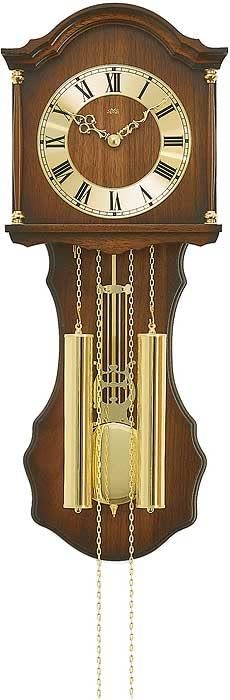
Thank you for choosing the AMS Pendule 211/1 wall clock. This manual provides comprehensive instructions for the safe and efficient setup, operation, and maintenance of your new clock. Please read this manual thoroughly before use and retain it for future reference.
Remove all protective films or packaging materials from the clock face, hands, and pendulum.
将来の輸送や保管のためにパッケージを保管してください。
2.2 バッテリーの取り付け
The AMS Pendule 211/1 requires batteries (not included) for operation. Please use the specified battery type.
時計の背面にある電池ケースのカバーを見つけます。
カバーをスライドまたはラッチを外して取り外します。
Insert the required batteries (e.g., 1x AA or 1x C, refer to the compartment label for exact type) according to the polarity indicators (+ and -).
電池収納部のカバーをしっかりと取り付けてください。
2.3 時計の取り付け
Ensure the clock is mounted securely on a stable wall surface.
Choose a suitable location on a wall, away from direct sunlight, extreme temperatures, or vibrations.
Use an appropriate wall anchor and screw for your wall type (e.g., drywall, concrete). The mounting point should be strong enough to support the clock's weight.
Hang the clock securely using the keyhole slot on the back. Ensure it is level.
2.4時間の設定
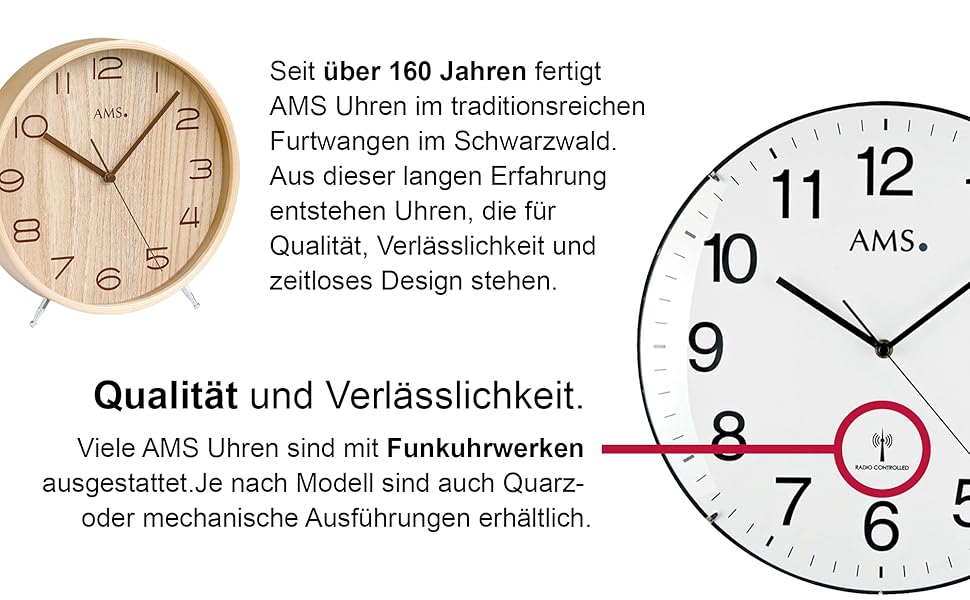
Your AMS Pendule 211/1 clock features an analog display. Some models may include a radio-controlled mechanism for automatic time synchronization.
図2:例ample Clock Face with Radio Controlled Symbol
手動設定: Locate the time-setting knob or wheel on the back of the clock. Gently turn this knob to move the minute and hour hands clockwise until the correct time is displayed. Avoid turning the hands counter-clockwise.
Radio-Controlled (if applicable): If your clock is radio-controlled, it will attempt to synchronize with a time signal after battery installation. Place the clock near a window for better signal reception. This process may take several minutes or hours. Once synchronized, the clock will automatically display the correct time.
2.5 振り子のセットアップ
The pendulum is a decorative and functional element of your clock.
Carefully unpack the pendulum if it was separate from the main clock body.
Attach the pendulum to its hook or hanging mechanism inside the clock case. Ensure it hangs freely and does not touch the sides of the case.
Gently push the pendulum to one side to start its swing. It should swing evenly.
3. 操作手順
3.1 時刻の読み方
The AMS Pendule 211/1 features a clear analog display with hour, minute, and second hands for precise timekeeping.
の 速記 時間を示します。
の 長手 分を示します。
の thin sweeping hand 秒を示します。
3.2アラーム機能
Your clock is equipped with an alarm function. Refer to the specific controls on the back or side of your clock for alarm setting.
アラーム時間の設定: Locate the alarm setting knob/dial (often separate from the main time setting). Turn it to set the desired alarm time.
アラームをアクティブにする: Find the alarm ON/OFF switch or button. Move it to the "ON" position to activate the alarm.
アラームを無効にする: To turn off the alarm sound, move the alarm switch to the "OFF" position.
3.3 Pendulum Operation
Once the pendulum is installed and started, it should swing continuously. If it stops, gently restart it.
Ensure the clock is level on the wall to allow for an even pendulum swing.
Avoid obstructing the pendulum's movement.
4. メンテナンス
4.1 クリーニング
Regular cleaning will help maintain the appearance of your clock. The frame is made of Acrylonitrile Butadiene Styrene (ABS).
Wipe the clock's exterior with a soft, dry, lint-free cloth.
For further assistance, you may visit the official AMS webサイトまたは顧客サービス部門に連絡してください。
Ask a question about this manual
Ask about setup, troubleshooting, compatibility, parts, safety, or missing instructions. Manuals+ will review the question and use this page’s manual context to help answer it.