
1. はじめに
ご購入ありがとうございますasing the Onkyo C-7030 CD Player. This manual provides essential information for the proper setup, operation, and maintenance of your device. Please read it thoroughly before use to ensure optimal performance and longevity of your CD player.
2.製品オーバーview
The Onkyo C-7030 is a high-quality CD player designed for music enthusiasts, featuring robust construction and advanced audio technology for excellent sound reproduction. It supports standard audio CDs and offers various connectivity options.
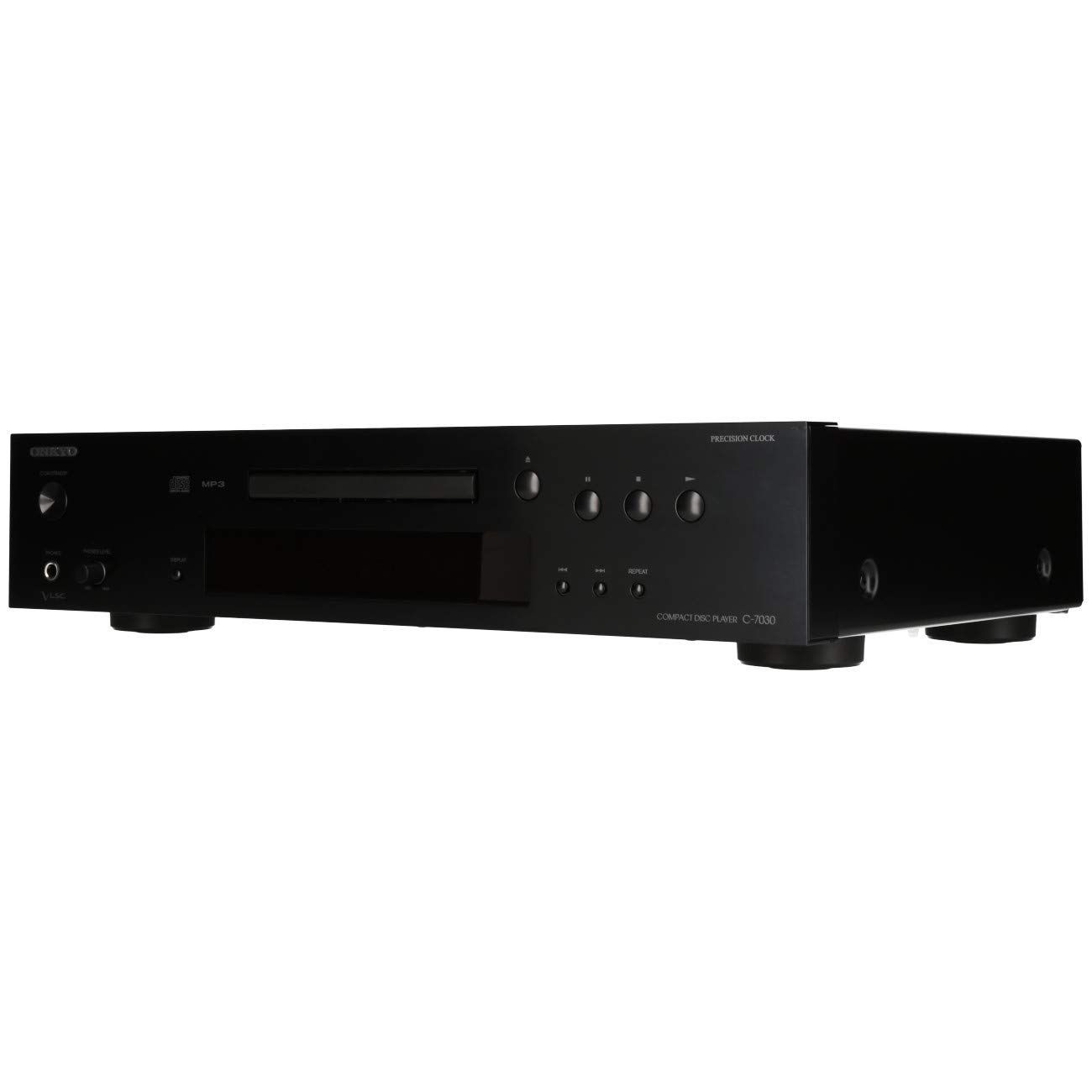
図1: 前面 view of the Onkyo C-7030 CD Player. This image shows the sleek black finish, disc tray, display, and control buttons.

図2: 斜めの前面 view of the Onkyo C-7030 CD Player, highlighting the power button, headphone jack, and volume control.

図3:背面 view of the Onkyo C-7030 CD Player, displaying the analog RCA, coaxial digital, and optical digital audio output ports, along with the remote control input.

Figure 4: The remote control for the Onkyo C-7030 CD Player, featuring various playback and function buttons.
3. セットアップ
- 開梱: Carefully remove the CD player and all accessories from the packaging. Retain the packaging for future transport or storage.
- 配置: CDプレーヤーは、直射日光、熱源、過度のほこりや湿気を避け、安定した平らな場所に置いてください。機器の周囲に十分な換気を確保してください。
- 接続:
- オーディオ出力: CDプレーヤーを amp次のいずれかの方法を使用して、請求者または受取人:
- Analog (RCA): Use RCA cables (red for right, white for left) to connect the AUDIO OUTPUT ANALOG jacks on the CD player to the corresponding input jacks on your amplifier。
- デジタル同軸: Use a digital coaxial cable to connect the COAXIAL DIGITAL AUDIO OUTPUT jack on the CD player to a coaxial digital input on your ampリファイア/レシーバー。
- デジタル光: Use an optical digital cable to connect the OPTICAL DIGITAL AUDIO OUTPUT jack on the CD player to an optical digital input on your ampリファイア/レシーバー。
- 力: Connect the power cord to the AC inlet on the rear of the CD player, then plug it into a suitable wall outlet.
- リモートコントロール(オプション): If using an Onkyo system with RI (Remote Interactive) compatibility, connect the RI cable from the CD player to your amplifier/receiver for integrated control.
- オーディオ出力: CDプレーヤーを amp次のいずれかの方法を使用して、請求者または受取人:
4. 操作手順
- 電源オン/オフ: を押す スタンバイ/オン 前面パネルまたはリモコンのボタンを使用して、ユニットの電源をオンまたはオフにします。
- CDのロード: を押す 開く/閉じる button to open the disc tray. Place a CD with the label side up in the tray. Press 開く/閉じる もう一度トレイを閉じます。
- 再生: After loading a CD, the player will automatically begin playback. If not, press the 遊ぶ ボタン。
- 一時停止: を押す 一時停止 ボタンを押すと再生が一時停止します。もう一度押すと再開します。
- 停止します。 を押す 停止 再生を停止するボタン。
- トラックをスキップ: 使用 SKIP (▶▶| / |◀◀) トラック間を移動するためのボタン。
- 早送り/巻き戻し: を押したまま SKIP (▶▶| / |◀◀) 再生中にボタンを押すと、トラック内を早送りまたは巻き戻しできます。
- 再生を繰り返す: を押す 繰り返す button to cycle through repeat modes (e.g., repeat current track, repeat all tracks).
- ランダム再生: を押す ランダム トラックをランダムに再生するボタン。
- 画面: を押す 画面 button to change the information shown on the front panel display (e.g., track number, elapsed time, remaining time).
- 調光器: 使用 ディマー フロントパネルディスプレイの明るさを調整するボタン。
ビデオに関する注意: No official product videos specifically for the Onkyo C-7030 CD Player from a 'Seller' creator type were available in the provided data. The videos found were for different brands or models, and thus are not included to maintain relevance and accuracy for this specific instruction manual.
5. メンテナンス
- ユニットのクリーニング: Use a soft, dry cloth to wipe the exterior of the unit. For stubborn stains, dampen the cloth with a mild, non-abrasive cleaner. Avoid using harsh chemicals or abrasive materials.
- クリーニングディスク: Wipe CDs with a soft, lint-free cloth from the center outwards. Do not use solvents or abrasive cleaners.
- ディスクトレイ: Keep the disc tray clean and free of dust. Avoid placing heavy objects on the tray or forcing it open/closed.
- 換気: 過熱を防ぐため、ユニットの通気口が塞がれていないことを確認してください。
6。 トラブルシューティング
| 問題 | 考えられる原因 | 解決 |
|---|---|---|
| 電源なし | 電源コードが接続されていないか、コンセントがアクティブではありません。 | 電源コードの接続を確認してください。別のコンセントをお試しください。 |
| 音が出ない | Incorrect audio cable connection or wrong input selected on amplifier。 | オーディオケーブルの接続を確認してください。正しい入力を選択してください。 ampライフファイア。チェック ampリファイアボリューム。 |
| ディスクが再生されない/ディスクエラー | ディスクが汚れているか、傷が付いているか、または正しく挿入されていません。 | Clean the disc. Try a different disc. Ensure the disc is inserted correctly with the label side up. |
| リモコンが動作しない | Batteries are dead or remote is not aimed at the unit. | Replace batteries (2 AA required). Point the remote directly at the CD player's sensor. |
7. 仕様
- 製品寸法: 17.13 x 12.05 x 3.98インチ
- 商品の重量: 11.66ポンド
- メーカー: ONKYO
- モデル名: C-7030
- 接続技術: 補助
- ディスク枚数: 1
- 電池: 単三電池2本必要(リモコン用)
- 発売日: 7年2012月XNUMX日
8. 保証とサポート
保証情報およびテクニカルサポートについては、製品に付属の保証書を参照するか、オンキヨーの公式ウェブサイトをご覧ください。 webサイトでご確認ください。保証請求の際は購入証明として領収書を保管してください。