
1. はじめに
Welcome to the user manual for your Nikon COOLPIX S6100 digital camera. This guide provides essential information for setting up, operating, and maintaining your camera to ensure optimal performance. The COOLPIX S6100 features a 16.0-megapixel CCD sensor, a 7x NIKKOR wide-angle optical zoom lens, a 3-inch touch-panel LCD, and HD (720p) movie recording capabilities.
2.製品オーバーview
Nikon COOLPIX S6100 カメラの主なコンポーネントとコントロールについて理解しておきましょう。
フロント View

画像2.1: フロント view of the Nikon COOLPIX S6100 camera, highlighting the NIKKOR 7x wide optical zoom lens and built-in flash.
上部と背面のコントロール
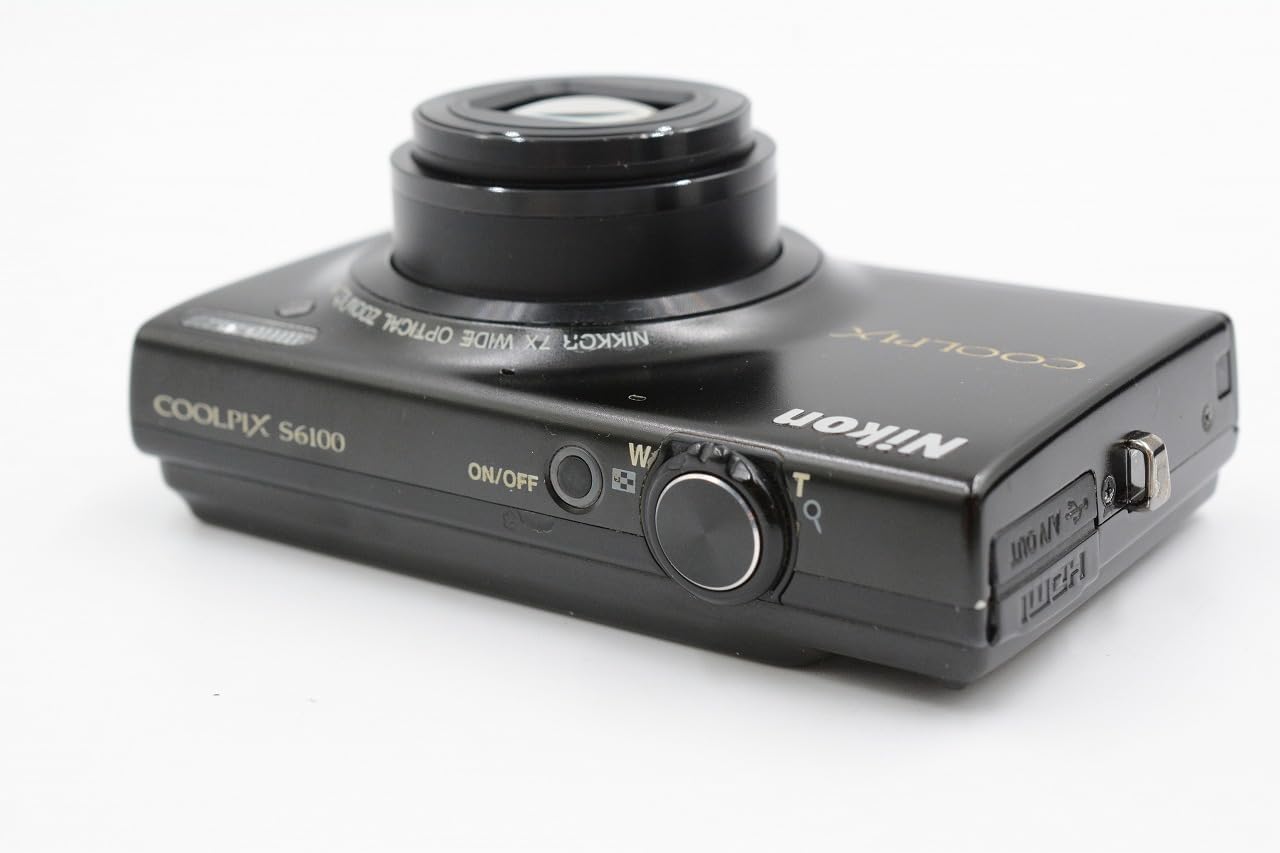
画像2.2: トップとリア view of the camera, illustrating the ON/OFF button, shutter release, zoom control, and HDMI/USB ports.
Touch-Panel LCD Interface
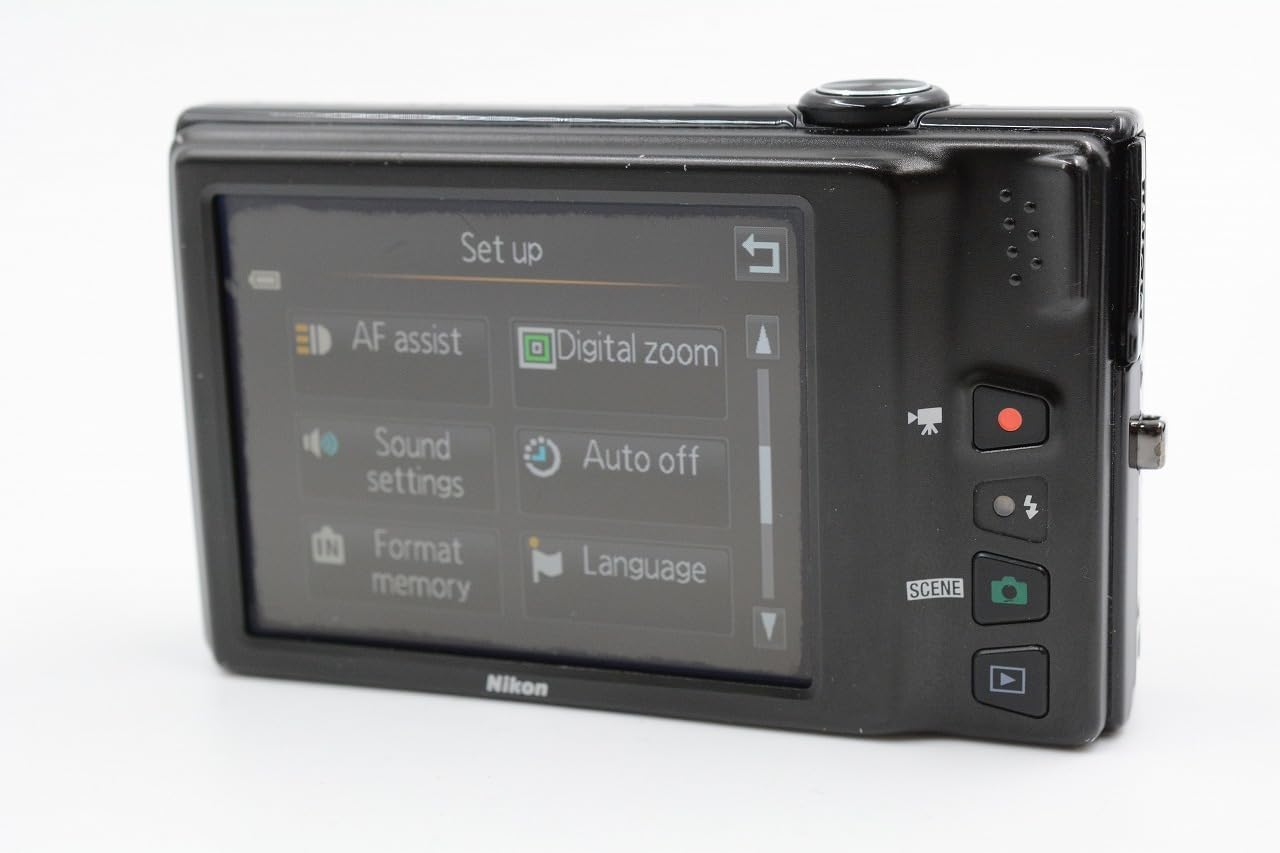
画像2.3: The 3-inch touch-panel LCD displaying the camera's setup menu, including options for AF assist, digital zoom, sound settings, auto off, format memory, and language.
3. セットアップ
3.1. バッテリーとメモリーカードの取り付け
The camera uses a rechargeable Lithium-ion battery. Ensure the battery is fully charged before first use. The camera supports SD, SDHC, and SDXC memory cards.
- カメラの底面にあるバッテリー/メモリカードカバーを開きます。
- Insert the battery with the correct orientation until it clicks into place.
- Insert a compatible memory card into the slot until it clicks.
- カバーをしっかりと閉めてください。

画像3.1: 底 view of the camera with the battery and memory card compartment open, showing the slots for insertion.
3.2. バッテリーの充電
The camera can be charged via a USB cable connected to a computer or using the included AC adapter and USB cable connected to a wall outlet. A light on the back of the camera indicates charging status.
3.3. 初期設定
Upon first power-on, you may be prompted to set the language, date, and time. Use the touch screen or physical controls to navigate and confirm your selections.
4. 基本操作
4.1. 写真を撮る
- を押してカメラの電源を入れます オン/オフ ボタン。
- カメラを被写体に向けます。カメラが自動的にフォーカスします。
- Press the shutter button halfway down to confirm focus.
- シャッターボタンを全押しして写真を撮ります。
4.2.ビデオの録画
The COOLPIX S6100 features a dedicated movie recording button.
- 専用の 映画記録 録音を開始するボタン。
- を押す 映画記録 もう一度ボタンを押すと、録音が停止します。
Videos are recorded in HD (720p) resolution.
4.3.再生
再するためにview あなたの写真とビデオ:
- を押す 再生 ボタン。
- Use the touch screen or directional controls to scroll through your images and videos.
5. 高度な機能
5.1. タッチスクリーン機能
The 3-inch touch-panel LCD allows for intuitive control. You can tap to focus, navigate menus, and review images. A stylus is included for precise interaction.
5.2. Scene Selection
The camera offers 19 scene modes plus an auto scene selector. These modes optimize camera settings for specific shooting conditions (e.g., Portrait, Landscape, Night Portrait, Close-up). Access scene modes via the menu on the touch screen.
5.3. Filter Effects and Retouching
Enhance your photos directly on the camera with various filter effects and retouching options, including:
- Drawing or writing on photos
- Adding decorations
- Cross screen effect
- Fish eye effect
- Selective color
- Black and white conversion
- Sepia tone
- Glamour retouch
- Skin softening
5.4. Zoom and Image Stabilization
The camera features a 7x optical zoom NIKKOR ED glass lens and up to 4x digital zoom. The 4-way VR (Vibration Reduction) image stabilization system helps reduce blur caused by camera shake, especially in low light or when using the zoom.
6. メンテナンス
6.1. カメラのクリーニング
- レンズ: 柔らかく糸くずの出ない布かレンズブラシを使って、優しく埃を取り除いてください。汚れには、レンズに直接拭き取らず、布にレンズクリーニング液をつけてご使用ください。
- LCDスクリーン: 柔らかく乾いた布で優しく拭いてください。画面を強く押さないでください。
- カメラ本体: Use a soft, dry cloth to wipe away dust and dirt. Do not use organic solvents or strong cleaning agents.
6.2. ストレージ
When not in use, store the camera in a cool, dry place away from direct sunlight, high temperatures, and humidity. Remove the battery if the camera will not be used for an extended period.
7。 トラブルシューティング
カメラに問題が発生した場合は、次の一般的な解決策を参照してください。
- カメラがオンにならない: バッテリーが完全に充電され、正しく挿入されていることを確認してください。
- 写真がぼやけています: Check that the lens is clean. Ensure the camera has focused correctly before taking the shot. Use VR image stabilization in low light or with zoom.
- メモリカードエラー: Ensure the memory card is inserted correctly and is not full. Try formatting the card (this will erase all data).
- タッチスクリーンが反応しない: Gently clean the screen. If using a stylus, ensure it is making proper contact.
For more detailed troubleshooting, please consult the official Nikon support resources.
8. 仕様
| センサータイプ | 16.0メガピクセルCCD |
| レンズ | NIKKOR 7x Optical Zoom ED Glass Lens (28-196mm equivalent) |
| 画像安定化 | 4-way VR (Vibration Reduction) |
| 画面 | 3-inch (460,000-dot) Touch-Panel LCD |
| ビデオ録画 | HD 720p with Stereo Sound |
| ストレージメディア | SD/SDHC/SDXC メモリーカード |
| 接続性 | USB, HDMI (Mini Connector) |
| 寸法(約) | 97.9 x 58.0 x 21.9 mm (3.9 x 2.3 x 0.9 インチ) |
| 重量(約) | 177 g (6.3 oz) with battery and memory card |
9. 保証とサポート
Your Nikon COOLPIX S6100 camera is covered by a limited warranty. Please refer to the warranty card included with your product for specific terms and conditions. For technical support, service, or additional information, please visit the official Nikon webサイトをご覧いただくか、ニコンのカスタマー サービスにお問い合わせください。
詳しい情報とサポートについては、 Amazonのニコンストア.