
導入
The Vanco 281442 HDMI 4x2 Matrix Selector Switch is designed to connect up to four HDMI audio/video source devices to two independent HDMI displays. This device ensures high-quality, uncompressed digital video and surround sound audio transmission without signal loss. It supports 3D content when connected to compatible devices and high-definition resolutions up to 1080p. The switch is compliant with the DDWG standard for HDMI monitors and H.D.C.P. (High-Bandwidth Digital Content Protection).
主な機能は次のとおりです。
- ビデオ ampリファイア帯域幅:2.25 Gbps
- Input connector type: (4) HDMI (19 pin - type A) female
- Output connector type: (2) HDMI (19 pin - type A) female
- IR remote control port
- 電源: 5V DC
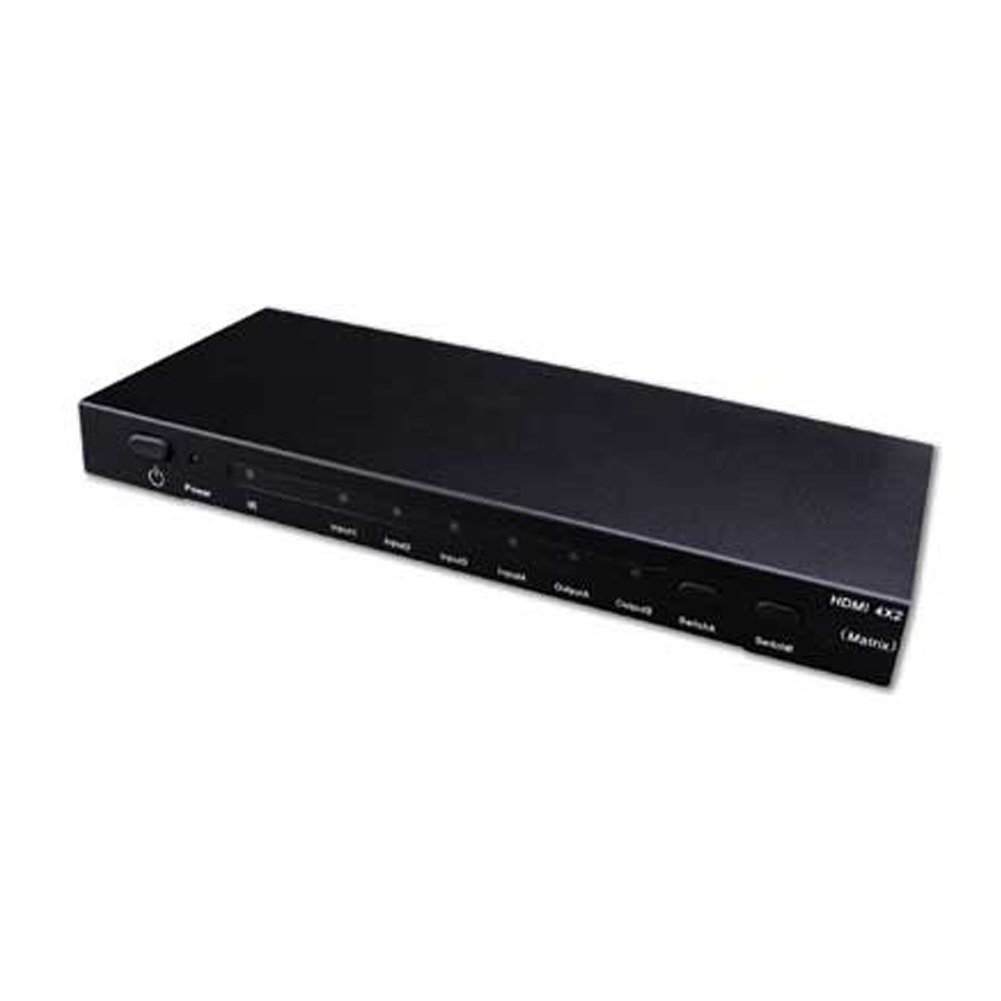
Image showing the Vanco 281442 HDMI 4x2 Matrix Selector Switch, a device designed to connect multiple HDMI sources to multiple HDMI displays.
セットアップ手順
- デバイスの電源を切ります: Ensure all HDMI source devices (e.g., Blu-ray player, game console, cable box) and HDMI display devices (e.g., TV, projector) are powered off before making connections.
- HDMIソースを接続します: Connect up to four HDMI source devices to the HDMI input ports (labeled INPUT 1-4) on the Vanco 281442 switch using high-quality HDMI cables.
- HDMIディスプレイを接続する: Connect your two HDMI display devices to the HDMI output ports (labeled OUTPUT A and OUTPUT B) on the Vanco 281442 switch using high-quality HDMI cables.
- 電源アダプタを接続: Plug the included 5V DC power adapter into the DC 5V port on the switch, then plug the adapter into a standard electrical outlet.
- デバイスの電源をオンにします: Power on your HDMI display devices first, then power on your HDMI source devices.
- 接続を確認します: The switch should automatically detect the connected devices. You can now proceed to the operation section to select your desired input and output combinations.
操作手順
The Vanco 281442 HDMI 4x2 Matrix Selector Switch can be operated using the front panel push-buttons or the included IR remote control.
フロントパネルコントロール:
- 入力選択: Use the 'INPUT' buttons (1, 2, 3, 4) to select which of the four HDMI sources is routed to the active output.
- 出力の選択: Use the 'OUTPUT A' and 'OUTPUT B' buttons to independently select which input is displayed on each respective output. For example, you can select Input 1 for Output A and Input 2 for Output B simultaneously.
リモコン操作:
The included IR remote control provides the same functionality as the front panel buttons, allowing for convenient operation from a distance. Point the remote control towards the IR receiver window on the front panel of the switch.
- 入力ボタン(1~4): 対応する HDMI 入力ソースを選択します。
- Output A/B Buttons: Assigns the currently selected input to Output A or Output B.
仕様
| モデル番号 | 281442 |
| 製品寸法 | 13 x 12 x 4インチ |
| アイテム重量 | 2.5ポンド |
| メーカー | ヴァンコ |
| コネクタタイプ | HDMI |
| 対応デバイス | モニター、プロジェクター |
| ケーブルタイプ | HDMI |
| ビデオ Amplifier帯域幅 | 2.25Gbps |
| 入力コネクタ | (4) HDMI (19 pin - type A) female |
| 出力コネクタ | (2) HDMI (19 pin - type A) female |
| 電源 | 5V直流 |
メンテナンス
To ensure the longevity and optimal performance of your Vanco 281442 HDMI 4x2 Matrix Selector Switch, follow these maintenance guidelines:
- クリーニング: Use a soft, dry cloth to clean the exterior of the unit. Avoid using abrasive cleaners, solvents, or strong detergents, as these can damage the finish or internal components.
- 換気: 過熱を防ぐため、本製品は必ず換気の良い場所に設置してください。通気口を塞がないでください。
- ケーブル管理 Avoid excessive bending or pulling of HDMI cables, which can damage the connectors or internal wiring.
- 電源: Use only the provided 5V DC power adapter. Using an incorrect power supply can damage the device.
- ストレージ: デバイスを長期間保管する場合は、電源を外し、直射日光や極端な温度を避けて、涼しく乾燥した場所に保管してください。
トラブルシューティング
If you encounter issues with your Vanco 281442 HDMI 4x2 Matrix Selector Switch, refer to the following common troubleshooting steps:
- ディスプレイに信号なし:
- Ensure all HDMI cables are securely connected to both the source devices, the switch, and the display devices.
- Verify that the correct input source is selected on the matrix switch for the desired output.
- Check that the display device is set to the correct HDMI input.
- Try bypassing the switch by connecting an HDMI source directly to a display to confirm the source and display are working correctly.
- Power cycle all devices (source, switch, display) by unplugging them from power for a few seconds and then plugging them back in.
- ちらつきや断続的な信号:
- Replace HDMI cables with higher quality or shorter cables, especially for longer runs or high-resolution signals.
- Ensure the power adapter is firmly connected and providing stable power to the switch.
- 他の電子機器からの潜在的な干渉がないか確認してください。
- 解像度またはアスペクト比が正しくありません:
- Ensure your source device's output resolution is compatible with your display device.
- Some display devices may require manual adjustment of aspect ratio or scaling settings.
- If using HDMI extenders, ensure they are compatible and functioning correctly, as they can sometimes interfere with EDID communication.
- リモコンが動作しない:
- リモコンの電池を確認し、必要に応じて交換してください。
- リモコンとスイッチの IR 受信機の間に障害物がないことを確認してください。
- IR 受信機の有効範囲と角度内にいることを確認してください。
保証とサポート
Specific warranty information for the Vanco 281442 HDMI 4x2 Matrix Selector Switch is not provided within this manual. For detailed warranty terms, technical support, or service inquiries, please refer to the documentation included with your purchase or visit the official Vanco webサイト。