
導入
The Vanco SS6 is a low-profile speaker selector unit designed to distribute high-level (amplified) stereo signals to up to six independent zones. It features a manually activated impedance protection circuit to safeguard your receiver and maintain optimal sound quality across all connected speakers. This manual provides essential information for proper installation, operation, and maintenance of your SS6 unit.
重要な安全情報
- デバイスを操作する前に、すべての指示をよくお読みください。
- この装置を雨や湿気にさらさないでください。
- オーディオ システムの電源を入れる前に、すべての接続が安全であることを確認してください。
- 接続を行う際や変更する際には必ず電源を切ってください。
- Do not attempt to service this unit yourself. Refer all servicing to qualified personnel.
パッケージ内容
パッケージに次のアイテムが含まれていることを確認してください。
- Vanco SS6 6-Pair Stereo Speaker Selector Box
- 取扱説明書(本書)
製品終了view
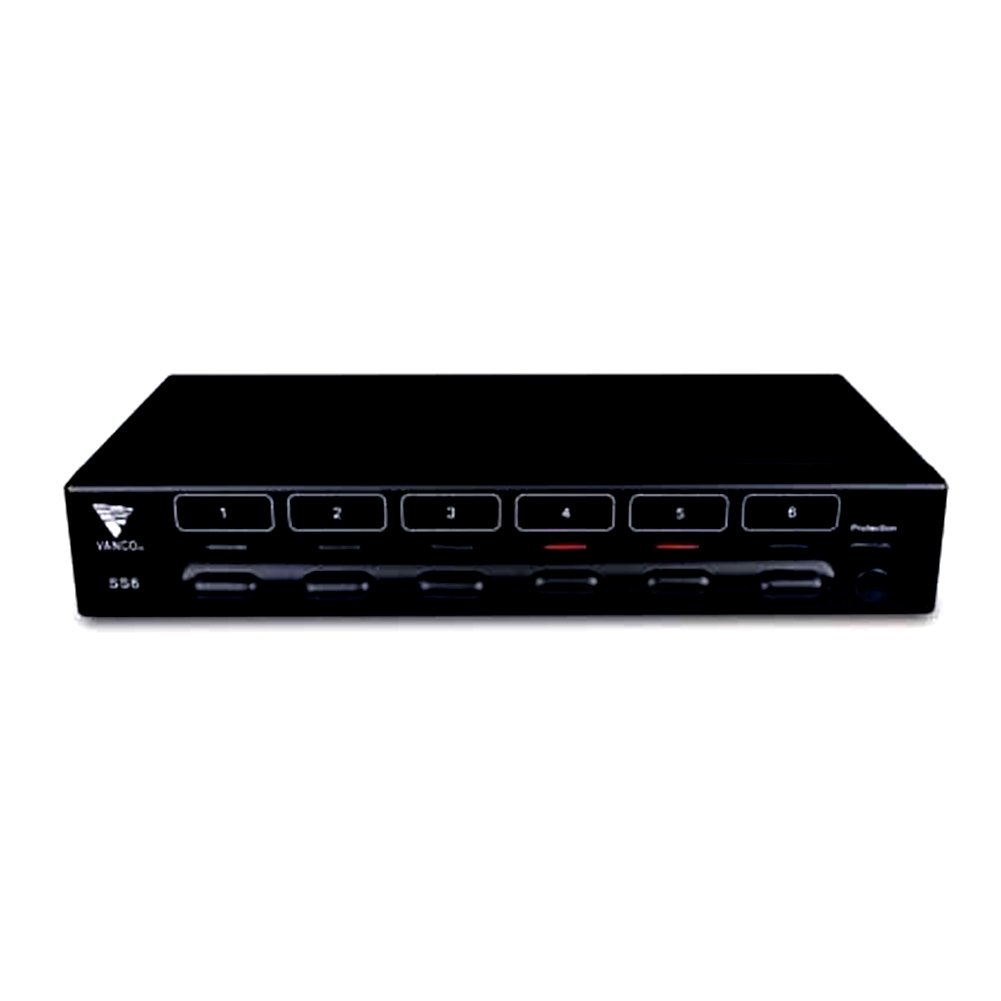
図1: フロント view of the Vanco SS6 6-Pair Stereo Speaker Selector Box. This image shows the compact design and the individual speaker zone selection buttons.

図2: 後方 view of the Vanco SS6 showing the push terminal connections for amplifier input and six speaker zone outputs. Note the impedance protection switch.
The Vanco SS6 allows you to connect a single stereo amplifier to up to six pairs of speakers, enabling audio distribution to different rooms or zones. Each zone can be independently turned on or off. The unit incorporates an impedance protection circuit to prevent your amplifier from operating below a safe impedance level, which can be manually activated or deactivated depending on your system's configuration and the use of impedance-matching volume controls.
セットアップとインストール
Follow these steps to properly set up your Vanco SS6 speaker selector box:
- 電源を切る: あなたの amplifier and all audio components are powered off and unplugged from the main power supply before making any connections.
- スピーカーワイヤーの準備: Prepare your speaker wires (14 to 22 AWG recommended) by stripping approximately 1/4 inch (6mm) of insulation from the ends. Twist the bare wire strands tightly.
- 接続する Amplifier: Connect the speaker output terminals of your stereo amp「AMPLIFIER INPUT" push terminals on the rear of the SS6 unit. Ensure correct polarity (+ to + and - to -).
- スピーカーを接続する: Connect each pair of speakers to the corresponding "SPEAKER ZONE" push terminals (1 through 6) on the rear of the SS6 unit. Maintain correct polarity for each speaker pair.
- インピーダンス保護:
- Activate (Recommended): For most setups, especially when connecting multiple speaker pairs to a single amplifier without impedance-matching volume controls, activate the impedance protection circuit. This prevents the amplifier's impedance from dropping below 5 ohms, protecting your receiver.
- 無効化: If you are using impedance-matching volume controls in each zone or have a specific system design that accounts for impedance, you may deactivate the protection circuit. Consult an audio professional if unsure.
- 配置: Place the SS6 unit in a well-ventilated area, away from heat sources and direct sunlight. Its low-profile design allows for flexible placement.
- 電源オン: Once all connections are secure and verified, plug in and power on your amplifier and other audio components.
操作手順
Using your Vanco SS6 is straightforward:
- Select Zones: Press the corresponding button on the front panel for each speaker zone you wish to activate. The button will typically illuminate or indicate its active status.
- Deselect Zones: Press the button again to deactivate a speaker zone.
- 音量コントロール: 音量を調整するには amplifier's volume control. If using impedance-matching volume controls in individual zones, adjust those as needed.
- インピーダンス保護: If the impedance protection circuit is activated, it will automatically prevent the amplifier from seeing an impedance below 5 ohms, regardless of how many speaker pairs are active or their individual impedance ratings.
メンテナンス
The Vanco SS6 requires minimal maintenance. Keep the unit clean and free from dust. Use a soft, dry cloth for cleaning. Do not use liquid cleaners or solvents. Ensure adequate ventilation around the unit to prevent overheating.
トラブルシューティング
- 音が出ない:
- Check all speaker wire connections for proper seating and polarity.
- 確実に amplifier is powered on and playing audio.
- Verify that the desired speaker zones are selected on the SS6 unit.
- 両方の音量レベルを確認してください amplifier and any in-zone volume controls.
- 歪んだ音:
- スピーカーの配線が擦り切れたりショートしたりしていないことを確認します。
- Check that the impedance protection is correctly set for your system.
- 減らす amplifier volume to see if distortion persists.
- ユニットの過熱:
- Ensure adequate ventilation around the SS6 unit.
- Verify that the impedance protection is activated if you are running multiple low-impedance speakers.
仕様
| モデル番号 | SS6 |
| 製品寸法 | 6.5 x 17 x 2.5インチ |
| アイテム重量 | 2.85ポンド |
| 定格出力 | 100 Watts continuous per channel |
| インピーダンス範囲 | 4から16オーム |
| スピーカーワイヤーゲージ | 14~22AWG |
| ポート数 | 6 (ペア) |
| 色 | 黒 |
保証とサポート
For warranty information or technical support, please refer to the Vanco official webご購入の際は、ウェブサイトをご覧いただくか、カスタマーサービスまでお問い合わせください。保証請求の際は、購入証明としてレシートを保管してください。