
1. はじめに
Thank you for choosing the Takstar E 340 Karaoke Microphone. This manual provides essential information for the proper setup, operation, and maintenance of your microphone. Please read this manual thoroughly before using the product to ensure optimal performance and longevity.
2.製品オーバーview
The Takstar E 340 is a high-quality unidirectional handheld dynamic microphone designed for clear vocal reproduction, ideal for karaoke and general speech applications. It features a robust construction and a design focused on user comfort and sound clarity.
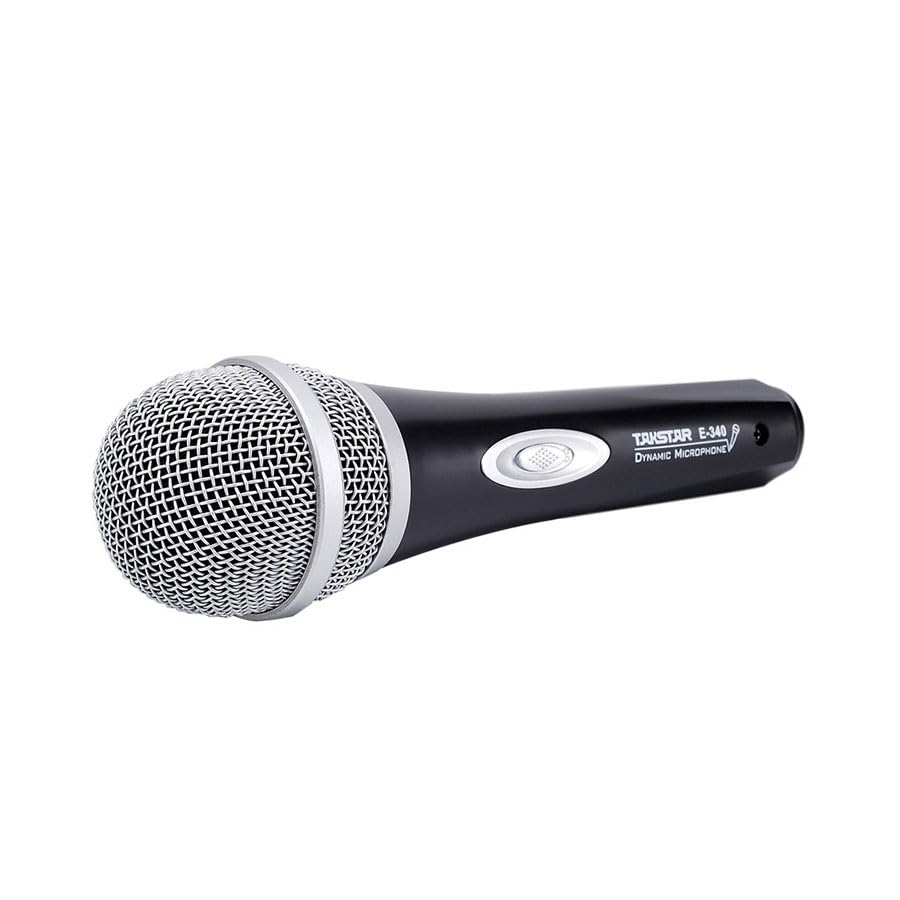
Figure 2.1: Takstar E 340 Handheld Dynamic Microphone. This image shows the full view of the microphone, highlighting its black body and silver grille.
主な特徴:
- 単一指向性極性パターン: 前方からの音に焦点を合わせ、背景のノイズを低減します。
- ダイナミックカプセル: クリアでパワフルなサウンド再生を実現します。
- 耐久性のある構造: Plastic housing with a paint finish for comfortable handling and durability.
- XLR接続: Utilizes a dual-core XLR cable for clear signal transmission and noise interference shielding.
- 軽量設計: Ensures ease of use and portability.

図2.2:詳細 view of the Takstar E 340 microphone highlighting its internal dynamic capsule and the robust construction. This image illustrates the quality components and design features.
コンポーネントの識別:
- マイクグリル: マイクカプセルを保護し、サウンドの形成に役立ちます。
- マイク本体: Houses the internal components and provides a comfortable grip.
- オン/オフスイッチ: マイクの電源を制御します。
- XLR Output Connector: For connecting the microphone to an audio interface or karaoke machine.
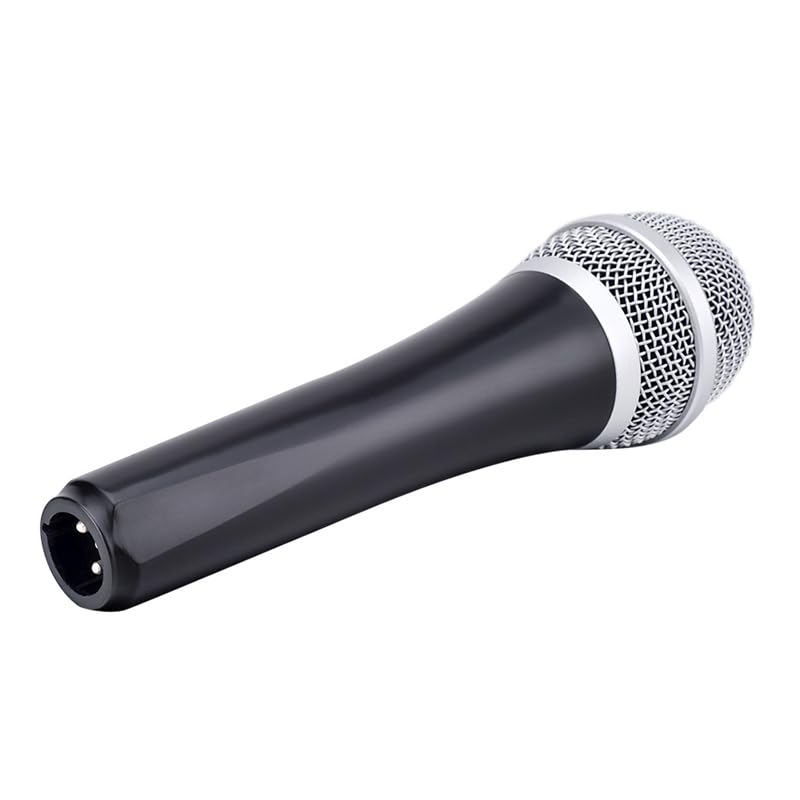
Figure 2.3: The XLR output connector located at the base of the Takstar E 340 microphone. This is where the microphone cable connects.
3. セットアップ手順
- マイクを開梱します: Carefully remove the Takstar E 340 microphone and any included accessories from its packaging.
- ケーブルを接続します。 Insert the XLR end of your microphone cable into the XLR output connector at the base of the microphone. Ensure it clicks securely into place.
- オーディオデバイスに接続します: Connect the other end of the microphone cable (e.g., 1/4-inch jack or USB Type-C, depending on your cable) to the microphone input of your karaoke machine, mixer, or audio interface.
- 電源オン: Ensure your audio device is powered on and its volume is set to a low level before activating the microphone.
4. 操作手順
- マイクをオンにする: Locate the On/Off switch on the microphone body and slide it to the 'ON' position.
- ポジショニング: Hold the microphone approximately 2-6 inches (5-15 cm) from your mouth for optimal sound pickup. Experiment with distance to find the best sound for your voice and environment.
- 音量調整: Gradually increase the volume on your connected audio device until the desired sound level is achieved. Avoid setting the volume too high to prevent feedback or distortion.
- 一方向ピックアップ: The E 340 is a unidirectional microphone, meaning it primarily picks up sound from the front. Point the top of the microphone directly towards the sound source (your mouth) for the clearest audio.
- 電源をオフにする: When finished, slide the On/Off switch to the 'OFF' position and then turn off your audio device.
5. お手入れとメンテナンス
- クリーニング: Use a soft, dry cloth to clean the microphone body. For the grille, a soft brush can be used to gently remove dust or debris. Do not use liquid cleaners or solvents.
- ストレージ: Store the microphone in a dry, cool place away from direct sunlight and extreme temperatures. If possible, use a protective case to prevent physical damage.
- 取り扱い: マイクを落としたり、強い衝撃を与えたりしないでください。内部コンポーネントが損傷する可能性があります。
- ケーブルのお手入れ: Always grasp the connector, not the cable, when plugging or unplugging. Avoid bending or kinking the cable excessively.
6。 トラブルシューティング
| 問題 | 考えられる原因 | 解決 |
|---|---|---|
| 音声出力なし | マイクスイッチはオフです ケーブルが正しく接続されていません Audio device input volume too low Faulty cable or audio device input | スイッチを「ON」にスライドします ケーブルの両端がしっかりと接続されていることを確認してください Increase input volume on audio device Test with a different cable or audio input |
| 低音または歪んだ音 | マイクが音源から遠すぎる Input volume too high (distortion) Damaged microphone capsule | Hold microphone closer to mouth Reduce input volume on audio device Contact customer support if damage is suspected |
| フィードバック(ハウリング音) | マイクがスピーカーに近すぎる ボリュームが大きすぎます マイクをスピーカーに向ける | Increase distance between microphone and speakers Reduce overall volume Ensure microphone is not pointed directly at speakers |
7. 技術仕様
| 特徴 | 仕様 |
|---|---|
| モデル | E340 |
| 極性パターン | 一方向 |
| マイクフォームファクター | ハンドヘルド |
| インピーダンス | 600オーム |
| 信号対雑音比(SNR) | 72デシベル |
| 周波数応答 | 16 kHz |
| オーディオ感度 | 54デシベル |
| 接続技術 | UHF (via cable) |
| コネクタタイプ | USB Type-C (implied for cable connection, typically XLR on mic) |
| 対応デバイス | カラオケ機 |
| 電源 | コード式電気 |
| アイテム重量 | 580グラム |
| パッケージ寸法 | 24.8 x 12.6 x 8 cm |
| 特集 | Adjustable Headband (Note: This feature is typically associated with headsets, but listed in product specifications.) |
8. 保証とサポート
For warranty information and customer support, please refer to the documentation provided at the time of purchase or visit the official Takstar webサイトでご確認ください。保証請求に備えて購入証明書を保管してください。