
ロジクール 910-001543
LogitechワイヤレスマウスM215ユーザーマニュアル
モデル: M215 (910-001543)
導入
This manual provides essential information for setting up, operating, and maintaining your Logitech Wireless Mouse M215. Please read this manual thoroughly before using the product to ensure optimal performance and longevity.
パッケージ内容
- ロジクールワイヤレスマウスM215
- USB Nanoレシーバー
- 単三電池1本(プリインストールまたは付属)
- ユーザードキュメント(このマニュアル)
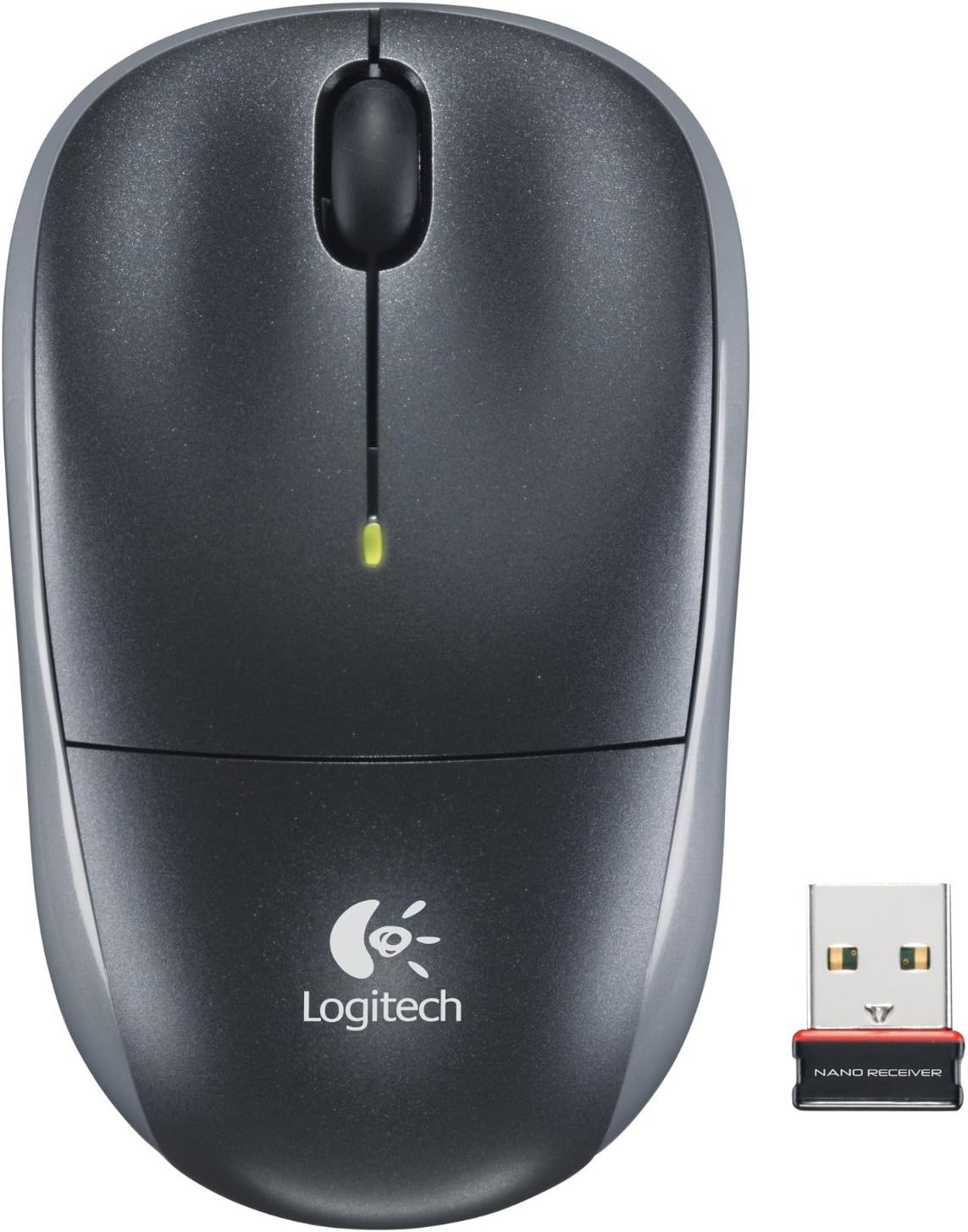
Image: The Logitech Wireless Mouse M215, a compact dark grey mouse with a scroll wheel and two main buttons, shown alongside its small USB Nano Receiver. The mouse features the Logitech logo on its palm rest.
設定
1.バッテリーを取り付けます
The Logitech Wireless Mouse M215 requires one AA battery. The battery compartment is located on the underside of the mouse. Open the compartment, insert the AA battery ensuring correct polarity (+/-), and close the compartment. A battery is included with the mouse.
2. Connect USB Nano Receiver
Locate an available USB port on your computer (desktop or laptop). Insert the USB Nano Receiver firmly into the USB port. Your operating system should automatically detect and install the necessary drivers. No additional software installation is typically required.
3. Power On Mouse
On the underside of the mouse, locate the On/Off switch. Slide the switch to the "On" position. The mouse is now ready for use.
操作手順
The Logitech Wireless Mouse M215 provides intuitive control for your computer.
- 左クリック: 左ボタンを押すと、項目を選択したり、リンクを開いたり、機能を起動したりできます。
- 右クリック: 右ボタンを押すとコンテキスト メニューが開いたり、追加のオプションにアクセスしたりできます。
- スクロールホイール: スクロールホイールを上下に回してドキュメント間を移動し、 web ページ。
- 中クリック(スクロールホイールボタン): Press the scroll wheel down to activate middle-click functions, such as opening links in new tabs or auto-scrolling.
- 動き: Move the mouse across a flat surface to control the cursor on your screen. The optical sensor provides smooth and precise tracking.
The mouse is designed for comfortable use, allowing for easy text selection and effortless scrolling.
メンテナンス
- クリーニング: マウスの外側は、柔らかく乾いた布で拭いてください。頑固な汚れには、軽く湿らせた布で拭いてください。amp 布で拭くこともできますが、内部部品に水分が入らないようにしてください。研磨剤入りの洗剤や溶剤の使用は避けてください。
- バッテリー交換: When the battery indicator light (if present) glows red or mouse performance degrades, replace the AA battery. Ensure the mouse is turned off before replacing the battery.
- 受信機のストレージ: The USB Nano Receiver can be stored inside the mouse's battery compartment when not in use, which is convenient for travel and prevents loss.
トラブルシューティング
| 問題 | 解決 |
|---|---|
| マウスが反応しません。 |
|
| カーソルの動きが不安定または飛び飛びです。 |
|
| マウスの接続が頻繁に切断されます。 |
|
仕様
- モデル: M215 (910-001543)
- 接続性: 2.4GHzワイヤレス(USBナノレシーバー)
- 動き検出: 光学
- 電池のタイプ: 1 x AA(付属)
- 寸法: 5.88×3.5×8.25インチ(製品寸法)
- 重さ: 8オンス(商品重量)
- メーカー: ロジテック株式会社
- 色: Black, red and blue
保証とサポート
保証情報およびテクニカルサポートについては、ロジクールの公式サポートをご覧ください。 web保証書は、製品に付属の保証書をご覧ください。 Amazonのロジクールストア 詳細についてはこちらをご覧ください。
Logitech、Inc。
ASIN: B003OX1LEO
Ask a question about this manual
Ask about setup, troubleshooting, compatibility, parts, safety, or missing instructions. Manuals+ will review the question and use this page’s manual context to help answer it.