
1. はじめに
The Logitech Wireless Presenter R400 is designed to provide intuitive control over your presentations, allowing you to move freely and engage with your audience. This device combines essential presentation functions, including slide navigation and a red laser pointer, into a compact and ergonomic design. It operates wirelessly, offering a reliable connection for effective communication during your presentations.

Figure 1.1: The Logitech Wireless Presenter R400, a sleek black device with control buttons and a laser pointer.
2. セットアップ
Setting up your Logitech Wireless Presenter R400 is a straightforward process that requires no software installation.
- バッテリーの挿入: The presenter requires two AAA batteries. Locate the battery compartment on the underside of the device, open it, and insert the batteries according to the polarity indicators.
- USBレシーバーを取得します: The wireless mini receiver is conveniently stored inside the presenter itself. Gently pull the receiver out from its storage slot.
- 受信機を接続する: Plug the USB receiver into an available USB port on your computer. The system will automatically detect the device.
- 電源オン: Slide the ON/OFF switch on the side of the presenter to the "ON" position. The device is now ready for use.
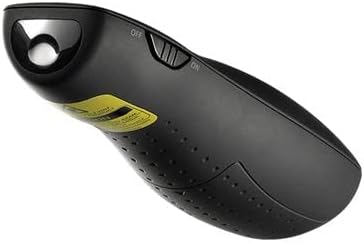
Figure 2.1: The Logitech Wireless Presenter R400 with its USB receiver stored in the base.
No additional drivers or software are required for basic functionality on compatible Windows-based systems.
3. 操作手順
The R400 presenter features intuitively placed controls for seamless presentation management.

図3.1:上 view of the Logitech Wireless Presenter R400, highlighting the navigation and laser pointer buttons.
- スライドナビゲーション:
- を押す Forward (>) 次のスライドに進むためのボタン。
- を押す Back (<) button to return to the previous slide.
- レーザーポインター:
- を押し続けます レーザーポインター button (typically a dot icon) to activate the red laser. Release the button to turn off the laser. This feature is useful for highlighting specific points on your presentation screen.
- Black Screen Function:
- を押す 黒い画面 button (often a blank screen icon) to temporarily black out your presentation screen. Press it again to resume the presentation. This allows you to shift audience attention back to yourself.
- Start/Stop Presentation:
- The R400 may include a dedicated button to start or stop your presentation (e.g., a play/pause icon). Consult your software for specific compatibility.
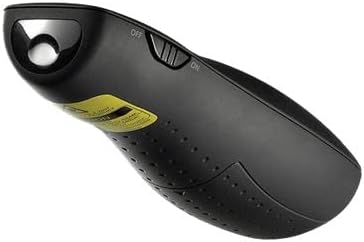
図3.2:側面 view of the Logitech Wireless Presenter R400, illustrating the laser output.
The wireless range of the R400 is approximately 50 feet (15 meters), providing ample freedom to move around the room and interact with your audience.
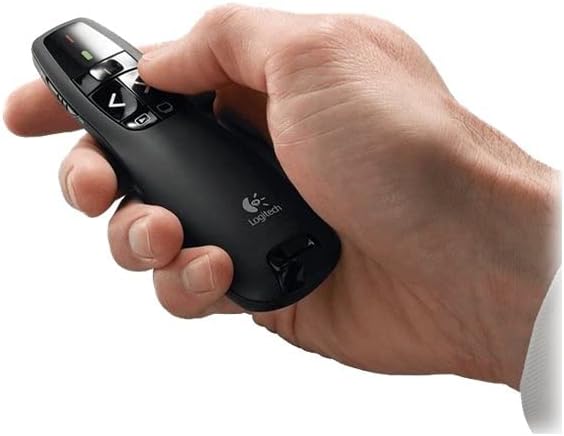
Figure 3.3: A hand comfortably holding the Logitech Wireless Presenter R400, demonstrating its ergonomic design.
4. メンテナンス
Proper maintenance ensures the longevity and optimal performance of your presenter.
- バッテリー交換: When the battery indicator light (if present) signals low power, or if the presenter's responsiveness decreases, replace the two AAA batteries. Always use fresh, high-quality batteries.
- クリーニング: Use a soft, dry cloth to clean the exterior of the presenter. Avoid using abrasive cleaners or solvents, as these can damage the surface.
- ストレージ: When not in use, turn off the presenter using the ON/OFF switch. Store the USB receiver inside its dedicated slot within the presenter to prevent loss. The included carrying case provides additional protection during transport and storage.
5。 トラブルシューティング
If you encounter issues with your Logitech Wireless Presenter R400, try the following solutions:
| 問題 | 考えられる原因 | 解決 |
|---|---|---|
| プレゼンターが応答しません。 | 電池残量が少ないか消耗しています。 プレゼンターはオフです。 USBレシーバーが正しく接続されていません。 | 電池を交換してください。 ON/OFFスイッチを「ON」にスライドします。 USBレシーバーが動作しているUSBポートにしっかりと差し込まれていることを確認してください。別のUSBポートでお試しください。 |
| レーザーポインターが暗い、または動作しません。 | 電池残量が少なくなっています。 Obstruction in front of laser. | 電池を交換してください。 Ensure nothing is blocking the laser output. |
| Limited wireless range or intermittent connection. | 他の無線デバイスからの干渉。 Distance from receiver is too great. | コンピュータに近づいてください。 干渉を引き起こす可能性のある他の電子機器の近くに受信機を置かないでください。 |
| Slide navigation not working in presentation software. | ソフトウェアがプレゼンテーション モードではありません。 Incompatibility with specific software. | Ensure your presentation software (e.g., PowerPoint, Keynote) is in slideshow or presentation mode. ロジクールのサポートを確認する website for compatibility information or software updates. |
6. 仕様
| 特徴 | 詳細 |
|---|---|
| モデル番号 | 910-001356 |
| 接続性 | 2.4GHzワイヤレステクノロジー |
| ワイヤレス範囲 | 最大50フィート(15メートル) |
| レーザータイプ | 赤色レーザーポインター |
| バッテリー | 2 x AAA電池(付属) |
| 寸法(高さ×幅×奥行き) | 1.49 x 4.55 x 1.08 インチ (37.8 x 115.5 x 27.4 mm) |
| 重さ | 2.01オンス(57グラム) |
| システム要件 | Windows-Based Computer: Windows Vista, Windows 7, Windows 8, Windows 10 or later; USB port |
| 色 | 黒 |
| 特集 | 人間工学に基づいたデザイン |
7.保証とサポート
保証情報: Specific warranty terms and conditions for the Logitech Wireless Presenter R400 may vary by region and retailer. For detailed warranty information, please refer to the warranty card included with your product or visit the official Logitech webサイト。
カスタマーサポート: For further assistance, technical support, or to access frequently asked questions, please visit the official Logitech support website. You can typically find support resources, driver downloads (if applicable), and contact information for customer service there.
Official Logitech Webサイト: www.logitech.com