
1. はじめに
The Master Airbrush G222 is a multi-purpose dual-action gravity feed airbrush gun set designed for precision and versatility across various artistic and hobby applications. This kit includes three nozzle sets (0.2mm, 0.3mm, and 0.5mm) to accommodate different spray requirements, from fine details to broader coverage. Its robust metal construction ensures durability, making it suitable for both beginners and experienced users.
Applications include model painting, graphics, cake decorating, nail art, temporary tattoos, and fine art. The dual-action trigger provides independent control over both air and fluid flow, allowing for precise adjustments during operation.

Figure 1: Master Airbrush G222 components, highlighting the gravity feed cup and ergonomic trigger.
2. セットアップ
Before initial use, ensure all components are present and free from damage. The G222 airbrush comes with interchangeable nozzle and needle sets for varied applications.
2.1 キット内容
- Master Airbrush G222 Dual-Action Airbrush
- 0.2mm Nozzle, Needle, and Nozzle Cap Set
- 0.3mm Nozzle, Needle, and Nozzle Cap Set (pre-installed)
- 0.5mm Nozzle, Needle, and Nozzle Cap Set
- 1/3 oz Gravity Fluid Cup
- クイックディスコネクトカプラー
- Airbrush Quick Start Guide
- Transparent Hard Shell Carrying Case
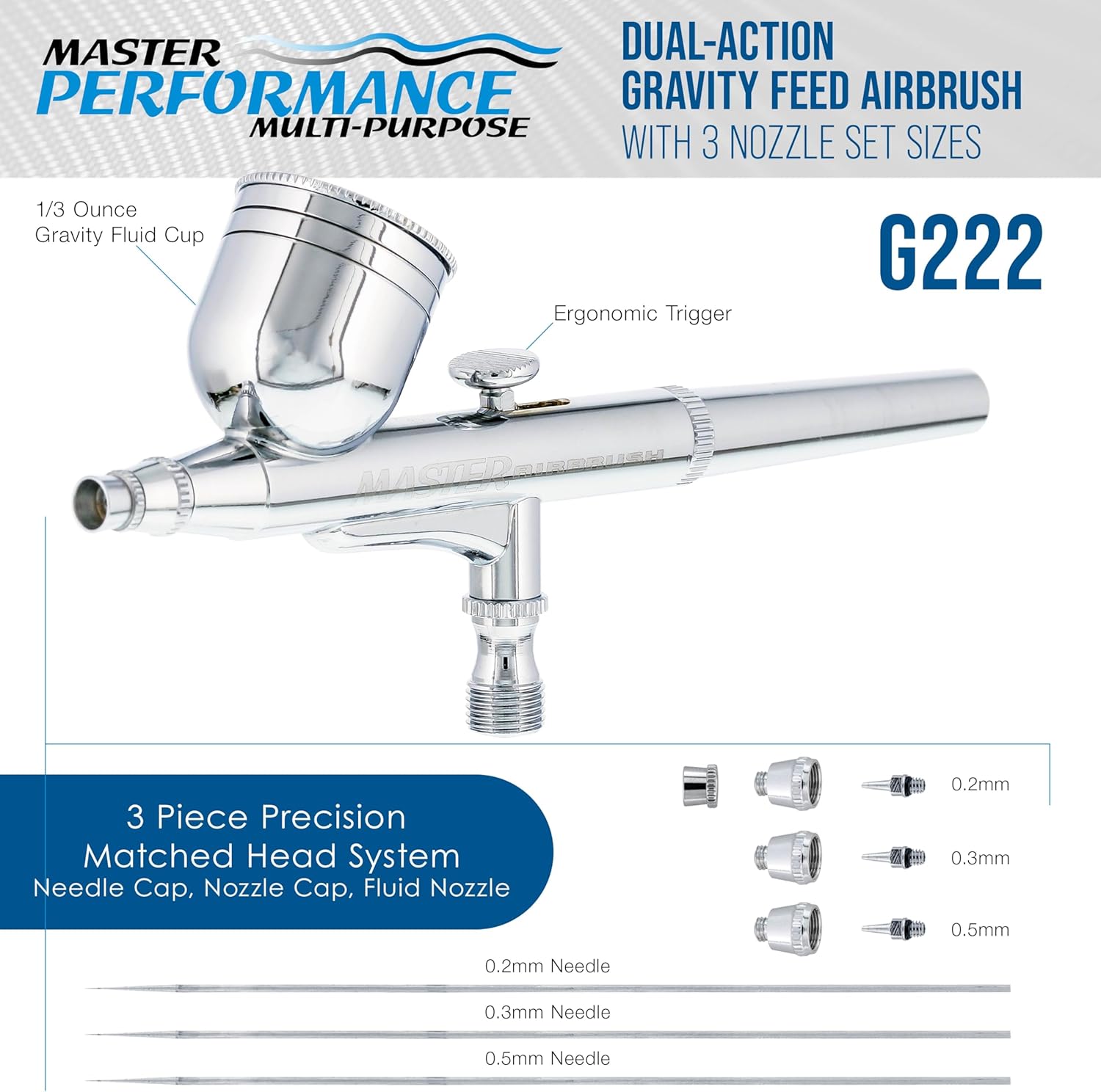
Figure 2: The Master Airbrush G222 kit, including the airbrush and various accessories, neatly stored in its carrying case.
2.2 Assembling the Airbrush
- Select Nozzle Set: Choose the desired nozzle, needle, and nozzle cap set (0.2mm, 0.3mm, or 0.5mm) based on your project's detail requirements. The 0.3mm set is typically pre-installed.
- ノズルと針を取り付けます。 Carefully screw the chosen nozzle into the airbrush body. Insert the corresponding needle from the rear of the airbrush, ensuring it seats properly within the nozzle.
- Attach Nozzle Cap: Screw the nozzle cap onto the front of the airbrush, finger-tight.
- Attach Fluid Cup: The 1/3 oz gravity fluid cup is designed to sit on top of the airbrush. Ensure it is securely in place.
- エアホースを接続する: Attach your air hose (not included) to the quick disconnect coupler, then connect the coupler to the air inlet at the bottom of the airbrush.

Figure 3: Exploded diagram illustrating the individual components of the G222 airbrush for assembly and maintenance.
3. 操作手順
The G222 is a dual-action airbrush, meaning the trigger controls both air and fluid flow independently. This allows for precise control over your spray pattern.
3.1 塗料の準備
Always thin your paint to the consistency of milk for optimal flow and atomization. Use appropriate thinners recommended by your paint manufacturer. Pour the prepared paint into the 1/3 oz gravity fluid cup.
3.2 デュアルアクションコントロール
- 気流: トリガーを押し下げて空気を抜きます。
- 流体の流れ: Pull the trigger back to release paint.
- 複合制御: For a continuous spray, press down for air, then pull back for paint. Adjusting the distance you pull back controls the amount of paint.
3.3 スプレーパターンの調整
The G222 offers versatile spray patterns, from fine lines to broader coverage, depending on the nozzle size and trigger control.
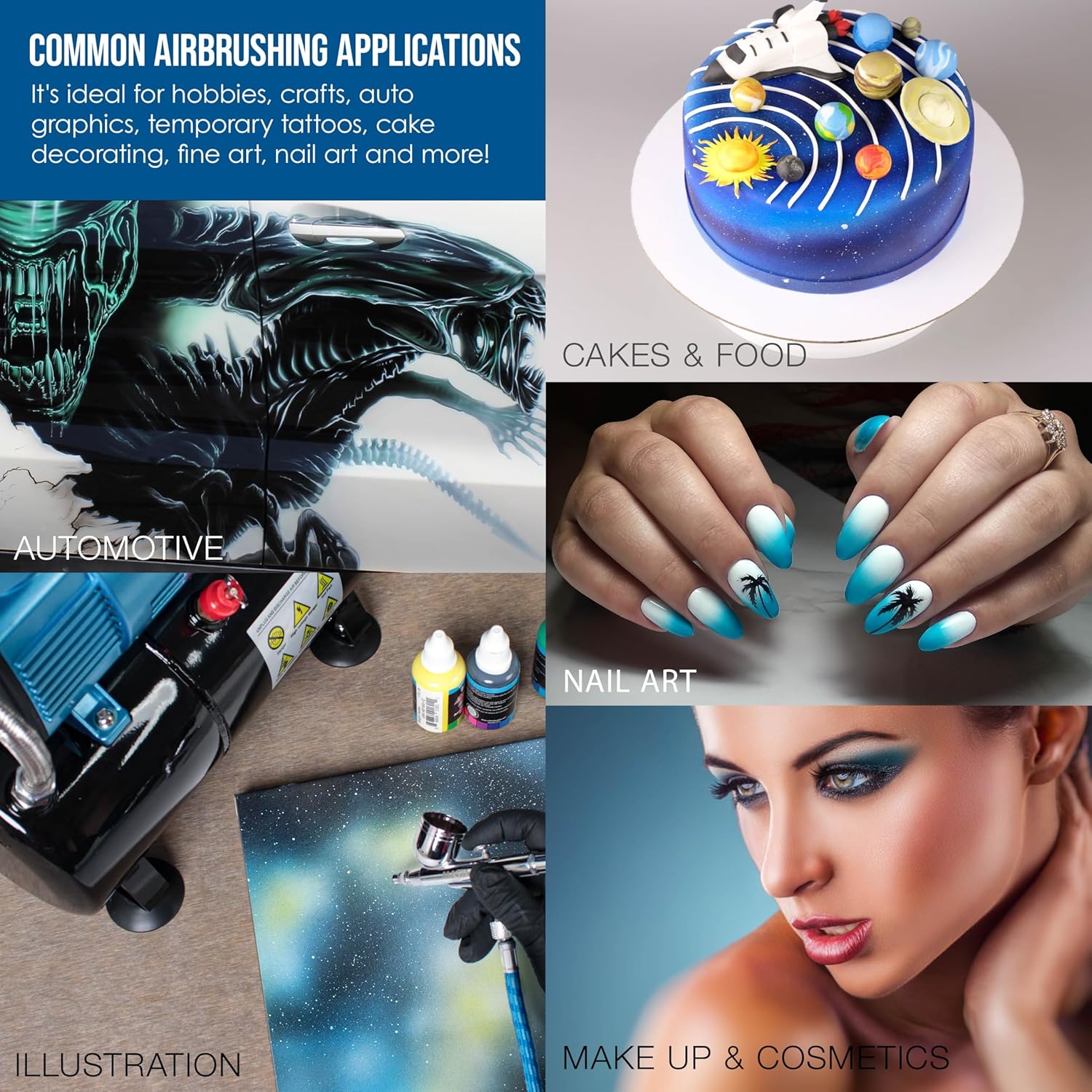
Figure 4: Illustration of spray patterns and fluid tip sizes for the G222 airbrush.

Figure 5: User demonstrating the ergonomic design and handling of the G222 airbrush.
3.4 公式製品ビデオ
全体像についてはこのビデオをご覧くださいview and demonstration of the Master Airbrush G222 Pro Set.
Video 1: Master Performance G222 Pro Set Master Airbrush Overview.
4. メンテナンス
Proper cleaning and maintenance are crucial for the longevity and optimal performance of your airbrush.
4.1 使用後の清掃
- 空の液体カップ: Remove any remaining paint from the gravity fluid cup.
- クリーナーで洗い流す: Pour appropriate airbrush cleaner or thinner into the cup. Spray through the airbrush until the cleaner runs clear.
- バックフラッシュ: Cover the nozzle cap with a finger or cloth and press the trigger down to allow air to bubble back into the fluid cup. This helps dislodge paint from the nozzle area.
- 拭き取る: Use a soft cloth and cleaner to wipe the exterior of the airbrush and the fluid cup.
4.2 ディープクリーニング(定期的)
For thorough cleaning, disassemble the airbrush components (needle, nozzle, nozzle cap, fluid cup). Clean each part individually with appropriate cleaning solutions and specialized airbrush cleaning brushes. Reassemble carefully, ensuring not to overtighten delicate parts.
5。 トラブルシューティング
以下に一般的な問題とその潜在的な解決策を示します。
| 問題 | 考えられる原因 | 解決 |
|---|---|---|
| 塗料の流れがない | ノズル/ニードルの詰まり、塗料の濃さが高すぎる、空気圧が低すぎる | ノズル/ニードルを清掃し、塗料を薄くし、空気圧を上げる |
| 一貫性のないスプレーパターン | Partially clogged nozzle, bent needle, loose nozzle cap | Deep clean, inspect needle for damage, tighten nozzle cap |
| Air bubbles in fluid cup | Loose nozzle, damaged nozzle, bent needle tip | Tighten nozzle, replace damaged parts, straighten needle tip |
| Paint spraying too wide/narrow | Incorrect air pressure, wrong nozzle size for task, trigger control | Adjust air pressure, use appropriate nozzle, practice trigger control |
6. 仕様
- ブランド: マスターエアブラシ
- モデル: G222-SET
- タイプ: Dual-Action Gravity Feed
- ノズルサイズ: 0.2mm、0.3mm、0.5mm
- 液体カップ容量: 1/3オンス
- 材料: メタル(クローム仕上げ)
- 商品の寸法 (長さ x 幅 x 高さ): 8.75 x 4.5 x 1.75インチ
- 国際コード: 844825072015
7. 保証とサポート
Master Airbrush is committed to customer satisfaction. For any questions, technical assistance, or warranty claims, please refer to the contact information provided with your product packaging or visit the official Master Airbrush webサイトでご確認ください。購入証明として購入レシートを保管してください。