
1. はじめにview
This manual provides detailed instructions for the safe and efficient use of the Helios ESA 3 Surface-Mounted Fan Speed Controller, Model 239. This device is designed to regulate the speed of compatible ventilation fans, offering precise control over airflow. Please read this manual thoroughly before installation and operation to ensure proper function and safety.
2. 安全に関する注意事項
警告: Electrical shock hazard. Always disconnect power before installing, servicing, or cleaning this device. Installation should only be performed by a qualified electrician in accordance with all local and national electrical codes.
- Ensure the power supply matches the device's requirements (230 Volts).
- 最大電流定格2.5を超えないでください Amperes or power rating of 575 Watts.
- Do not operate the device with damaged wiring or if it has been exposed to moisture.
- 操作およびメンテナンス中は、デバイスから子供を遠ざけてください。
- このデバイスは屋内での使用のみを目的としています。
3. パッケージ内容
インストールを開始する前に、すべてのコンポーネントが揃っていることを確認してください。
- Helios ESA 3 Fan Speed Controller (Model 239)
- Installation material (screws, anchors, etc.)
4. セットアップとインストール
The Helios ESA 3 is designed for surface mounting. Follow these steps for proper installation:
- 場所を選択してください: Select a suitable, dry, and easily accessible location for surface mounting. Ensure adequate space for wiring and operation.
- 電源を切る: Before making any electrical connections, ensure the main power supply to the installation area is completely disconnected at the circuit breaker.
- デバイスをマウントします。 Use the provided installation material to securely mount the controller to the chosen surface. The device dimensions are approximately 16 x 7 x 27 cm.
- 配線接続: This device uses screw terminals for wiring. Connect the power supply and the fan wiring according to the electrical diagram provided with the device (not included in this manual, refer to product packaging or manufacturer's website for specific wiring diagrams). Ensure all connections are tight and secure. The connector type is plug-in.
- インストールの確認: Double-check all connections and mounting security before restoring power.
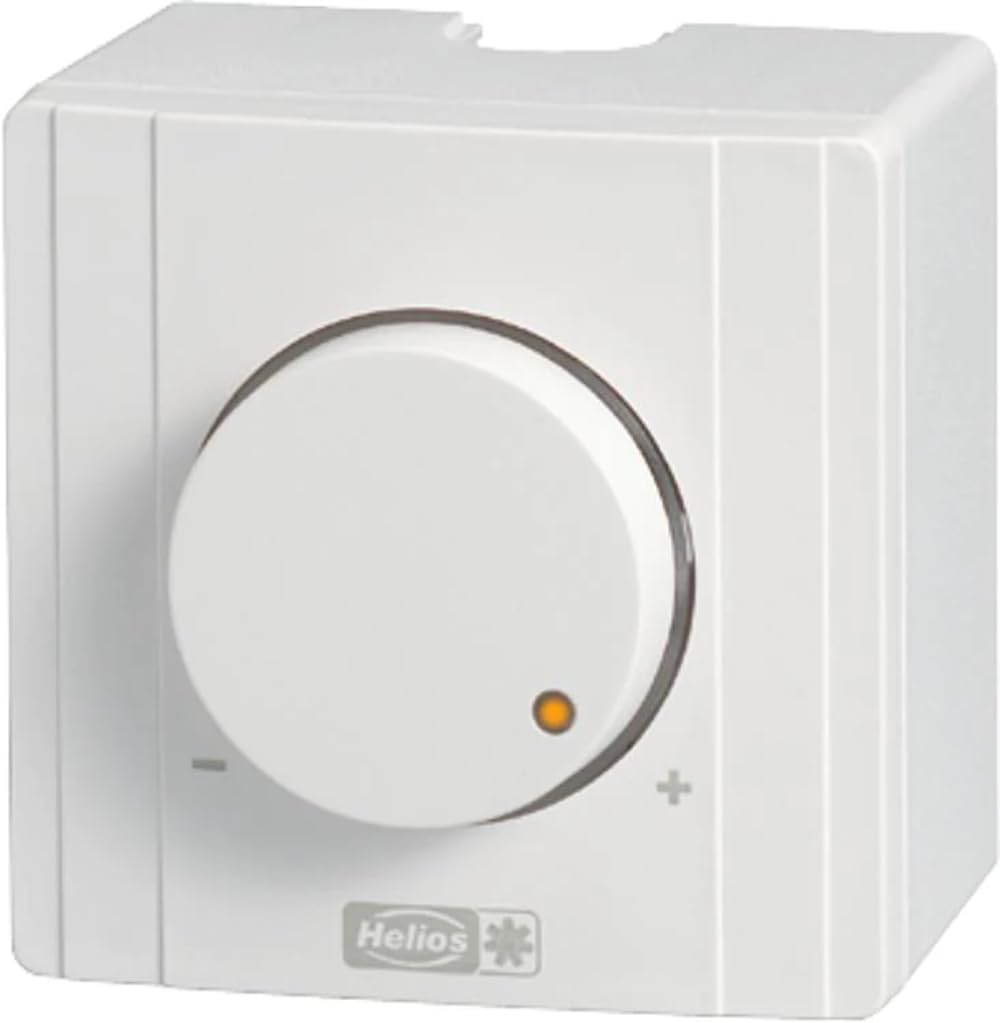
図1: 前面 view of the Helios ESA 3 Fan Speed Controller. This image shows the general appearance of the device, which is designed for surface mounting and features control buttons.
5. 操作手順
The Helios ESA 3 Fan Speed Controller operates with a simple ON-OFF mode and allows for speed adjustment via button control or remote control.
- 電源オン/オフ: Use the main push-button actuator to switch the connected fan ON or OFF.
- 速度調整: Once the fan is ON, use the control buttons on the device or the remote control (if applicable and purchased separately) to adjust the fan speed. The transistor switch type allows for smooth regulation.
- 制御方法: The device supports both direct button control and remote control functionality.
6. メンテナンス
Regular maintenance ensures the longevity and optimal performance of your speed controller.
- クリーニング: Disconnect power before cleaning. Wipe the exterior of the device with a soft, dry cloth. Do not use abrasive cleaners or solvents.
- 検査: Periodically inspect the wiring connections for any signs of wear or loosening.
- スペアパーツ: Information regarding the availability of spare parts for this model is currently unavailable. Please contact Helios customer support for assistance if replacement parts are needed.
7。 トラブルシューティング
If you encounter issues with your Helios ESA 3 Fan Speed Controller, refer to the following common problems and solutions:
| 問題 | 考えられる原因 | 解決 |
|---|---|---|
| デバイスの電源が入りません。 | No power supply; loose wiring; faulty circuit breaker. | Check power supply at the source. Verify all wiring connections are secure. Reset the circuit breaker. |
| Fan speed cannot be adjusted. | Incorrect wiring; incompatible fan; faulty control buttons/remote. | Ensure wiring is correct according to the diagram. Confirm the fan is compatible with speed control. Test control buttons or remote. |
| Fan operates erratically. | Loose connections; electrical interference; device malfunction. | Check all wiring connections. Ensure the device is not near sources of strong electrical interference. If problem persists, contact support. |
If troubleshooting steps do not resolve the issue, please contact Helios customer support.
8. 仕様
| モデル番号 | 239 |
| ブランド | ヘリオス |
| 寸法(長さ×幅×高さ) | 16 x 7 x 27 cm |
| 重さ | 2キログラム |
| 営業巻tage | 230ボルト |
| 現在の評価 | 2.5 Ampエルス |
| 力 | 575ワット |
| 動作モード | オンオフ |
| 取り付けタイプ | 表面実装 |
| 制御方法 | ボタンコントロール、リモコン |
| アクチュエータタイプ | プッシュボタン |
| スイッチタイプ | トランジスタ |
| 端末タイプ | スクリュー |
| コネクタタイプ | プラグイン |
| 材料 | Plastic (housing), Copper (contact material) |
| 認定資格 | CE, ISO 9001, TÜV |
| 含まれるコンポーネント | 設置材料 |
9. 保証とサポート
Helios products are manufactured to high-quality standards. For specific warranty information, please refer to the documentation included with your purchase or visit the official Helios website. For technical support, service, or inquiries about spare parts, please contact your retailer or Helios customer service directly.
