
導入
This manual provides instructions for the proper use and maintenance of your Presto 04213 Digital Timer. This electronic timer is designed for various timing needs, featuring both countdown and stopwatch functions. It includes an easy-to-read LCD display, an audible alarm, and a memory function for convenience.
パッケージ内容
- Presto 04213 Digital Timer
- 単1電池XNUMX本(付属)
設定
バッテリーの取り付け
- Locate the battery compartment on the back of the timer. This is typically covered by the clip/easel stand.
- Gently open the clip/easel stand to access the battery compartment.
- 単 4 電池 1 本を挿入し、プラス (+) 端子とマイナス (-) 端子がコンパートメント内のマークと正しく揃っていることを確認します。
- Close the battery compartment securely. The timer display should now be active.

画像: 裏面 view of the timer with the easel stand deployed, revealing the battery compartment and a separate AAA battery.
配置オプション
The Presto 04213 Digital Timer offers versatile placement options:
- 磁気アタッチメント: A magnet on the back allows the timer to be attached to metallic surfaces like refrigerators or ovens.
- Easel Stand: The integrated clip can be extended to form an easel stand for tabletop use.
- クリップ: The clip can also be used to attach the timer to clothing or other objects.
操作手順
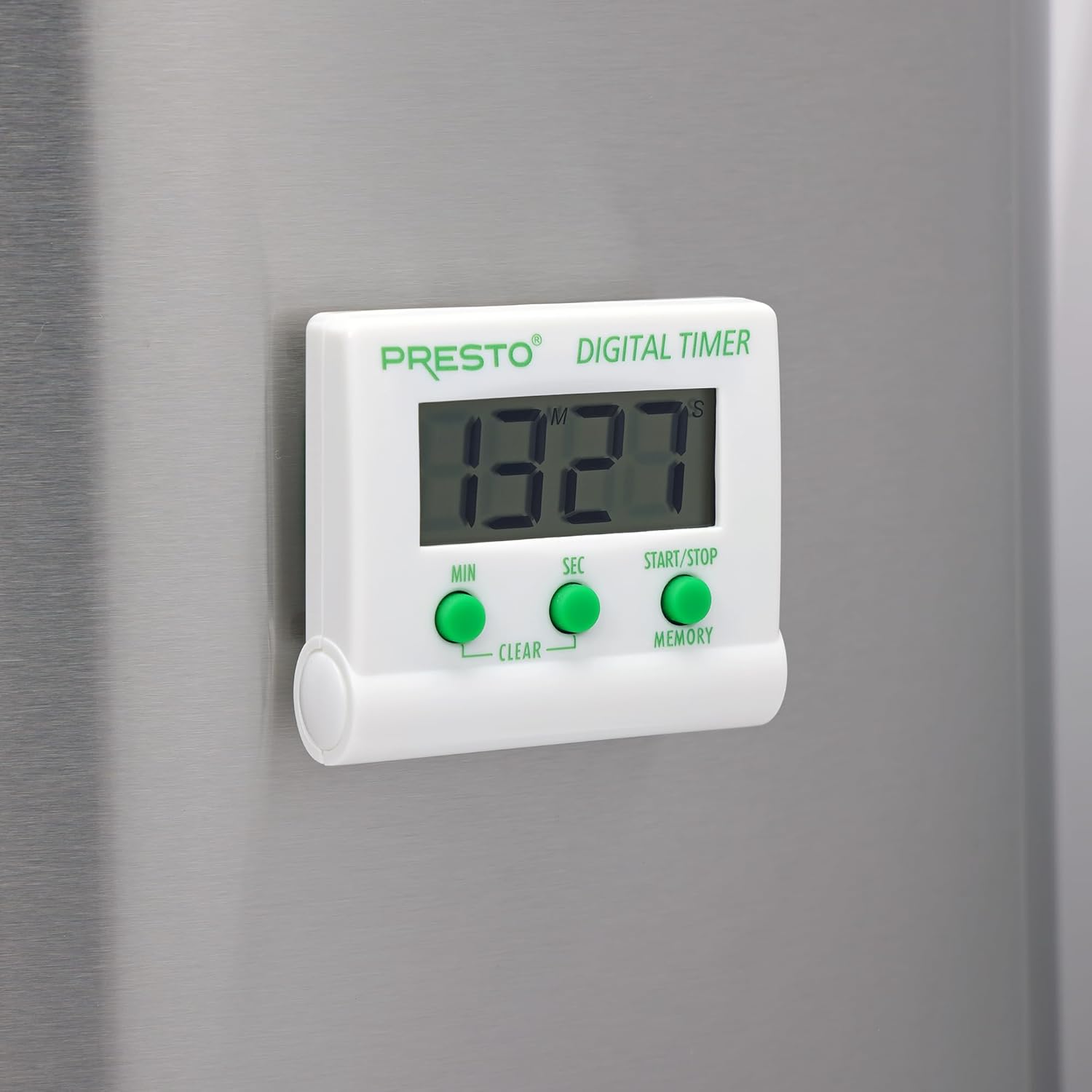
画像: 正面 view of the Presto Digital Timer, displaying the time and showing the MIN, SEC, and START/STOP/MEMORY buttons.
カウントダウンタイマーの設定
- を押す 分 button to set the desired minutes (up to 99).
- を押す SEC button to set the desired seconds (up to 59).
- To clear the current time setting, press both 分 そして SEC ボタンを同時に押します。
- を押す スタート/ストップ カウントダウンを開始するボタン。
- When the time reaches zero, an alarm will sound. Press スタート/ストップ 警報を鳴らさないように。
Using the Stopwatch Function (Count-Up)
- Ensure the timer display is set to "00:00". If not, press both 分 そして SEC buttons to clear it.
- を押す スタート/ストップ カウントアップを開始するボタン。
- プレス スタート/ストップ もう一度押すとストップウォッチが一時停止します。
- 再開するには、 スタート/ストップ. To reset to "00:00", press both 分 そして SEC buttons while the stopwatch is paused.
メモリ機能
The timer automatically stores the last countdown setting. After the alarm sounds and is silenced, or if the timer is stopped before reaching zero, pressing the メモリ button will recall the last set countdown time for quick reuse.
特徴
- 任意の時間から最大 99 分 59 秒までカウントダウンします。
- Functions as a stopwatch (counts up).
- Easy-to-read digital display shows minutes and seconds.
- Audible alarm signals when countdown is complete.
- Memory feature stores the last countdown setting.
- Versatile design with a convenient clip, easel stand, and magnet for various mounting options.
- Operates on one AAA battery.
メンテナンス
クリーニング
To clean the timer, carefully wipe it with a slightly damp cloth. Do not immerse the timer in water or use abrasive cleaners, as this can damage the electronic components.
バッテリー交換
When the display becomes dim or the timer stops functioning, replace the AAA battery following the installation steps in the "Setup" section.
トラブルシューティング
- タイマーがオンにならない: Ensure the AAA battery is correctly installed with proper polarity and is not depleted. Replace the battery if necessary.
- ディスプレイが暗い、または空白です: 電池残量が少なくなっています。単4電池を交換してください。
- アラームが鳴らない: Check if the timer reached zero. Ensure there are no obstructions to the speaker.
- ボタンが反応しない: Ensure the timer is clean and free from debris around the buttons. If the issue persists after battery replacement, contact customer support.
仕様
| モデル番号 | 04213 |
| ブランド | プレスト |
| 材料 | プラスチック |
| 寸法(D x W x H) | 0.5インチ x 2.25インチ x 2.5インチ |
| アイテム重量 | 2.88オンス |
| 電源 | 1 AAAバッテリー |
| Max Countdown | 99分59秒 |
| 色 | 白 |

Image: The Presto Digital Timer with its dimensions (2.5" H, 2.25" W, 0.5" D) clearly indicated.
保証とサポート
保証情報
This Presto 04213 Digital Timer comes with a 1年間の限定保証 ご購入日から1年間有効です。本保証は、通常の使用における材料および製造上の欠陥を対象とします。誤用、事故、改造、または無許可の修理による損傷は保証の対象外となります。
カスタマーサポート
For warranty claims, technical assistance, or any questions regarding your Presto Digital Timer, please contact Presto customer service. Refer to the official Presto web最新の連絡先情報については、サイトまたは製品パッケージをご覧ください。
また、 AmazonのPrestoストア 追加の製品情報およびサポート リソースについては、こちらをご覧ください。