
1.製品オーバーview
The Epson PictureMate Dash PM260 is a compact photo inkjet printer designed for easy, high-quality 4x6 inch photo printing. It features Advanced MicroPiezo technology for durable prints and supports PC-free printing from memory cards, digital cameras, or USB flash drives.

図1.1: 前面 view of the Epson PictureMate Dash PM260 printer.
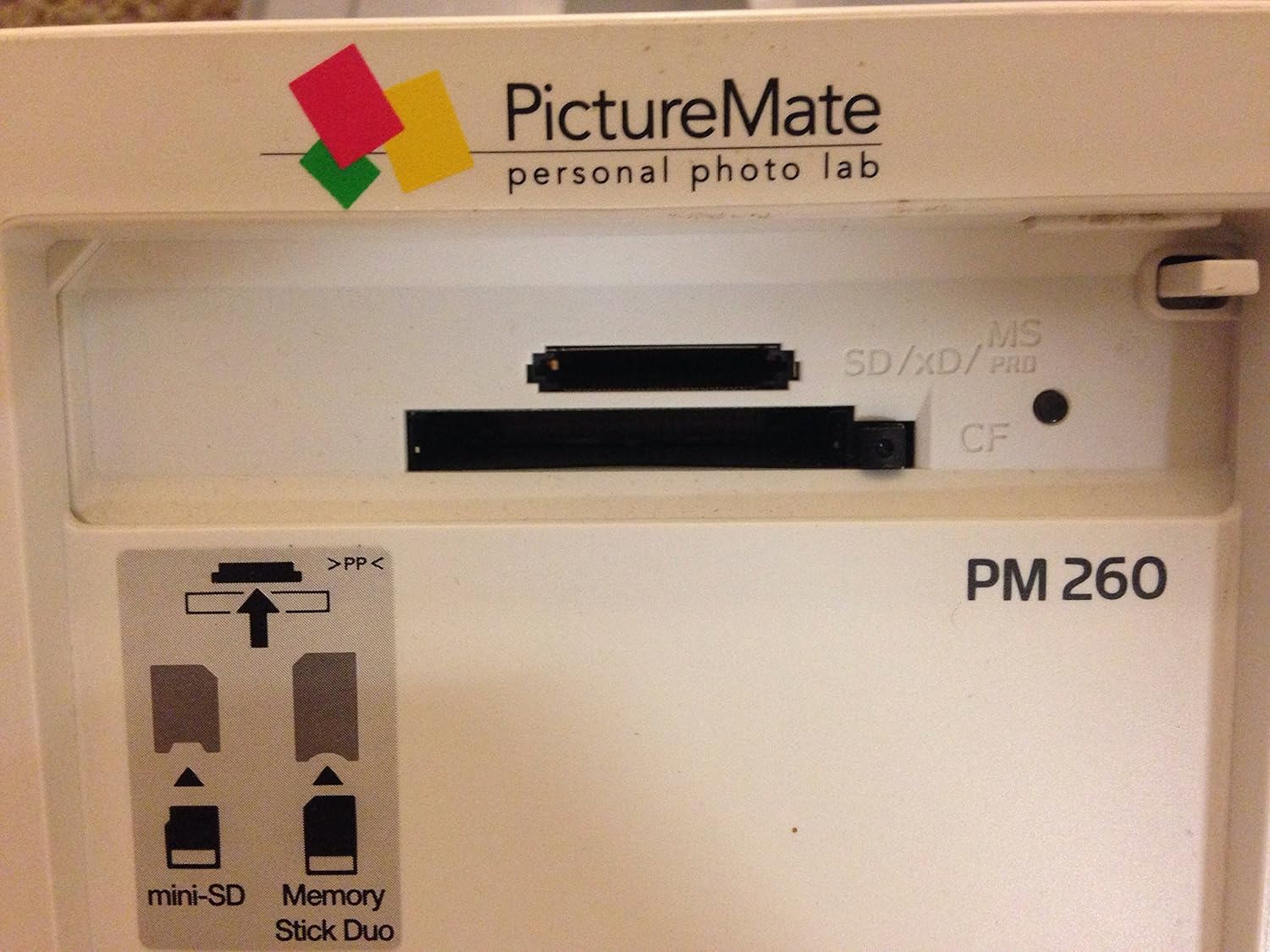
図1.2:上 view of the printer with the cover open, revealing the control panel and LCD display.

Figure 1.3: Detail of the memory card slots, supporting SD, xD, MS, and CF formats.
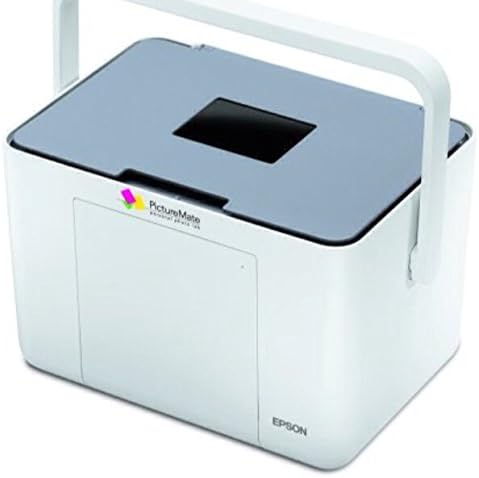
Figure 1.4: The printer shown with its integrated carrying handle, highlighting its portability.
2. セットアップ
2.1 開梱
Carefully remove the printer and all accessories from the packaging. Ensure all protective tapes and packing materials are removed from the printer's exterior and interior.
2.2電源接続
- 電源アダプタをプリンターの電源入力ポートに接続します。
- 電源コードを標準の電源コンセントに差し込みます。
- を押す On button to power on the printer.
2.3 インクカートリッジの取り付け
The PictureMate Dash PM260 uses a single photo ink cartridge (Epson T5846). Follow these steps to install it:
- プリンターの上部カバーを開きます。
- Locate the cartridge slot.
- Unpack the new Epson T5846 Photo Cartridge.
- Insert the cartridge into the slot, ensuring it clicks firmly into place. The label on the cartridge indicates the correct orientation.
- プリンターの上部カバーを閉じます。

Figure 2.1: Epson PictureMate Photo Cartridge T5846.

Figure 2.2: Installing the T5846 cartridge into the printer.
2.4 用紙のセット
Load 4x6 inch glossy photo paper into the paper tray. Ensure the paper is aligned correctly and does not exceed the maximum input sheet capacity of 10 sheets.
3. 操作手順
3.1 PC-Free Printing (Memory Card / USB Flash Drive)
- Insert your memory card into the appropriate slot or connect a USB flash drive to the printer's USB port.
- The printer's LCD screen will display detected images. Use the navigation buttons (Up, 下, 左, 右) そして OK button to browse and select photos.
- 使用 ズーム button to enlarge images for closer inspection.
- を押す 画面 変更するボタン viewing options or access print settings.
- Once your selection is complete, press the 印刷 印刷を開始するボタン。
3.2 コンピュータからの印刷
- USB 2.0 ケーブルを使用してプリンターをコンピューターに接続します。
- Install the printer drivers from the included CD-ROM or download them from the official Epson support webサイト。
- Open the photo or document you wish to print on your computer.
- Select the Epson PictureMate Dash PM260 as your printer from the print dialog box.
- Adjust print settings (e.g., paper type, print quality) as needed.
- Initiate the print job from your computer.
4. メンテナンス
4.1 クリーニング
- 外装清掃: プリンタの外側を柔らかくて乾いた布で拭いてください。amp 布で拭いてください。研磨剤や溶剤の使用は避けてください。
- インテリアクリーニング: Refer to the on-screen menu for options like Nozzle Check and Head Cleaning to maintain print quality. Perform these routines if print quality degrades (e.g., streaks, missing colors).
4.2 インクカートリッジの交換
When the ink cartridge is low or empty, the printer will display a message. Replace the cartridge by following the installation steps in Section 2.3. Dispose of used cartridges according to local regulations.
5。 トラブルシューティング
| 問題 | 考えられる原因 | 解決 |
|---|---|---|
| プリンターの電源が入りません。 | 電源コードが正しく接続されていません。 | Ensure power cord is securely connected to the printer and a working electrical outlet. |
| 印刷品質が悪い(縞模様、色あせ)。 | Low ink, clogged nozzles, or incorrect paper type. | Check ink level and replace cartridge if low. Perform a nozzle check and head cleaning from the printer's menu. Ensure you are using glossy photo paper. |
| "Paper is out or not loaded correctly" message. | Paper tray empty or paper misaligned. | Load paper into the tray, ensuring it is properly aligned and not exceeding capacity. Press OK. |
| プリンターがコンピューターに認識されません。 | USB cable issue or missing/corrupt drivers. | Ensure USB cable is securely connected. Reinstall printer drivers. Try a different USB port or cable. |
6. 仕様
| 特徴 | 詳細 |
|---|---|
| モデル名 | Dash PM 260 |
| 商品型番 | C11C694201 |
| 印刷技術 | Inkjet (Advanced MicroPiezo) |
| 最大印刷解像度 | 300 x 300 dpi |
| 最大メディアサイズ | 4x6インチ |
| 最大入力シート容量 | 10枚 |
| 接続技術 | USB2.0 について |
| 対応デバイス | PC |
| アイテム重量 | 5.29ポンド |
| 製品寸法 | 6.5 x 9.1 x 8.7インチ |
| 含まれるコンポーネント | Photo cartridges, Photo paper |

Figure 6.1: Product label with serial number K94E119240.
7. 保証とサポート
The Epson PictureMate Dash PM260 comes with a 1-year limited manufacturer's warranty. For warranty claims, technical support, or to download the latest drivers and software, please visit the official Epson support webサイトをご覧いただくか、エプソンのカスタマー サービスにお問い合わせください。
追加情報とサポートについては、 Amazonのエプソンストア.