
導入
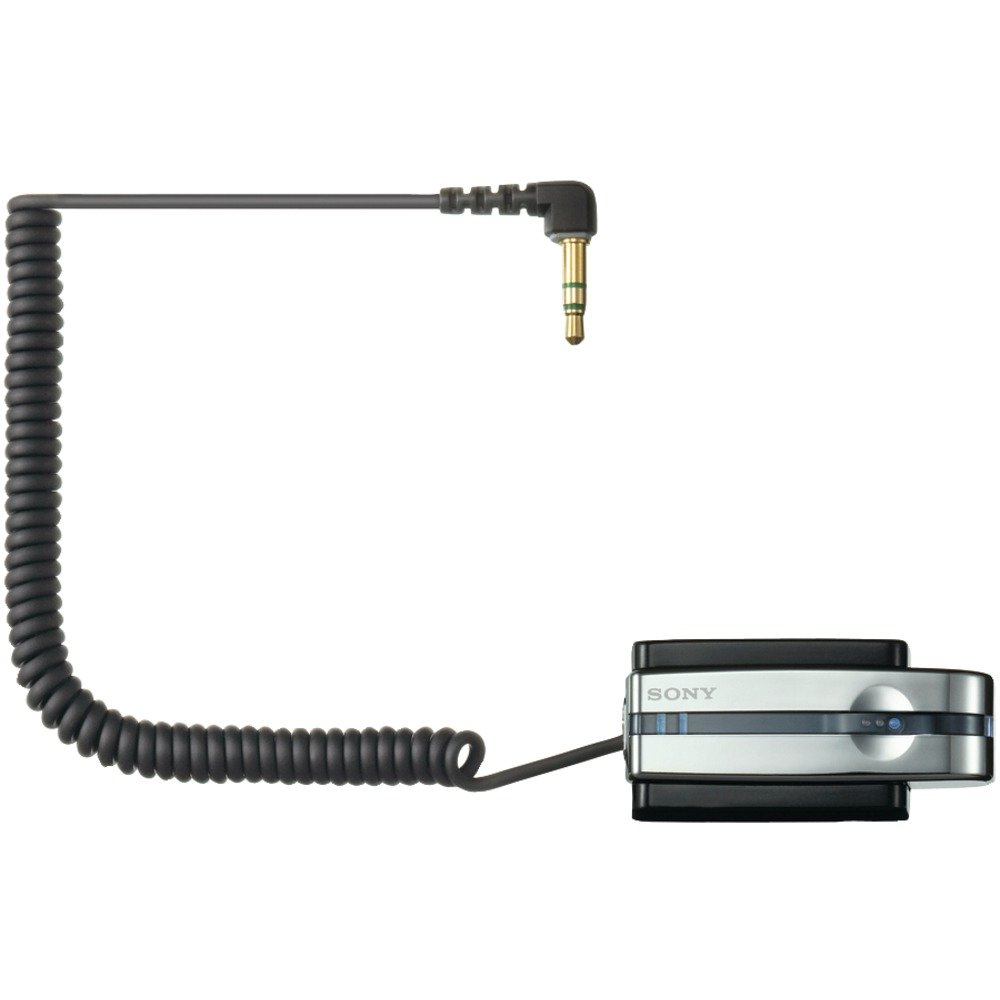
The Sony TMR-BT10A is a compact Bluetooth transmitter designed to wirelessly transmit stereo audio signals from your portable music player to compatible Bluetooth stereo audio receiving devices. This includes Bluetooth-enabled headsets, car audio systems, or home audio components. It connects to any audio device via a standard headphone jack, offering a convenient way to enjoy your music wirelessly.
製品の特徴
- ワイヤレス伝送: Transmits audio from your player to compatible Bluetooth devices.
- コンパクトで充電可能: Designed for portable use with a built-in rechargeable battery.
- ユニバーサルコネクション: Connects to any portable music player via a standard headphone jack.
- Bluetoothバージョン2.0: Supports A2DP profile for high-quality stereo audio.
- Gold-plated Stereo Mini Plug: Ensures reliable audio connection.
- Battery Charging Stand: Includes a dedicated stand for convenient charging.
パッケージ内容
セットアップを進める前に、すべてのアイテムが揃っていることを確認してください。
- Sony TMR-BT10A Bluetooth Transmitter
- Battery Charging Stand
- AC電源アダプター
- 取扱説明書(本書)
セットアップガイド
1. 送信機の充電
Before initial use, fully charge the TMR-BT10A transmitter. Place the transmitter into its dedicated charging stand and connect the AC power adapter to the stand and a wall outlet. The charging indicator light will illuminate. A full charge typically takes approximately 3 hours and provides up to 11 hours of playback time.
画像: The Sony TMR-BT10A Bluetooth Transmitter placed in its charging stand, connected to power. This image illustrates the correct way to charge the device.
注記: The transmitter cannot be used while it is connected to the charging dock or actively charging.
2. オーディオデバイスへの接続
Plug the gold-plated stereo mini plug of the TMR-BT10A into the headphone jack of your portable music player (e.g., iPod, MP3 player) or any other audio source. Ensure the connection is secure.
3. Pairing with a Bluetooth Receiver
To establish a wireless connection, the TMR-BT10A must be paired with your Bluetooth stereo audio receiving device (e.g., headphones, car stereo).
- Turn on the TMR-BT10A transmitter.
- Put your Bluetooth receiving device into pairing mode. Refer to your receiver's manual for specific instructions.
- On the TMR-BT10A, press and hold the pairing button (if available, or power button for 7 seconds as indicated in some reviews) until the indicator light flashes rapidly, indicating it is in pairing mode.
- Once paired, the indicator lights on both devices will change to a steady illumination or a slower flash, confirming the connection. The TMR-BT10A can store pairing information for up to 8 devices.
操作手順
- 電源オン/オフ: Press and hold the power button on the TMR-BT10A to turn it on or off.
- オーディオソースに接続: Ensure the transmitter's mini-plug is securely inserted into your audio player's headphone jack.
- Activate Bluetooth Receiver: Turn on your paired Bluetooth headphones or audio system. The devices should automatically connect if they have been paired previously and are within range.
- オーディオを再生: Start playback on your audio source. The sound will be transmitted wirelessly to your Bluetooth receiver.
- 音量コントロール: Adjust the volume directly on your Bluetooth receiving device or your audio source. The TMR-BT10A does not have its own volume controls.
重要: For optimal performance, ensure a clear line of sight between the transmitter and the receiving device. Obstacles and distance can affect signal quality and range.
メンテナンス
- クリーニング: Use a soft, dry cloth to clean the transmitter and charging stand. Do not use liquid cleaners or solvents.
- ストレージ: 長期間使用しない場合は、直射日光や極端な温度を避け、涼しく乾燥した場所に保管してください。
- バッテリーのケア: To prolong battery life, avoid fully discharging the battery frequently. Charge the device regularly, even if not in constant use. The battery is designed to be replaceable by removing two screws and unplugging it from the unit, though this is typically a service task.
- コネクタのお手入れ: Handle the gold-plated stereo mini plug with care to prevent bending or damage.
トラブルシューティング
| 問題 | 考えられる原因 | 解決 |
|---|---|---|
| 音が出ない、または音声が途切れる。 |
|
|
| Poor sound quality (hissing, static). |
|
|
| Audio latency (lip-sync issues). |
|
|
| Transmitter does not charge. |
|
|
仕様
| 特徴 | 詳細 |
|---|---|
| モデル番号 | TMR-BT10A |
| ブランド | ソニー |
| 接続技術 | ブルートゥース |
| Bluetoothバージョン | 2.0 (A2DP profile) |
| 電源 | 電池式(充電式) |
| 電池寿命(約) | 11時間 |
| 充電時間(約) | 3時間 |
| オーディオコネクタ | Gold-plated Stereo Mini Plug |
| アイテム重量 | 8.64オンス |
| ASIN | B000P9CEVO |
| 欧州連合 | 027242697867 |
保証とサポート
保証情報およびカスタマーサポートについては、製品に付属の保証書を参照するか、ソニーの公式サポートサイトをご覧ください。 webサイトでご確認ください。保証請求に備えて購入証明書を保管してください。
オンラインサポート: www.sony.com/electronics/support